Pros
- Native GitHub, VS Code, and JetBrains integration
- Copilot Chat explains and refactors in-editor
- Enterprise policies for compliance teams
- Works across many languages and frameworks
Cons
- Weaker multi-file agent vs Cursor Composer
- Suggestions need careful security review
- Billing complexity for large orgs
GitHub Copilot popularized AI-assisted coding — inline completions and chat inside the IDE developers already use. In 2026 it competes with Cursor and ChatGPT Plus for developer mindshare. This GitHub Copilot review covers individual and enterprise tiers, security, and workflow fit updated July 2026.
What Is GitHub Copilot?
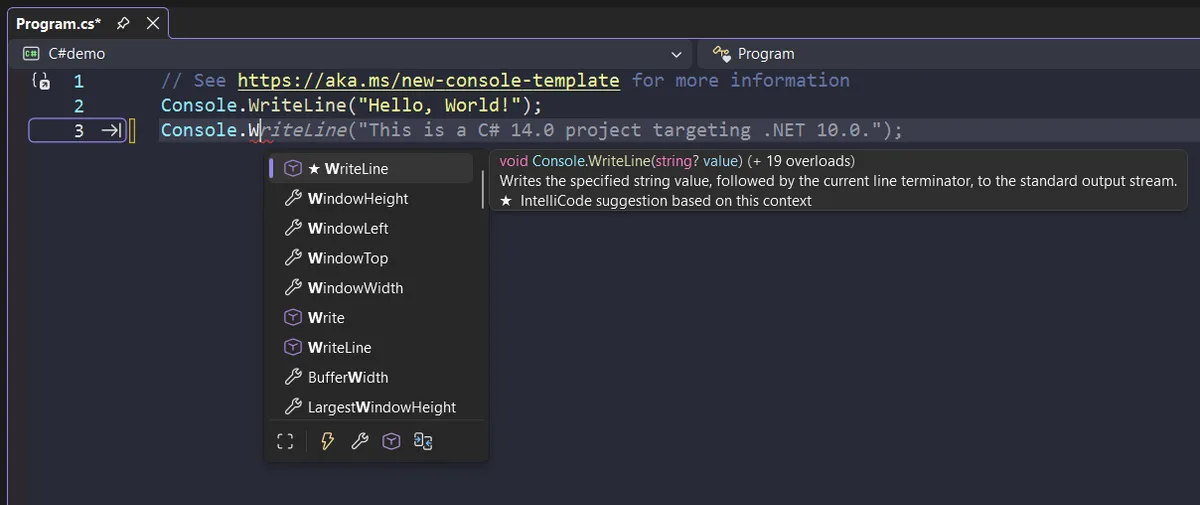
Copilot is Microsoft's AI coding assistant built on OpenAI models, integrated into VS Code, Visual Studio, JetBrains, and Neovim. It suggests code from comments, completes functions, generates tests, and answers questions via Copilot Chat. Copilot Enterprise adds codebase-aware search across org repositories with policy controls.
Official screenshot — GitHub / Microsoft (Wikimedia Commons)
It requires subscription — free tiers limited; students and OSS maintainers may qualify for discounts.
Features and Workflow
Effective daily use:
- Write intent in comment — Copilot proposes implementation
- Accept/reject suggestions with Tab/Esc
- Open Chat for debugging explanations
- Use slash commands for tests or docs
- Review diffs before commit — never blind accept
Copilot shines on boilerplate, unit test scaffolds, and API glue. Struggles on novel architecture without clear context.
Integration and Ecosystem
GitHub-native billing and SSO simplify enterprise rollout. Pull request summaries and Copilot Workspace (where available) extend beyond editor — verify feature availability in your region/plan.
JetBrains plugin quality improved but VS Code remains smoothest experience.
Privacy and Security
Organizations worry about code leakage — Enterprise offers indemnity and policy knobs. Never paste secrets into prompts; use .copilotignore patterns mirroring .gitignore.
Security teams should run Copilot alongside SAST — AI can suggest vulnerable patterns if prompts are vague.
Pros and Cons
| Pros | Cons |
|---|---|
| IDE-native | Agent depth vs Cursor |
| GitHub integration | Occasional wrong code |
| Multi-language | Cost at scale |
| Enterprise options | Needs human review |

Systems and performance — GitHub / Microsoft (Wikimedia Commons)
World and exploration — GitHub / Microsoft (Wikimedia Commons)
Comparison
Cursor — stronger multi-file agents. ChatGPT Plus — better open-ended reasoning outside repo. Copilot — best when team already on GitHub/Microsoft stack.
Pair with Figma handoff and Notion specs for product trio.
FAQ
Copilot vs Cursor?
Cursor for agentic edits; Copilot for GitHub-centric teams wanting minimal IDE change.
Learns from my private code?
Depends on plan and settings — read enterprise DPA.
Students?
GitHub Student Developer Pack often includes Copilot free.
Verdict
GitHub Copilot remains the pragmatic AI coding choice for GitHub-anchored teams in 2026 — not the most aggressive agent, but polished, integrated, and enterprise-ready. Power users may add Cursor alongside for heavy refactors.
Score: 8.7/10 — Best for GitHub Teams