Pros
- Local Markdown files you fully own
- Unmatched community plugin ecosystem
- Graph view and backlinks for second-brain workflows
- Core app free for personal use
Cons
- Steeper learning curve than Notion
- Official Sync and Publish are paid extras
- Collaboration weaker than cloud-first tools
Obsidian is a local-first Markdown knowledge base — link notes, visualize a graph, and extend everything with plugins. This Obsidian review updates July 2026 versus Notion for teams and Microsoft 365 for documents.
What Is Obsidian?
A free personal knowledge management (PKM) app that stores notes as plain Markdown folders on your device. Optional Obsidian Sync encrypts across devices; Publish shares selected vaults as websites.
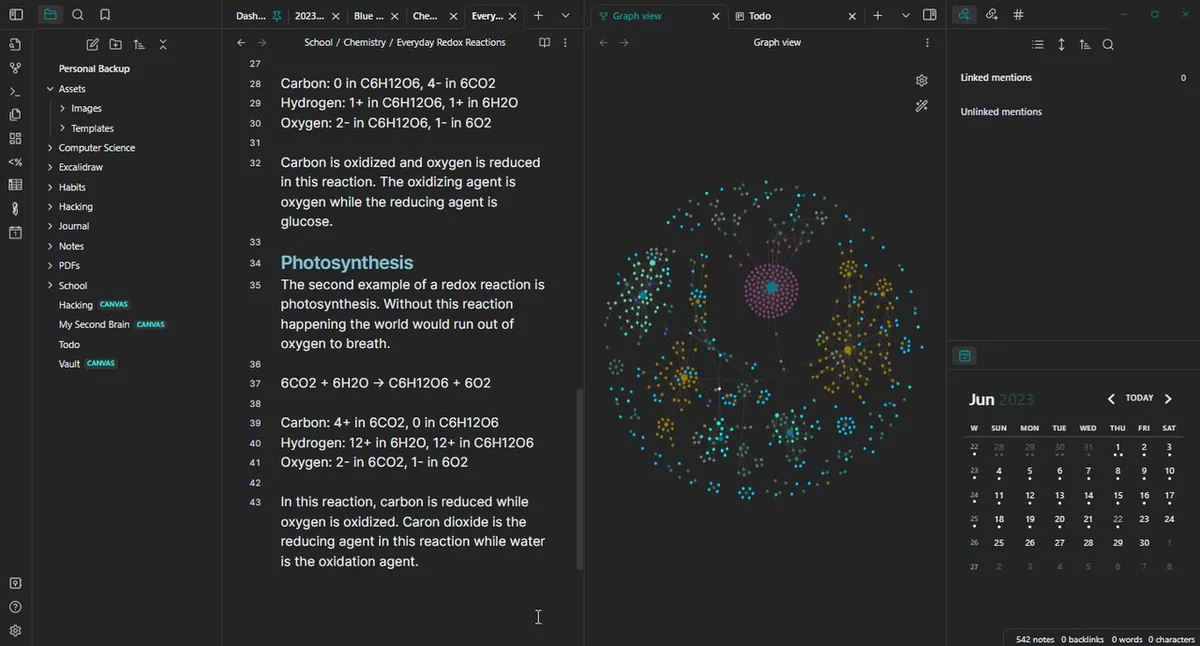
Product interface — Obsidian (Wikimedia Commons)
Linking, Graph, and Daily Notes
Bidirectional links and unlinked mentions turn writing into a network. Graph view helps discover forgotten connections. Daily notes and templates support journaling, research, and Zettelkasten-style workflows popular with students and writers.
Plugins, Themes, and Pricing
Community plugins add kanban, calendars, AI assistants, and spaced repetition — power users build custom IDEs for thought. Core personal use stays free. Sync and Publish subscriptions fund the company without locking your files behind a proprietary format.
Workflow example — Obsidian (Wikimedia Commons)
Pros and Cons
| Pros | Cons |
|---|---|
| Own your files | Learning curve |
| Insane plugins | Sync costs extra |
| Privacy-first | Weak live collab |
| Free forever core | Setup time needed |
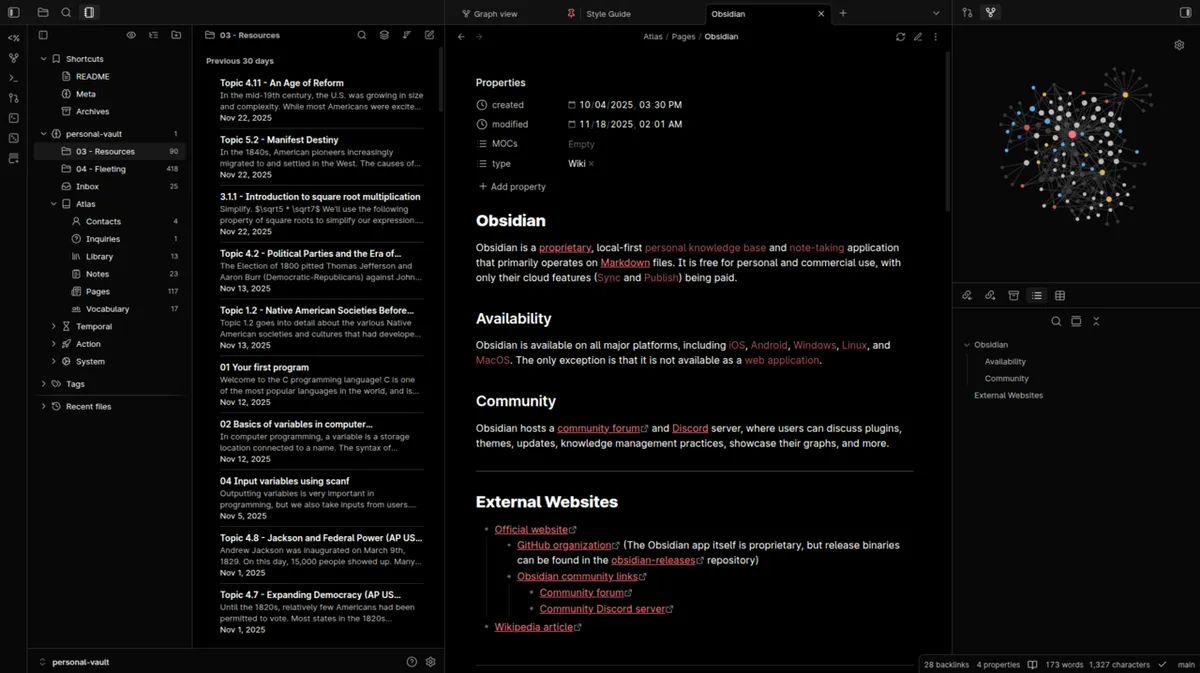
App in use — Obsidian (Wikimedia Commons)
FAQ
Obsidian vs Notion?
Obsidian for local PKM and linking; Notion for databases and team wikis.
Worth paying for Sync?
Yes if you use phone + PC daily; otherwise Git or cloud folders work.
Good for beginners?
Start simple — core links first, plugins later.
Verdict
Obsidian is the best local PKM app in 2026 — free, private, and infinitely extensible. Choose Notion for team databases; choose Obsidian when your second brain should outlive any SaaS.
Score: 9.0/10 — Best Local PKM App