Pros
- Spotlight in macOS Tahoe 26 adds Actions, Quick Keys, and clipboard history at zero cost
- Raycast Free includes snippets, window tiling, and a 1,500+ extension Store without replacing Spotlight indexing
- Both are real products — Apple Spotlight and Raycast from raycast.com, not App Store launcher clones
- Clear split in 2026: Spotlight for most Mac users; Raycast when keyboard workflows span SaaS tools
Cons
- Spotlight clipboard history caps at seven days with no pinning — Raycast keeps three months free, unlimited on Pro
- Raycast requires an account and adds menu-bar weight; Spotlight needs no install or sign-in
- Spotlight Actions depend on App Intents adoption — Raycast Store fills gaps for GitHub, Linear, Jira today
- Neither replaces dedicated file finders for NAS or deep grep — pair with EasyFind or similar when needed
Raycast vs Spotlight 2026 is the Mac productivity question that got harder, not easier, after Apple shipped macOS Tahoe. Spotlight — the system search bar you open with ⌘ Space — finally grew clipboard history, browse modes for apps and files, hundreds of inline Actions, and Quick Keys short strings for repeat tasks. Raycast (raycast.com, from the Berlin-based company of the same name) is still the third-party command bar that power users install when Spotlight’s built-in ceiling shows: a Store with thousands of extensions, free snippets and window management, and optional AI on paid tiers.
This NexReview guide compares Raycast vs Spotlight in 2026 with verified pricing from Raycast’s official pages, Tahoe Spotlight behavior from Apple’s release notes, and honest calls on when installing Raycast still earns its disk space. We are not reviewing lookalike launchers — Raycast is the SwiftUI-era productivity app with OAuth-backed Store extensions; Spotlight is Apple’s indexed search layer built into macOS, not a random “Spotlight Pro” utility from the App Store.
For adjacent Mac setup decisions, see Raycast vs Alfred 2026 if you are choosing between third-party launchers, MacBook Air M4 review for hardware context, Cursor IDE review if your workflow starts in an AI-native editor, and Obsidian vs Notion 2026 when notes capture matters more than app launching.
MacBook workspace — Wikimedia Commons
Raycast vs Spotlight 2026 Snapshot
| Question | Spotlight (macOS Tahoe 26) | Raycast |
|---|---|---|
| Maker | Apple — built into macOS | Raycast (raycast.com) |
| Core pitch | Find anything on your Mac; take actions without switching apps | Extendable command bar + extension marketplace |
| Install required | No — ships with macOS | Yes — download from raycast.com |
| Account required | No Apple ID for local search | Yes — sign-in for Store, sync, Pro |
| Clipboard history | Yes (Tahoe+) — 30 min, 8 hr, or 7 days | Free: ~3 months; Pro: unlimited |
| Window management | No | Built-in snap presets (free) |
| Snippets / text expansion | No native snippets | Free tier includes snippets with {cursor} tokens |
| Third-party integrations | App Intents Actions + Shortcuts | Store extensions (GitHub, Jira, Linear, Notion, …) |
| AI | Apple Intelligence hooks in Shortcuts; not a chat bar | Pro bundles Raycast AI ($10/mo or $96/yr) |
| Cross-platform | macOS only | macOS, Windows, iOS |
| NexReview pick | Default for casual and most professional Mac users on Tahoe | Install when SaaS, snippets, or tiling justify it |
Bottom line: On a Mac running macOS Tahoe 26, try the new Spotlight for two weeks before installing anything. If you paste constantly, snap windows across three displays, or live in GitHub issues, Raycast Free still wins depth — and you keep Spotlight indexing enabled underneath.
What Each Tool Actually Is
Spotlight — Apple’s system search, now with actions
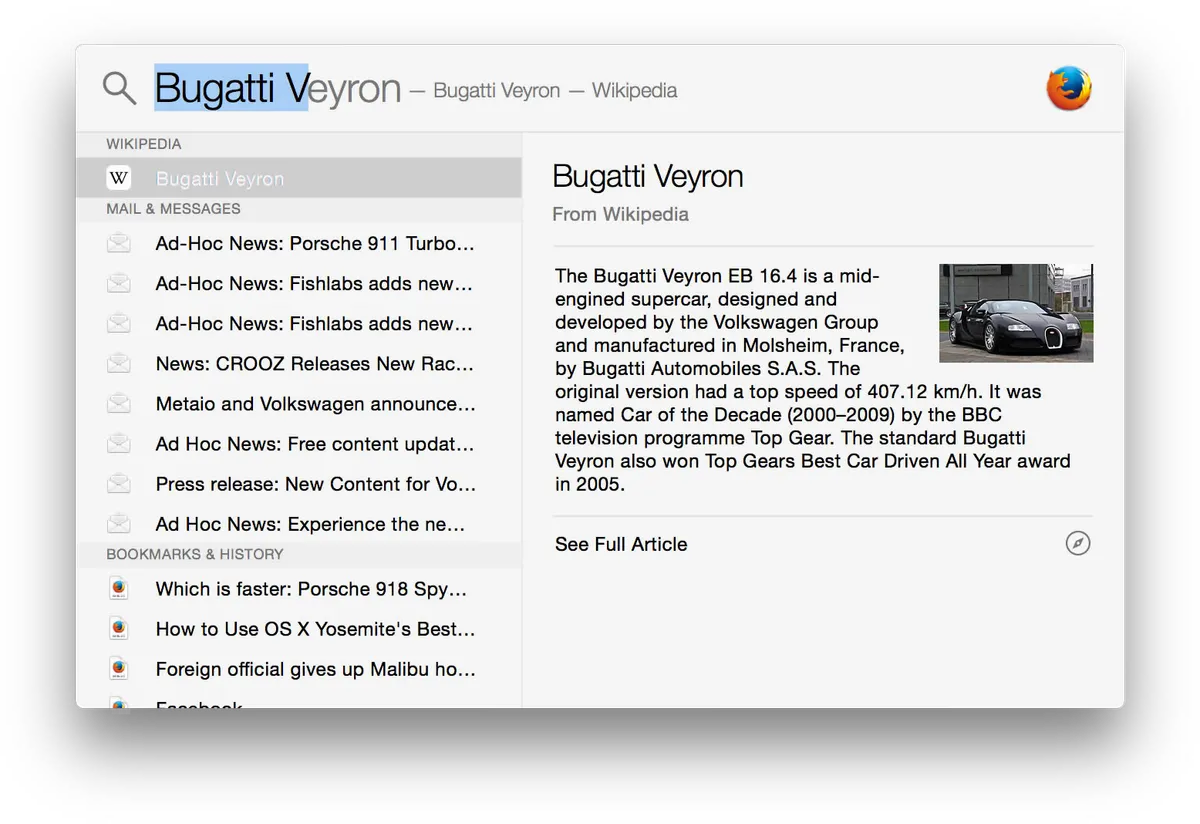
Spotlight has indexed apps, files, mail, and web suggestions for years. macOS Tahoe 26 (Apple’s 2026 major release; version 26.x) is the inflection point: Spotlight behaves less like a dumb search field and more like a keyboard hub.
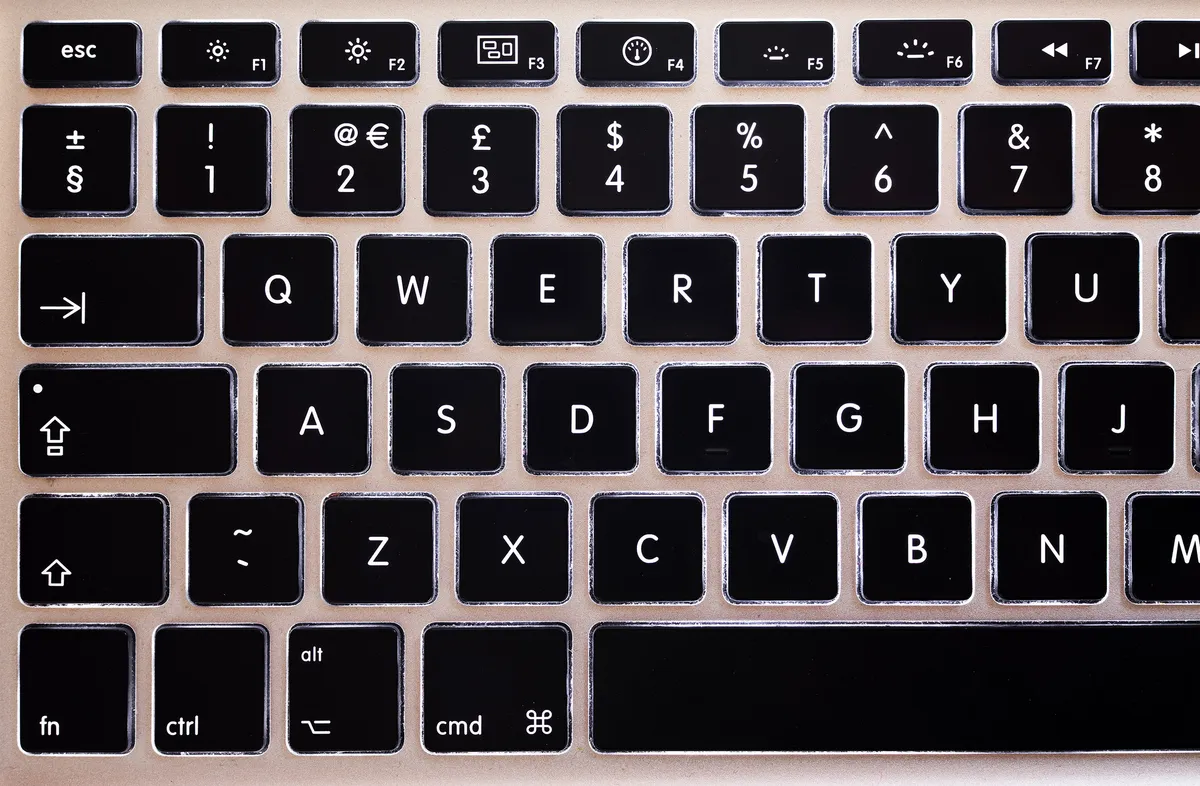
Press ⌘ Space (or click the menu-bar icon). In Tahoe you can switch browse modes without typing a query:
- Applications — scan installed apps (⌘ 1 in the Spotlight window)
- Files — recent and suggested documents, including some third-party cloud drives (⌘ 2)
- Actions — system and app actions via App Intents (⌘ 3)
- Clipboard — recent copies (⌘ 4)
Apple’s support documentation and WWDC materials describe Quick Keys: short character sequences Spotlight learns from your habits — type sm to send a message, ar to add a reminder — without configuring a workflow canvas. Actions cover Apple apps and any third-party app that exposes App Intents to the system: send email, create a note, run a Shortcut, start a timer.
Clipboard history is the headline feature for Raycast vs Spotlight 2026 comparisons. In System Settings → Spotlight → Results from Clipboard, you enable history and pick retention: 30 minutes, 8 hours, or 7 days (expanded in Tahoe 26.1). A Clear Clipboard History button wipes stored clips without nuking general search history. Clipboard is off by default until you opt in — sensible for shared Macs, easy to miss on a fresh install.
Spotlight remains free, requires no separate account, and uses Apple’s on-device ranking. It does not replace a snippet manager, window tiler, or deep GitHub integration out of the box.
Raycast — productivity layer on top of macOS indexing
Raycast launched as a Spotlight replacement and became a platform. Default hotkey ⌥ Space opens a taller command bar with fuzzy app search, file results, and installable extensions.
Core free-tier capabilities (per raycast.com/pricing and Raycast’s billing manual):
- App and file search — relies on macOS metadata indexes; tune ranking in preferences
- Clipboard History — searchable, filterable, pin-capable; free tier retains roughly three months
- Snippets — keyword expansion with
{cursor},{date}, clipboard tokens - Quicklinks — templated URLs with
{query}placeholders - Window Management — halves, thirds, center, next display — competitive with standalone tiling apps
- Calculator, Emoji Picker, Calendar peek, Notes (limited count on free)
- Extensions Store — one-click installs for dev and SaaS tools
Raycast extensions are typically TypeScript/React packages published to Raycast’s Store. Non-coders get vendor-maintained commands; developers get a CLI and local hot reload.
Raycast also ships Raycast for Windows and Raycast for iOS. Paid Cloud Sync propagates snippets and settings across devices. That cross-platform story matters when your MacBook and Windows desktop share one workflow — Spotlight cannot follow you to Windows.
Important distinction: Raycast is not “Spotlight but prettier.” It is a separate app with its own runtime, account system, and extension sandbox — while still leaning on Apple’s file index for local search speed.
Raycast vs Spotlight 2026 — Pricing and What You Pay For
Pricing is the clearest win for Spotlight in any Raycast vs Spotlight 2026 table: $0 forever, included with macOS updates, no Pro unlock for clipboard or Actions.
Spotlight cost
| Item | Price |
|---|---|
| Spotlight search, Actions, Quick Keys | Free (macOS Tahoe 26+) |
| Clipboard history | Free (enable in Settings) |
| Shortcuts / Apple Intelligence hooks | Free (device-dependent) |
| iCloud / Apple One | Optional — not required for Spotlight |
You already paid for Spotlight when you bought the Mac. Tahoe’s clipboard and Actions do not require iCloud+, Apple Intelligence hardware, or a subscription — though some AI Shortcuts may gate on capable chips.
Raycast plans (September 2026)
Per Raycast’s pricing page and billing manual:
| Plan | Monthly | Yearly | What you gain over Free |
|---|---|---|---|
| Free | $0 | $0 | Clipboard, Snippets, Quicklinks, Window Management, Calculator, Emoji Picker, Store extensions, limited Notes |
| Pro | $10 | $96 | Raycast AI, Cloud Sync, Dictation, Translator, unlimited Clipboard History & Notes, custom themes |
| Pro+ | $20 | $192 | Higher AI credit pool and top-tier models |
| Max | $50 | $480 | Largest AI credit allocation |
Nuances that matter for this comparison:
- Core launcher utilities stay free — Raycast explicitly keeps Clipboard History, Window Management, and Store access on the free tier, including corporate use without upgrade.
- Pro always includes AI — you cannot buy Pro without AI; disable AI in Settings if policy requires it.
- New accounts may receive a 7-day Pro trial; verify on signup.
- Students get 50% off Pro via Raycast’s student form.
For Raycast vs Spotlight 2026, most readers should think in binary: Spotlight $0 vs Raycast Free $0. Pro only enters the conversation when you need cross-Mac snippet sync, unlimited clipboard archives, or AI inside the command bar — not when you simply want to launch Safari faster than the Dock.
Speed, Search, and Daily Feel
Both tools aim to answer queries before you finish typing. On Apple Silicon Macs with warm indexes, Spotlight feels instant for app launches and filename matches — Apple controls the indexing daemon, the Metal rendering path, and the relevance model on-device.
Raycast matches or beats Spotlight on raw app-launch latency in most community comparisons, with a more visual results pane and rich extension previews (GitHub pull-request cards, Jira ticket rows). Cold start after reboot can feel slightly heavier than Spotlight because Raycast loads extension runtimes — usually negligible once login items finish.
File search tradeoffs:
- Spotlight respects System Settings privacy scopes; Tahoe adds browse views and cloud-drive surfacing Apple demoed at WWDC.
- Raycast searches the same indexes but lets you tune fallback behaviors and add File Search extensions for specialized paths.
- Neither replaces Find Any File, EasyFind, or HoudahSpot when you need raw filesystem grep across NAS volumes — a common r/macapps correction worth repeating.
Casual users who open five apps and run calculator math may not feel a difference worth a new hotkey. Raycast vs Spotlight 2026 becomes tangible when you paste thirty times a day, juggle four displays, or trigger the same SaaS commands hourly.
Clipboard History — Tahoe’s Catch-Up vs Raycast’s Depth
Clipboard comparison is where Apple closed half the gap and Raycast kept the other half.
| Feature | Spotlight (Tahoe 26) | Raycast Free | Raycast Pro |
|---|---|---|---|
| Enable required | Yes — Settings → Spotlight | Automatic once installed | Same |
| Retention | 30 min / 8 hr / 7 days max | ~3 months | Unlimited |
| Pin items | No | Yes | Yes |
| Filter by type (text/image/link) | Limited browse | Yes | Yes |
| Paste as plain text | Basic | Yes | Yes |
| Dedicated global shortcut | No — ⌘ Space then ⌘ 4 | Yes — configurable | Yes |
| Sync to iPhone/iPad | No | Announced; verify shipping status | Cloud Sync |
| Clear history control | Settings button (26.1+) | In-app | In-app |
Spotlight’s clipboard is genuinely useful for “what did I copy ten minutes ago?” — Macworld and MacRumors covered Tahoe 26.1’s privacy controls as a meaningful upgrade. It is not a full clipboard manager: no pinboards, no multi-month archive, no per-app allowlists, no merge-paste workflows.
Raycast’s clipboard remains the power-user option: longer retention on the free tier alone, pinning, richer filtering, and one keystroke from the same window where you launch apps. If clipboard is your primary pain, Raycast Free on top of Spotlight indexing is the pragmatic stack — not Raycast Pro unless you need unlimited history or sync.
Keyboard shortcuts and productivity — Wikimedia Commons
Actions, Quick Keys, and the Extension Store
This section separates “find and open” from “do work.”
Spotlight Actions and Quick Keys
Tahoe Spotlight executes hundreds of actions — send messages, create calendar events, run Shortcuts, interact with apps that adopt App Intents. Quick Keys auto-suggest shortcuts from your behavior; you can customize them over time.
Strengths:
- Zero configuration for Apple-first workflows (Messages, Reminders, Mail, Notes)
- Shortcuts bridge to Apple Intelligence demos Apple showed on stage
- No third-party extension audit — Apple signs the platform
- Works offline for local actions
Weaknesses:
- Quality depends on each app’s App Intents implementation — uneven in 2026
- No Raycast-style Store for web-only SaaS with OAuth
- Complex multi-step automations still belong in Shortcuts or Keyboard Maestro
- Developer-centric commands (create GitHub issue from template) often missing unless someone ships an Intent
Raycast extensions — installable product features
Raycast’s Store treats extensions as mini-apps: list views, forms, OAuth to SaaS APIs. Installing Linear, GitHub, Obsidian, or 1Password commands takes seconds.
Strengths:
- Consistent UI across hundreds of maintained extensions
- Official Raycast-maintained integrations for major dev tools
- Script Commands for shell hooks without full extension projects
- Web services without native Mac apps (Google Docs, many REST APIs)
Weaknesses:
- Requires Raycast account and trusting extension network calls
- Abandoned Store listings happen — check last-updated dates
- Corporate IT may prefer Apple’s first-party action surface
Verdict: Spotlight Actions cover Apple ecosystem and Shortcuts-native workflows beautifully in 2026. Raycast wins when your day is GitHub + Jira + Slack + Notion and you want vendor-shaped commands today, not when App Intents catch up.
Snippets, Window Management, and Focus
Spotlight does not ship text expansion or window tiling. If you retype the same stand-up update, billing address, or /fix typo GitHub comment template, you still need Raycast, Alfred Powerpack, aText, or TextExpander.
Raycast Free includes:
- Snippets with placeholders and optional keyword triggers in any app
- Window Management — left/right half, quarters, center, next display — often replacing Rectangle for single-monitor users
- Focus — session blocking tied to the command bar
Spotlight’s answer is indirect: run a Shortcut that inserts text, or use macOS built-in Text Replacements in Keyboard settings (limited, iCloud-synced, no {cursor} semantics). For ultrawide or three-display setups, Raycast’s snap commands save measurable time Spotlight will not match — Apple has never prioritized window management inside search.
If you already run Rectangle or Magnet, Spotlight plus Rectangle approximates half of Raycast Free. If you want one fewer menu-bar resident, Raycast consolidates.
Privacy, Accounts, and Corporate Policy
Spotlight processes queries on-device with Apple’s privacy model. Clipboard history stays local; you control retention and can disable Results from Clipboard entirely. No Raycast-style account, no extension OAuth — though Actions may invoke apps that sync to iCloud.
Raycast requires sign-in for the Store and uses cloud services for sync and Pro features. AI sends prompts to model providers unless disabled. Free-tier corporate use is allowed per Raycast’s FAQ, but security teams may scrutinize third-party extension bundles.
For regulated environments:
- Spotlight-only is the easy approval path on Tahoe 26
- Raycast with AI disabled may still raise questions about extension network access
- Neither replaces MDM policy — use allow-lists where required
Neither product is open source. Read Apple’s and Raycast’s privacy policies if subprocessors matter.
Who Should Pick Which?
Choose Spotlight (stay stock) if you…
- Run macOS Tahoe 26 and mainly launch apps, find files, and run calculator/unit conversions
- Want clipboard history without installing anything — after enabling it in Settings
- Live in Apple apps (Mail, Messages, Calendar, Reminders) and Shortcuts
- Refuse third-party accounts on work Macs
- Use one display and snap windows rarely
Choose Raycast (Free first) if you…
- Paste and search clipboard entries hourly — three-month retention and pinning beat seven-day Spotlight
- Need snippets and window tiling in one hotkey without Alfred Powerpack
- Live in GitHub, Linear, Jira, Notion, or Obsidian and want Store extensions
- Split time between Mac and Windows — Raycast cross-platform; Spotlight does not travel
- Already disabled Spotlight’s shortcut and want ⌥ Space as a command center
Install Raycast Pro only if you…
- Need Cloud Sync for snippets across MacBook and Mac mini
- Want Raycast AI inside the command bar enough to pay $96/year
- Require unlimited clipboard archives beyond free-tier depth
Skip Raycast entirely if you…
- Are still on macOS Sequoia 15.x or earlier — Tahoe clipboard and Actions are not available; evaluate Raycast vs Alfred 2026 instead
- Only open apps from the Dock and never search files — even Tahoe Spotlight is optional
- Need buy-once, no-account automation — Alfred Mega may fit better than Raycast
- Want team SSO snippet libraries — evaluate Raycast Teams or IT-approved tooling
Migration — Adding Raycast Without Breaking Spotlight
You do not uninstall Spotlight when installing Raycast. Best practice:
- Keep Spotlight indexing enabled in System Settings — Raycast file search uses the same metadata.
- Disable duplicate shortcuts — System Settings → Keyboard → Keyboard Shortcuts → Spotlight: uncheck “Show Spotlight search” if Raycast owns ⌥ Space.
- Enable Spotlight clipboard anyway — two clipboards can coexist; power users often standardize on one to avoid confusion.
- Run both for two weeks — Spotlight for Apple Actions, Raycast for SaaS and snippets.
Switching away from Raycast later costs muscle memory: snippets, hotkeys, and Store extensions do not export cleanly to Spotlight. Budget an afternoon to recreate critical snippets in Shortcuts or Text Replacements.
Raycast vs Spotlight 2026 — Side-by-Side Scores
We score the comparison framework for a typical Tahoe 26 Mac user, not either product in isolation.
| Criterion | Spotlight (Tahoe) | Raycast |
|---|---|---|
| Cost for core use | 10.0 | 9.5 (Free) / 7.0 (if Pro) |
| Setup friction | 9.8 | 7.5 |
| Clipboard depth | 6.5 | 9.0 |
| SaaS / dev integrations | 6.0 | 9.5 |
| Snippets & window control | 4.0 | 9.2 |
| Privacy / local-first | 9.5 | 7.5 |
| Apple ecosystem Actions | 9.0 | 6.5 |
NexReview editorial score for this guide: 8.4/10 — Tahoe narrowed the gap; Raycast still wins depth for keyboard-heavy SaaS workflows.
Mac desk workspace — Wikimedia Commons
FAQ
Is Raycast or Spotlight better in 2026?
Spotlight is better for most Mac users on macOS Tahoe 26 because clipboard history, Actions, and Quick Keys ship free with no install. Raycast is better when you need Store extensions, snippets, window management, and longer clipboard retention in one command bar. Many power users run Raycast Free on top of Spotlight indexing.
Did macOS Tahoe make Raycast obsolete?
No. Tahoe’s Spotlight is the best stock search Apple has shipped — Wired and community benchmarks agree it overlaps Raycast on clipboard and basic actions. Raycast still leads on extension breadth, snippets, window tiling, and cross-platform sync. Obsolete is too strong; optional for more users is accurate.
How much does Raycast cost compared to Spotlight?
Spotlight is free with macOS. Raycast Free is $0 for clipboard (≈3 months), snippets, window management, and Store extensions. Raycast Pro is $10/month or $96/year for AI, Cloud Sync, and unlimited clipboard — verify live at raycast.com/pricing.
How do I enable Spotlight clipboard history?
On macOS Tahoe 26, open System Settings → Spotlight, scroll to Results from Clipboard, toggle it on, and choose retention (30 minutes, 8 hours, or 7 days). Open Spotlight (⌘ Space), then press ⌘ 4 for the Clipboard browse view.
Can I use Raycast and Spotlight together?
Yes — recommended. Keep Spotlight indexing enabled; assign Raycast a different hotkey (⌥ Space default). Use Spotlight for Apple Actions and Quick Keys; use Raycast for SaaS extensions, snippets, and window snaps.
Which has better privacy — Raycast or Spotlight?
Spotlight keeps search and clipboard history in Apple’s on-device model with no third-party account. Raycast requires sign-in, runs Store extensions that may call external APIs, and bundles cloud sync and AI on paid tiers. For strict local-only policy, Spotlight wins; audit Raycast extensions if you install them.
Does Spotlight replace a snippet manager?
Not natively. Spotlight runs Shortcuts and Quick Keys but does not offer Raycast-style snippet expansion with {cursor} placeholders across apps. Use Raycast Free, Alfred Powerpack, or a dedicated text-expander if snippets are daily workflow.
Should developers pick Raycast or Spotlight in 2026?
Developers who live in GitHub, terminal, and issue trackers usually add Raycast for Store extensions and Script Commands while keeping Spotlight for local file search. Developers who avoid third-party accounts and live in Shortcuts + shell scripts may stay Spotlight-only on Tahoe. See also Cursor IDE review for editor-side AI.
Do I need Raycast on macOS Sequoia 15?
Tahoe-specific Spotlight features (clipboard browse, Quick Keys, Actions hub) require macOS 26. On Sequoia 15.x, Spotlight lacks built-in clipboard history — Raycast Free or Raycast vs Alfred 2026 comparisons matter more.
Can Raycast replace Spotlight completely?
Raycast can replace your daily hotkey for launching apps and files, but it still relies on Spotlight’s index for fast local search. Disabling Spotlight indexing hurts both tools. Apple does not let you remove Spotlight entirely.
Final Verdict
Raycast vs Spotlight 2026 no longer splits cleanly into “free built-in vs paid power tool.” Spotlight on macOS Tahoe 26 is genuinely good — clipboard history, Actions, Quick Keys, and unified browse modes mean casual and many professional users can stay stock.
Raycast remains the right add-on when your workflow outgrows Apple’s pace: snippets, window management, three-month clipboard on the free tier, and a Store that connects GitHub, Linear, Jira, and Notion today. Pay Pro only if Cloud Sync or AI earns $96/year — not to beat Spotlight at launching apps.
Our default advice: upgrade to Tahoe, enable Spotlight clipboard, learn two Quick Keys, and install Raycast Free only when you hit a concrete wall — usually snippets, tiling, or a missing SaaS integration. That stack costs $0, respects Spotlight indexing, and avoids subscription fatigue until you choose it.