Pros
- M5's 10-core CPU and Neural Accelerator GPU cores make on-device AI and light 3D work noticeably faster than M4
- 512GB SSD and 16GB RAM are finally the honest base — no day-one storage panic
- Still fanless, silent, and physically effortless at 2.7 lb (13-inch) for travel and lecture halls
- Wi‑Fi 7 and Bluetooth 6 via Apple's N1 chip improve crowded-network stability
- Supports two external displays while keeping the built-in panel — a quiet pro win
Cons
- List price rose $100 on the 13-inch even though storage doubled — budget shoppers feel the sticker
- Liquid Retina stays 60Hz while Windows ultrabooks push 120Hz OLED at similar prices
- Only two Thunderbolt 4 ports — docks and hubs remain mandatory
- 15-inch model drops Midnight; color choice is narrower than the 13-inch
The MacBook Air with M5 is Apple's March 2026 refresh of the world's best-selling premium ultrabook — same wedge silhouette, no fan, and MagSafe charging, but now built around a chip Apple clearly tuned for on-device AI and heavier browser multitasking. If you landed here for a MacBook Air M5 review during November 2026 holiday sales, you are timing the decision well: eight months of software updates, classroom wear, and retailer discounts ($150–$200 off at several US chains as of mid-November) make the picture clearer than launch-week benchmark slides did.
This guide is not a spec reprint. It explains who should buy M5 over a discounted MacBook Air M4, when the new MacBook Neo steals the value crown, and where the MacBook Pro M5 still earns its four-figure premium. Apple positions the Air as the laptop for students, mobile professionals, and millions of business seats — so small configuration mistakes echo for years.
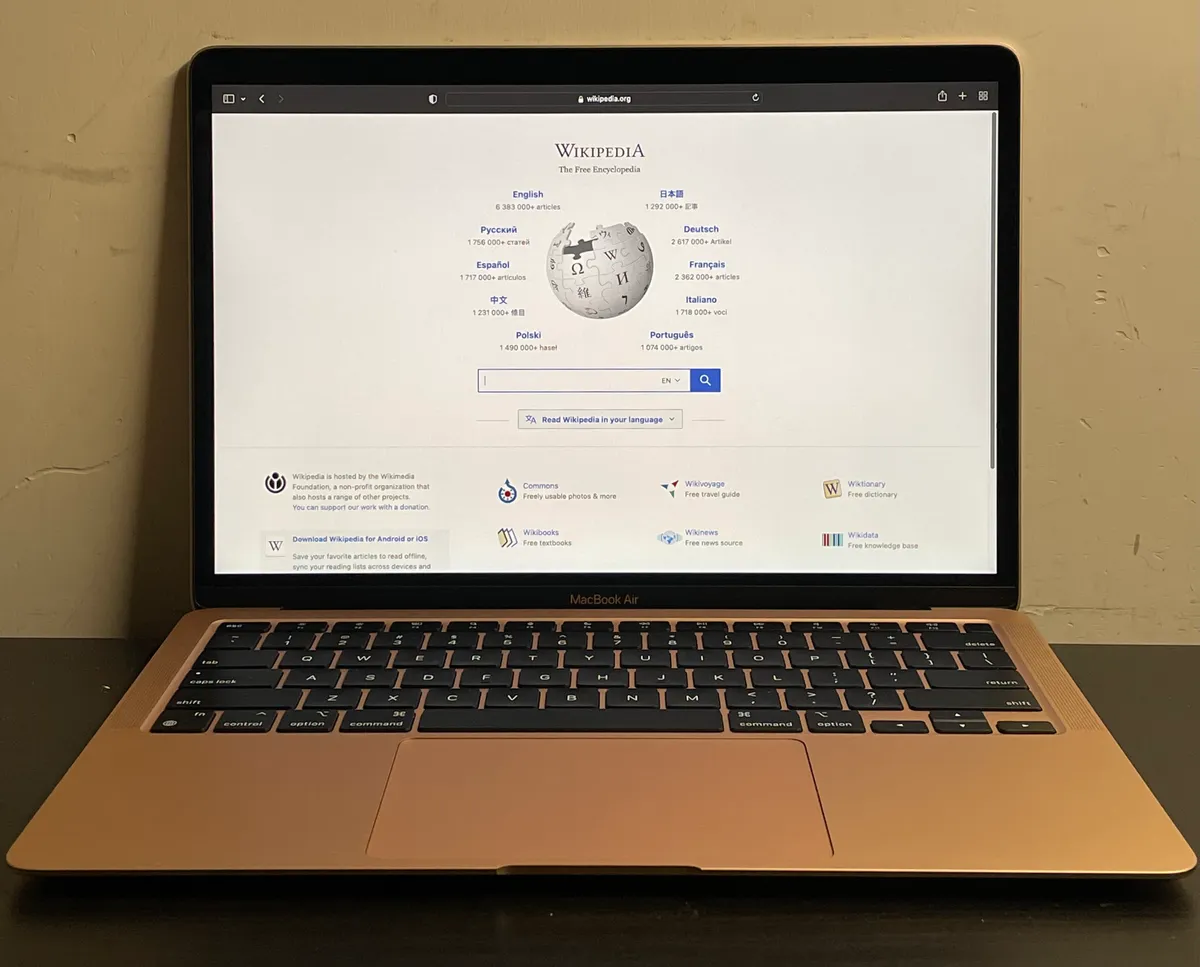
Thin Apple laptop in a typical desk setup — photo via Wikimedia Commons
MacBook Air M5 Review Snapshot (November 2026)
| Question | Short answer |
|---|---|
| What is it? | Fanless MacBook Air with Apple M5 in 13.6-inch or 15.3-inch sizes |
| Launch | Preorders 4 March 2026; availability from 11 March 2026 |
| US price (MSRP) | $1,099 (13-inch) and $1,299 (15-inch) — verify live before checkout |
| Chip | 10-core CPU (4 performance + 6 efficiency); 8-core GPU on base 13-inch, 10-core GPU on 15-inch and top 13-inch |
| Memory | 16GB standard; configure to 24GB or 32GB |
| Storage | 512GB standard; configure to 1TB, 2TB, or 4TB (first Air with 4TB option) |
| Display | Liquid Retina, 500 nits, P3, True Tone — 60Hz, not ProMotion |
| Wireless | Wi‑Fi 7, Bluetooth 6 (Apple N1 wireless chip) |
| Battery (rated) | Up to 18 hours video streaming; 15 hours wireless web (Apple figures) |
| External displays | Up to two external monitors plus the built-in panel |
| NexReview score | 9.1/10 — the sensible default Mac, held back slightly by ports and panel refresh rate |
Buy it if you want a silent, lightweight Mac with enough GPU for Apple Intelligence, local LLM experiments, and casual creative work without Pro money. Skip it if you need 120Hz OLED, HDMI and SD built in, or sustained rendering — that is Pro territory.
What Changed From MacBook Air M4?
Apple's M4 Air (2025) already felt finished: 16GB RAM standard, excellent efficiency, and a design so mature that case manufacturers stopped redesigning sleeves every year. The MacBook Air M5 is an evolutionary hop, not a redesign — and that is fine for most buyers.
The meaningful deltas cluster in four places:
- Silicon — M5 adds a faster performance core cluster, third-generation ray tracing, and Neural Accelerators inside each GPU core. Apple claims up to 4× faster AI tasks than M4 and 9.5× versus the M1 Air. Real-world gains show up in Image Playground renders, on-device summarization, Xcode's newer ML-assisted indexing, and browser stacks running local models — not in typing Google Docs.
- Storage policy — Base SSD jumps from 256GB to 512GB, and the SSD itself is faster for large imports. At the old $1,199 tier, M4 buyers paid extra for 512GB; M5 folds that into the entry price even though the 13-inch list price rose by $100.
- Wireless — Wi‑Fi 6E becomes Wi‑Fi 7, Bluetooth 5.3 becomes Bluetooth 6. On university and WeWork networks where everyone hops the same access point, association stability matters more than peak throughput numbers.
- Memory bandwidth — 153 GB/s unified memory bandwidth (~28% above M4) helps GPU-adjacent work and large photo libraries stay smooth when multiple apps hold textures in RAM.
What did not change: still no fan, still two Thunderbolt 4 USB-C ports plus MagSafe and a headphone jack, still a 60Hz IPS-class Liquid Retina panel, still no Touch Bar relics to mourn.
Laptop workspace — Wikimedia Commons
M5 Chip: CPU, GPU, and Why AI Is the Marketing Spine
Apple's press language leans hard on AI because the PC industry is selling the same story — but the M5 Air actually has hardware that justifies the emphasis for mainstream users, not just ML engineers.
The 10-core CPU uses four high-performance cores Apple markets as the world's fastest single core in the class, plus six efficiency cores that keep background sync and Time Machine from stealing foreground responsiveness. For the workloads Air buyers actually run — Safari with dozens of tabs, Slack, Notion, Figma in view-only, Word, Zoom, occasional Lightroom exports — the CPU side feels instant in a way that makes spec chasing pointless.
The GPU story is where M5 diverges from M4 in ways you can feel:
- Base 13-inch ships with an 8-core GPU; you can configure a 10-core GPU at purchase.
- 15-inch models include the 10-core GPU standard — if your work touches GPU acceleration even lightly, the larger model is not just about screen inches.
Each GPU core includes a Neural Accelerator, pairing with the 16-core Neural Engine for matrix work. You will not train foundation models on an Air, but you can run quantized 7B–13B class models locally with acceptable latency if you buy 24GB or 32GB RAM. With 16GB, local LLM play remains possible but tight — treat extra memory as future-proofing if on-device AI is core to your workflow.
Ray tracing generation three and improved media engines matter for hobbyist gaming via CrossOver or native Metal titles and for quick Blender or Motion previews. The Air is still not a gaming laptop; it is simply less embarrassing when a student opens a 3D assignment.
Display, Audio, Camera — Unchanged Strengths, Unchanged Ceiling
The Liquid Retina panel remains one of the best non-OLED laptop screens for color-critical browsing and long-form reading. 500 nits handles window seats; P3 and True Tone keep skin tones natural on video calls. Resolution holds at 2560×1664 (13.6-inch) and 2880×1864 (15.3-inch) with the same notch housing the 1080p FaceTime camera — now 12MP Center Stage with desk view support on M5, a quality-of-life upgrade for teachers and remote workers.
The compromise is refresh rate. 60Hz feels fine until you scroll a 120Hz iPhone beside it. Competing Windows ultrabooks at $1,100–$1,400 often ship 90–120Hz OLED. Apple bets that macOS smoothness and battery life outweigh panel hype — many buyers agree, but creators who preview 120fps video may prefer the Pro line.
Speakers remain surprisingly loud for a thin chassis; Spatial Audio with Dolby Atmos on Apple TV+ content is genuinely pleasant in hotel rooms. The three-mic array with directional beamforming still beats most headsets for quick calls, though our Sony WH-1000XM6 review explains why noise-canceling cans win on airplanes.
Design, Colors, and the 13-inch vs 15-inch Split
Externally, the M5 Air is recognizable at a distance: tapered aluminum unibody, MagSafe 3 indent, and silent hinge. Weight stays roughly 2.7 pounds on the 13-inch and 3.3 pounds on the 15-inch — verify Apple's latest tech specs if you ship internationally, because regional SKUs can differ slightly.
Colors for March 2026:
| Color | 13-inch M5 | 15-inch M5 |
|---|---|---|
| Sky Blue | Yes | Yes |
| Silver | Yes | Yes |
| Starlight | Yes | Yes |
| Midnight | Yes | No |
If you want Midnight without upsizing to a Pro, you are locked to the 13-inch. The 15-inch trades that finish for a bigger trackpad footprint and more comfortable palm rest — worthwhile if you never externalize a keyboard.
Battery, Thermals, and Fanless Limits
Apple rates up to 18 hours of Apple TV playback and 15 hours of wireless web — marketing figures that assume middling brightness and efficient workloads. NexReview's real-world band for mixed office use lands around 12–14 hours on the 13-inch and a shade less on the 15-inch panel when driving higher brightness.
Fanless design means no jet engine during Zoom, but also means sustained loads plateau. A 20-minute 4K encode or a long Metal stress test will throttle sooner than on a MacBook Pro M5 with active cooling. For essay writers and spreadsheet gladiators, that limit is theoretical. For video fellows exporting daily, it is a job requirement to step up.
Fast charge with 70W+ USB PD or Apple's higher-watt adapters can recover meaningful percentage in 30 minutes — handy between lectures.
Ports, Displays, and the Hub Tax
Physical connectivity is still minimal:
- Two Thunderbolt 4 ports (40 Gb/s, USB4, DisplayPort, charging)
- MagSafe 3
- 3.5 mm headphone jack
The improvement is dual external display support while using the built-in screen — up to 6K at 60 Hz or high-refresh 4K depending on cable and hub quality. Dual-monitor knowledge workers were the silent winners of this generation; confirm your dock supports DisplayPort MST or Thunderbolt bandwidth before buying cheap splitters.
You still need a hub for wired Ethernet, SD cards, and HDMI unless you go all-in on AirPlay displays. Budget $40–100 for a reputable dock in the true cost of ownership.
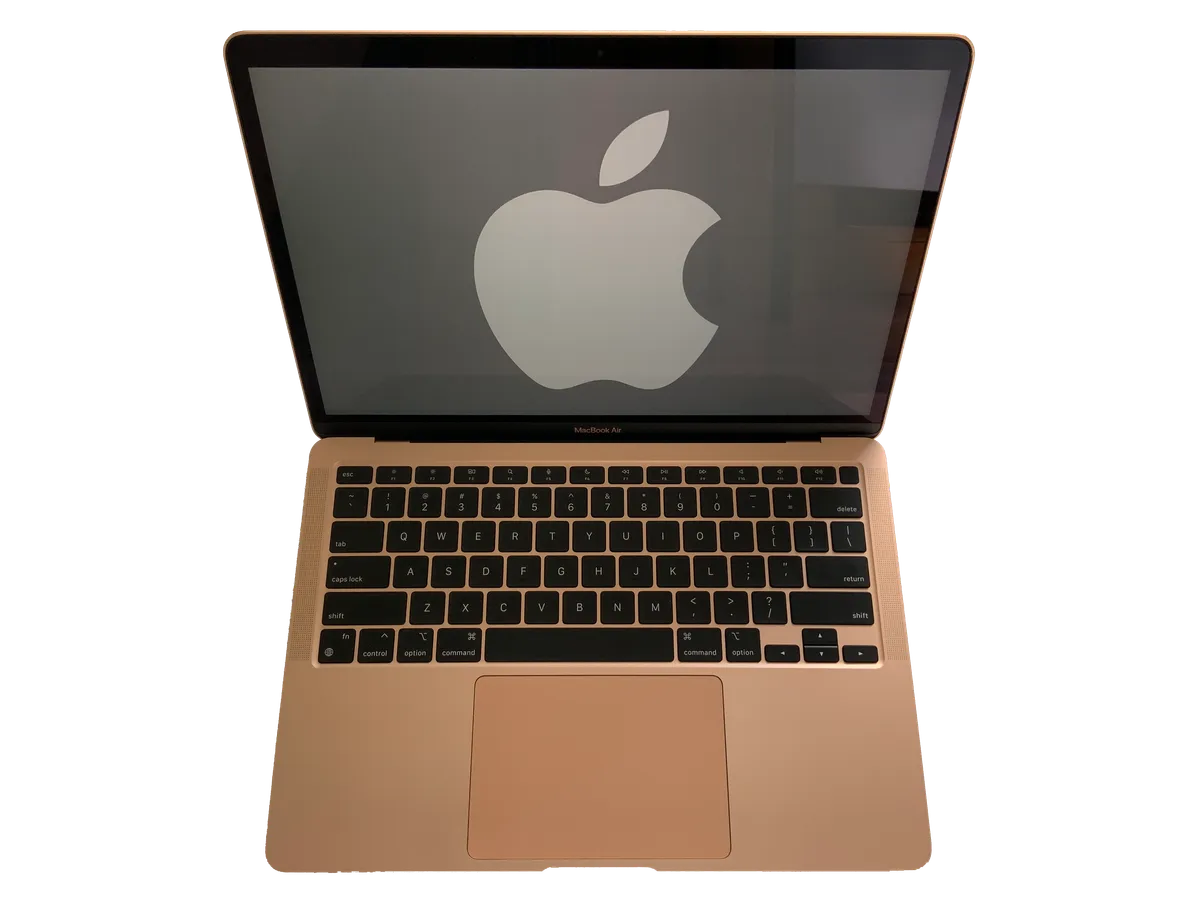
Performance-focused laptop hardware — Wikimedia Commons
Configurations: How to Spend Apple's Configurator
Use this decision tree before you click Add to Bag:
| Buyer profile | Suggested config | Why |
|---|---|---|
| Student / writer | 13-inch, 16GB/512GB (base) | Lightest carry, holiday discounts hit this SKU first |
| Developer / analyst | 13- or 15-inch, 24GB, 512GB–1TB | Xcode, Docker, and local LLMs breathe with RAM |
| Photo / video hobbyist | 15-inch, 24GB, 1TB+ | Screen area plus scratch disk for libraries |
| Finance-only buyer | Refurb M4 512GB if ≥$200 cheaper | M4 still fast; put savings into AppleCare+ |
32GB is defensible for 5-year ownership if you run VMs — otherwise it is often wasted on Air buyers.
Storage steps to 4TB for the first time on Air. Creative pros who once needed a Pro for big internal SSDs can stay in the fanless line if their GPU demands are modest.
MacBook Air M5 vs MacBook Air M4 (Still on Shelves)
Retailers cleared M4 inventory through summer 2026; in November you still see open-box and refurb M4 units. Choose M5 when:
- You care about Apple Intelligence speed and smoother on-device models
- 512GB at base matters and the M4 deal is not at least $200 below M5 street price
- Wi‑Fi 7 is available on your router or campus rollout plan
Choose M4 when:
- Price drops below ~$899 for 16GB/512GB — performance per dollar wins
- You treat laptops as commodities and replace in three years
Our full MacBook Air M4 review remains the reference for last-gen nuance; this M5 piece focuses on what eight additional months in the wild changed.
vs MacBook Neo and MacBook Pro M5
MacBook Neo undercuts the Air with an A18 Pro phone-class chip, 8GB fixed RAM, and feature cuts like USB 2 on one port. It is a brilliant first Mac for light schoolwork; the M5 Air is the machine you buy when you already know Chrome tabs will metastasize. Read the dedicated MacBook Neo review before you let color marketing pick for you.
MacBook Pro M5 (late 2026) is a different species: tandem OLED, optional touch, Thunderbolt 5, active cooling, and prices that start near three times a base Air. Buy Pro when the display and sustained GPU are income-producing tools. Buy Air when portability and silence matter more than peak watts.
Windows Alternatives (Honest Quick Compare)
| Machine class | Strength vs M5 Air | Weakness vs M5 Air |
|---|---|---|
| Dell XPS 13 / 14 | Often OLED and more ports | Battery, fan noise, macOS lock-in |
| Lenovo Yoga / Slim | Excellent keyboards, 2-in-1 | Software support variance |
| Surface Laptop | Touchscreens at mid price | ARM Windows app gaps |
| Framework 13 | Repairable, modular | Heavier, not macOS |
None replicate iPhone + AirDrop + iMessage continuity if you already live in Apple's orbit — the Air is ecosystem glue as much as hardware.
Who Should Buy — and Who Should Skip
Ideal fits
- College students carrying a machine all day who need real RAM headroom
- Consultants and engineers who demo on dual external monitors in client offices
- Writers, lawyers, and analysts who prioritize silence and battery over frame rates
- Business buyers standardizing on a single Mac SKU with predictable service life
Skip list
- Competitive gamers — get a dGPU Windows machine or a console
- Colorists needing calibrated OLED or 120Hz timeline scrubbing
- One-port minimalists who refuse docks yet need HDMI, Ethernet, and charging simultaneously
- Shoppers who only browse and stream — a discounted M4 or Neo may satisfy for less
November 2026 Pricing and Holiday Deals
MSRP remains $1,099 / $1,299 at apple.com, but Best Buy, Amazon, and campus stores frequently shave $150–$200 during Black Friday week. Education pricing through Apple typically stacks separately — verify your institution's portal.
Refurbished M5 units began appearing on Apple's certified store in late summer; they are the stealth value play when warranty terms match your risk tolerance. Always compare $ per GB of RAM and SSD across generations instead of headline price alone.
AppleCare+ still makes sense on student machines; accidental damage from backpack drops is more common than logic board failures.
FAQ
Is the MacBook Air M5 worth it over the M4 in late 2026?
For most buyers, yes — if you pay near MSRP or modest discounts, because 512GB base and faster AI workloads improve daily life. If an M4 16GB/512GB bundle is $200+ cheaper, the M4 remains the rational pick.
How much RAM do I need on MacBook Air M5?
16GB is fine for mainstream multitasking. Choose 24GB if you compile code, run local LLMs, or keep photo catalogs open. 32GB is for VMs and heavy creative experimentation — rare on Air, but valid for five-year plans.
Does MacBook Air M5 support two monitors?
Yes. Apple specifies up to two external displays alongside the built-in Liquid Retina panel, subject to cable, resolution, and dock capability.
Can MacBook Air M5 play games?
Casual and indie titles via Steam for Mac or CrossOver run better than on M1 thanks to GPU and ray-tracing improvements, but this is not a replacement for a gaming laptop. Thermals will cap long sessions.
Is the webcam better on M5?
Apple upgraded to a 12MP Center Stage camera with Desk View — useful for showing physical notes on calls without a second camera.
Why did Apple raise the price?
The 13-inch moved from $999 to $1,099 while doubling base storage and upgrading wireless. Measured per gigabyte of SSD, the entry tier is arguably a better deal; psychologically, sub-$1,000 marketing is gone.
13-inch or 15-inch MacBook Air M5?
Choose 13-inch for weight and deals; choose 15-inch for default 10-core GPU, larger trackpad, and less squinting in spreadsheets. Neither is wrong — they serve different bags.
MacBook Air M5 vs MacBook Pro M5 — which do I need?
Air wins on silence, weight, and price. Pro wins on OLED, touch, ports, and sustained performance. If you are asking whether you need Pro, you probably do not — unless your income depends on render times.
Does Apple Intelligence require M5?
Apple Intelligence runs on several Apple Silicon generations; M5 simply executes many tasks faster with lower latency, which matters if you use writing tools and image features all day.
Should I wait for the next Air?
Apple historically refreshes Air roughly annually. If you are reading this in November 2026, the next cycle is likely spring 2027. Waiting makes sense only if your current laptop is functional; broken machines should not limp through another semester to save a hypothetical 10% gain.
Final Verdict
The MacBook Air M5 does not reinvent the wedge — it tightens the screws on the formula Apple already won. Doubled base storage, meaningful AI hardware, Wi‑Fi 7, and dual-monitor support address the complaints that still surfaced in M4 owner forums. The panel and port situation remain the obvious compromises, and the $100 list-price bump stings in headline comparisons even when the value math improves.
NexReview lands at 9.1/10: still the default recommendation for a premium Mac laptop in late 2026, especially when holiday discounts bring the 13-inch closer to last year's magic $999 psychological line. Pair it with realistic RAM, a quality dock, and an honest look at MacBook Pro M5 only if your work proves you need it — not because the OLED looks pretty in the store.