Pros
- Sharpest consumer monocular HUD yet — 42 ppd, up to 5,000 nits outdoors
- Meta Neural Band makes pinch-and-swipe UI workable without arm swipes
- Live captions and translation can change travel and accessibility moments
- Hands-free messaging preview and AI answers with visuals beat audio-only glasses
- Transitions lenses and Ray-Ban styling feel like sunglasses, not a headset
Cons
- $799 entry with only two colors and one Wayfarer-derived style
- No cellular — navigation and AI stall when phone/Wi-Fi drops
- Pedestrian maps limited to dozens of cities; no full driving transit at launch breadth
- Heavier than Gen 2/3 and shorter quoted battery (about six hours mixed use)
- Tight prescription window (−4.00 to +4.00 single vision) vs wider Gen 2 support
Meta Ray-Ban Display is Meta’s first mass-market smart glasses with a full-color heads-up display baked into the right lens — not a separate visor like Meta Quest 3, and not the audio-only Ray-Ban Meta line most people already know. This Meta Ray-Ban Display review (updated November 2026) explains what you actually get for $799 (Neural Band included), where the HUD shines, where first-gen software still feels like a beta, and whether you should skip the screen and buy Ray-Ban Meta Gen 2 or Gen 3 instead.
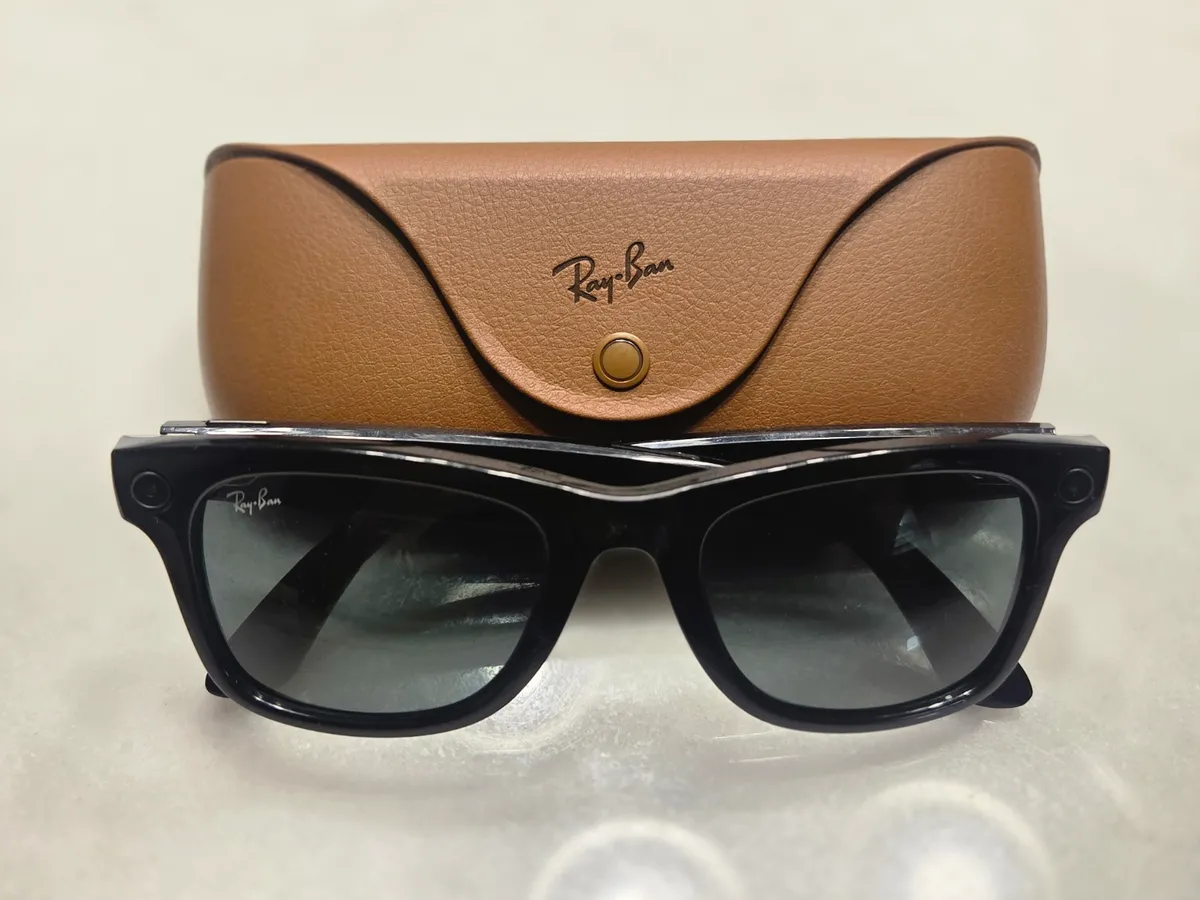
If you searched meta ray ban display review because Connect demos looked like sci-fi sunglasses, confirm the product: Meta Ray-Ban Display is sold by Meta and Luxottica/Ray-Ban — not “Ray Ban Meta Display” knockoffs on marketplace sites, not Meta Quest, and not the older Ray-Ban Stories branding. The Display SKU adds the waveguide HUD and ships with the Meta Neural Band wrist controller; standard Ray-Ban Meta glasses have no in-lens screen.
Ray-Ban Meta smart glasses with charging case — Wikimedia Commons (illustrative hardware family)
Meta Ray-Ban Display Review Snapshot (2026)
| Question | Short answer |
|---|---|
| What is it? | AI smart glasses with monocular 600×600 color HUD + 12MP camera + open-ear audio |
| US price | $799 including Meta Neural Band (verify tax and lens upgrades live) |
| vs Ray-Ban Meta Gen 2 | Gen 2 from ~$379 — no display, lighter, longer battery, more styles |
| vs Ray-Ban Meta Gen 3 | Gen 3 from ~$449 (2026) — still no HUD; better battery/styles, not a Display substitute |
| Launch | US retail September 30, 2025; expansion to UK, Canada, EU through 2025–2026 |
| Controls | Neural Band EMG gestures, temple touchpad, capture button, “Hey Meta” voice |
| Battery (quoted) | Up to ~6 hours mixed use on glasses; case extends total endurance substantially |
| NexReview score | 7.4/10 — impressive HUD hardware, ecosystem still catching up to the price |
Editorial stance: The Display is the most convincing everyday AR readout Meta has shipped. It is also a first-generation product: map coverage, notification breadth, and prescription limits mean many buyers are happier on Gen 2/3 until software and retail coverage mature.
What Is Meta Ray-Ban Display?
Meta announced Meta Ray-Ban Display at Meta Connect 2025 and positioned it as the bridge between camera glasses and true spatial computing. Where Ray-Ban Meta (Gen 2) and Gen 3 answer spoken Meta AI and capture POV video without a screen, Display adds a geometric reflective waveguide in the right lens. Light from a compact LCOS panel is coupled into the lens so you can read notifications, captions, turn-by-turn walking hints, music metadata, and visual Meta AI responses — while still seeing the real world through both eyes (only one eye gets imagery; your brain fuses it).
The bundle is deliberate: Meta did not ask users to swipe on a cramped temple touchpad alone. Every pair includes the Meta Neural Band, a soft wrist strap that reads subtle muscle signals so you can pinch, swipe left/right, and rotate your wrist to adjust volume. That input stack is why reviewers could walk city blocks while glancing at a map card without looking like they are poking a phantom phone.
Frames ship in Black and Sand, standard and large sizes, with Transitions® lenses so indoor/outdoor wear is the default story — not a dedicated clear-lens SKU you must swap for sun. Meta also sells prescription paths in the US and Canada via meta.com and select optical chains, but the eligible Rx range is narrower than on non-display Meta glasses (see below).
Hardware shares DNA with earlier Ray-Ban Meta: Qualcomm Snapdragon AR1 Gen 1, Wi-Fi 6, Bluetooth 5.3, IPX4 splash resistance, open-ear speakers, and a six-microphone array tuned for calls and captioning. Storage is 32GB on-device for captures — enough for day trips, not a GoPro replacement library.
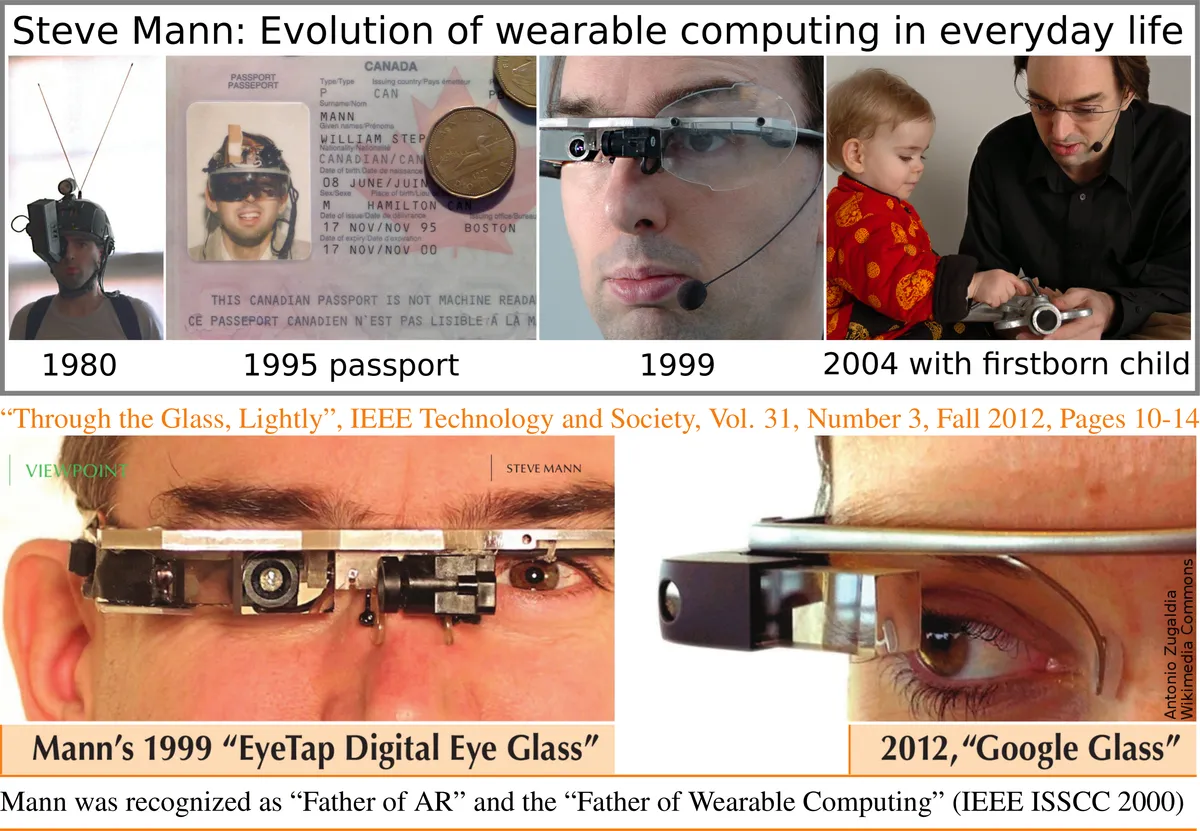
Decades of wearable AR research — Steve Mann, Wikimedia Commons
Display, Optics, and Why 42 PPD Matters
The headline spec for any Meta Ray-Ban Display review is optical quality per dollar. Meta claims roughly 42 pixels per degree (ppd) in the HUD — unusually high for glasses this small. In practice that means short text (message previews, song titles, caption lines) stays legible outdoors because brightness also peaks around 5,000 nits before auto-dimming. UploadVR’s teardown-level reporting pegs the panel around 600×600 resolution with about a 20° diagonal field of view — small compared with VR headsets, but large enough for a single notification stack or navigation card.
That is a different engineering problem than Quest 3 or a TV: you are not filling peripheral vision. You are building a confidence display — enough pixels to trust a WhatsApp sender name, not enough to read a PDF. Monocular presentation divides reviewers: some adapt in minutes; others feel eye dominance fatigue after long caption sessions. There is modest front light leak (on the order of a few percent of peak), so people nearby may catch a faint glow in dark rooms — less conspicuous than phone glare, but not invisible.
Refresh behavior matters for video preview cards: press materials cite up to 90 Hz panel capability with 30 Hz content refresh for many UI layers. Scrolling AI step-by-steps feels responsive; full-motion video preview on-lens is not the product’s strength — phone playback still wins.
Meta Neural Band: The Hidden Half of the Product
Without the band, Display would be an expensive notification ticker. With it, the glasses become glanceable in social settings. Pinch gestures confirm actions (dismiss a card, answer a prompt). Horizontal swipes move through music or AI steps. Wrist rotation maps to volume like a physical dial — intuitive once calibrated.
Fit matters: Meta offers three band sizes. Too loose and EMG misreads; too tight and you stop wearing it. Store demos (Meta Labs, Best Buy, LensCrafters, Sunglass Hut, Ray-Ban stores) exist partly because band sizing is as important as frame width. Treat the band like a watch strap you wear whenever you want HUD control — not an optional accessory.
Voice remains the catch-all: “Hey Meta” triggers AI, capture, and some navigation requests. In windy streets, mics compete with open-ear speakers bleeding audio; captions partially compensate when you cannot hear clearly.
Camera, Audio, and Content Capture
Display keeps the 12MP center camera philosophy of Ray-Ban Meta, but video modes differ from Gen 2’s marketing peaks. Expect 1080p-class vertical video at 30 fps with 3× digital zoom in the HUD viewfinder — excellent for “did I frame the kid’s birthday shot?” without lifting a phone. Meta has rolled Dolby Atmos capture for clips on this platform in later 2025 software waves, which is genuinely novel for glasses — spatial audio on replay can feel more “present” than flat phone mics.
Open-ear speakers handle calls, podcasts, and Meta AI readouts when you do not need visuals. Six microphones feed live captioning and translation pipelines. This is not studio narration quality, but it is good enough for walking meetings and tourist conversations.
Privacy and etiquette remain user responsibilities: LED capture indicators and community norms apply the same as on earlier Meta glasses. The HUD does not secretly record; it can, however, make you look distracted while you read a thread mid-conversation — social cost is real.
Software Features That Work Today
Meta ships Display as a phone-tethered computer. You pair through the Meta AI companion on iOS and Android (requirements tightened over time; plan on current OS versions Meta lists for your region). There is no cellular modem in the glasses — if your phone dies or leaves Wi-Fi/Bluetooth range, the HUD quiets.
Messaging and calls
Short WhatsApp, Messenger, and Instagram previews can appear in the corner of your vision. Pinch to mark read or defer. WhatsApp/Messenger video calls can share your POV — useful for “show me the leak under the sink” moments. Depth of integration favors Meta’s own apps; Gmail-centric workers still pull phones out constantly.
Meta AI with visuals
Spoken answers were the old Ray-Ban Meta story. Display adds visual answers — recipes as steps you swipe through, identification cards with images, how-tos without audible play-by-play in quiet spaces. Quality tracks Meta’s mobile model updates; hallucinations still happen. Treat visual AI like phone AI: verify before acting on medical, legal, or safety advice.
Live captions and translation
Captioning listens to speech directed at you and renders lines on-lens — strong for noisy cafes and mild hearing accessibility. Translation at launch centered on English, Spanish, French, and Italian with real-time latency good enough for travel phrases, not contract negotiation. This alone justifies demos for some buyers; others never need it.
Pedestrian navigation
Turn-by-turn walking maps are Display’s killer commute feature where supported. Early rollouts covered several dozen US cities plus select Canadian and European metros — not universal. Directions are walking-only in many builds (cycling and richer transit arrived in later 2025–2026 updates per Meta blog posts). Maps use simplified graphics; Tom’s Guide and others noted the experience trails phone Google Maps polish. Still, keeping your phone in your pocket while checking the next block can feel magical on supported routes.
Music, calendar, and feeds
Music cards show track metadata with swipe-to-skip. Calendar extensions let you see attendees and join meetings from the glasses in US English at launch. Threads community feeds and mirrored phone notifications expanded in late 2025 — check your app version before assuming parity with your phone shade.

Wearable computer evolution — Wikimedia Commons
Meta Ray-Ban Display vs Ray-Ban Meta (Gen 2 & Gen 3)
Most shoppers landing on a meta ray ban display review should answer one question: do you need to read text on-lens? If no, you are overpaying.
| Factor | Meta Ray-Ban Display | Ray-Ban Meta Gen 2 | Ray-Ban Meta Gen 3 (2026) |
|---|---|---|---|
| US starting price | $799 (band included) | ~$379 | ~$449 |
| HUD | Yes — monocular color | No | No |
| Weight (approx.) | ~69 g | ~51–52 g | Similar to Gen 2 class |
| Battery (quoted) | ~6 h mixed | ~8 h typical | ~9 h (Meta claim) |
| Styles / colors | 1 style, 2 colors | Many | More styles inc. Aviator |
| Video headline | 1080p 30 fps tier | Up to 3K marketing modes | Improved capture pipeline |
| Prescription (US) | −4.00 to +4.00 single vision | −12.00 to +6.00 options | Wider support continues |
| Best for | HUD messages, captions, walk nav | Camera + AI + music value | Latest battery + styles |
Gen 2 remains the value king if inventory discounts apply. Gen 3 is the sensible default for new Ray-Ban Meta buyers who do not need a screen. Display is for early adopters, caption/translation users, and people whose workflow is already inside Meta messaging — not for everyone hunting “smart sunglasses.”
Compare immersive compute stacks: Meta Quest 3 still wins games and MR dev experiments; Display wins lowercase-ar presence. For e-ink focus devices without cameras, see reMarkable Paper Pro — opposite philosophy.
Fit, Prescription, and Buying Channels
Meta’s staged retail strategy means try-before-you-buy strongly affects satisfaction. US buyers started at Best Buy, LensCrafters, Sunglass Hut, Ray-Ban Stores, and Verizon locations; online ordering opened later on meta.com. International buyers saw UK/Canada/EU waves through late 2025. Always confirm country support — Display’s availability list stayed shorter than audio-only Meta glasses deep into 2026.
Prescription wearers: verify total power limits before emotional purchase. Strong myopia beyond −4.00 combined sphere/cylinder rules may disqualify you while Gen 2 accepts far stronger scripts. Progressives and bifocals policies differ by region — ask the optician with Meta’s fit tool, not forum guesses.
Lens upgrades: Transitions are standard in the narrative; polarized or custom tints may change price. Budget $800+ all-in with tax, not exactly $799 on the sticker.
Battery, Charging, and Travel Reality
Meta quotes up to six hours of mixed HUD, music, and capture on the glasses, with the Neural Band adding its own recharge cycle (press materials cite up to ~18 hours band endurance depending on use). The folding USB-C case is part of the lifestyle pitch — desk drops and pocketability beat bulky VR cases. Total case-assisted endurance landed around 24–30 hours in marketing; your mileage drops with brightness, navigation, and cold weather.
Air travel treats them like small electronics — not a Quest bag, but TSA still sees a lithium bundle. Plan a case cable nightly if you live on captions during conferences.
Privacy, Social Norms, and Regulation
Smart glasses trigger sharper reactions than earbuds. Display’s HUD can make you seem disengaged even when you are answering an urgent childcare text. Meta’s policies evolve with EU and US privacy dialogues; businesses may ban wearables altogether. For content creators, on-lens framing helps POV storytelling; for dinner dates, it can read as rude. Know your audience.
Children and schools: Meta targets adults; schools may treat these like phones. No submerged swimming — IPX4 is splash-resistant, not dive-proof.
Who Should Buy — and Who Should Skip
Buy Meta Ray-Ban Display if…
- You must read messages, captions, or AI answers without pulling a phone.
- You walk supported cities daily and want glanceable pedestrian nav.
- You already live in WhatsApp/Messenger/Instagram for work or family abroad.
- You want the most mature consumer monocular HUD in 2026, price aside.
- You will attend a fit demo and confirm prescription eligibility first.
Skip Meta Ray-Ban Display if…
- $799 hurts and your use case is music + POV video → Ray-Ban Meta Gen 3 or discounted Gen 2.
- You need all-day battery without a case top-up → audio-only Meta glasses win.
- Your prescription exceeds Display limits → Gen 2/3 optical paths are broader.
- You are Google Workspace / Gmail centric with no Meta chat stack.
- You expect full AR apps like a Quest — this is notification-scale AR, not worlds.
- You want one device for VR gaming — stay on Meta Quest 3 or handheld PC play via Steam Deck OLED.
How NexReview Scored Display
We weight daily wear higher than demo wow. Display earns top marks on HUD legibility and Neural Band input — hardware exceeds software in several areas. We dock value because Gen 3 duplicates camera/audio/AI for hundreds less, and practicality because maps, notifications, and Rx limits fragment the addressable audience. 7.4/10 means “buy if you know exactly why you need the screen” — not “default Meta glasses pick.”
FAQ
What is Meta Ray-Ban Display?
Meta Ray-Ban Display is Meta’s smart glasses with a monocular color HUD in the right lens, 12MP camera, open-ear audio, and bundled Meta Neural Band for gesture control — distinct from screenless Ray-Ban Meta glasses.
How much does Meta Ray-Ban Display cost in 2026?
US list price remains $799 including the Neural Band. Taxes, prescription lenses, and international pricing (for example £749, CA$1,149, €899 at regional launches) vary — confirm Meta’s store before checkout.
Is Meta Ray-Ban Display the same as Ray-Ban Meta Gen 2?
No. Gen 2 glasses lack an in-lens display and start around $379. Display adds the waveguide HUD, Neural Band, and different weight/battery tradeoffs.
Do I need a phone with Meta Ray-Ban Display?
Yes. Display relies on the Meta AI phone app and Bluetooth/Wi-Fi tethering. There is no built-in cellular radio.
How long does the battery last?
Meta quotes up to ~6 hours of mixed use on the glasses, with the charging case extending total uptime across multiple top-ups. Heavy HUD navigation and brightness drain faster.
Can I get prescription lenses in Meta Ray-Ban Display?
Yes in supported markets, but limits are tighter than Gen 2 — commonly −4.00 to +4.00 total power single vision in US documentation. Stronger scripts may require screenless Meta glasses or traditional frames.
Which cities support walking navigation on the HUD?
Coverage started as a limited city list in the US, Canada, and Europe and expands via software updates. If maps are your reason to buy, check Meta’s current list for your metro before purchase.
Does Meta Ray-Ban Display work with iPhone and Android?
Yes — pair through the Meta AI app. OS minimums move forward over time; use current Meta requirements for your phone at setup.
Should I buy Display or Meta Quest 3?
Different jobs. Quest 3 is immersive VR/MR gaming and apps. Display is lightweight HUD notifications and POV capture while staying in the physical world. Many households want neither; some want both.
Is the Meta Neural Band required?
It ships in the box and is the intended primary UI for swipes and pinches. You can use voice and limited temple controls, but skipping the band defeats much of the product design.
Want more wearable and Meta ecosystem coverage after this Meta Ray-Ban Display review? Compare immersive play in our Meta Quest 3 review, distraction-free writing in reMarkable Paper Pro, and portable PC gaming in Steam Deck OLED. For performance checks on desktop gear, open NexCheck and NexPass.