Pros
- 11.8-inch Canvas Color panel with adjustable reading light — largest reMarkable yet
- 12 ms latency and textured glass deliver the closest pen-on-paper feel in category
- Color highlights, mind maps, and PDF markup without LCD eye strain
- 64 GB storage, two-week battery, and distraction-free Codex OS
- 50-day satisfaction guarantee and strong accessory ecosystem (Type Folio, folios)
Cons
- $629 base price plus Connect subscription for full cloud and handwriting search
- Not a general-purpose tablet — no apps, browser, or video
- New Markers incompatible with reMarkable 2; accessory lock-in across generations
- 525 g slab is portable but heavier than Paper Pro Move or a Paperwhite
- Color refresh slower than LCD; not for animation or glossy photo work
The reMarkable Paper Pro is reMarkable AS’s flagship “paper tablet” — an 11.8-inch color E Ink device built for handwriting, PDF markup, and focused reading, not TikTok and email. This reMarkable Paper Pro review (updated September 2026) covers the real SKU sold at remarkable.com: Canvas Color display specs, US pricing from $629, the Connect subscription you must understand before checkout, and how it compares to the Kindle Colorsoft, iPad Pro M4, and reMarkable’s own Paper Pure line.
If you searched remarkable paper pro review because a colleague raved about digital notebooks, confirm you mean reMarkable (Norwegian company, stylized lowercase “re”) — not unrelated “remarkable tablet” listings on marketplace sites, Supernote lookalikes, or random “Paper Pro” Android slabs. The Paper Pro is sold only through reMarkable’s store and authorized refurb channels, runs the Linux-based Codex OS, and pairs with reMarkable Marker styluses custom-tuned for its display stack.
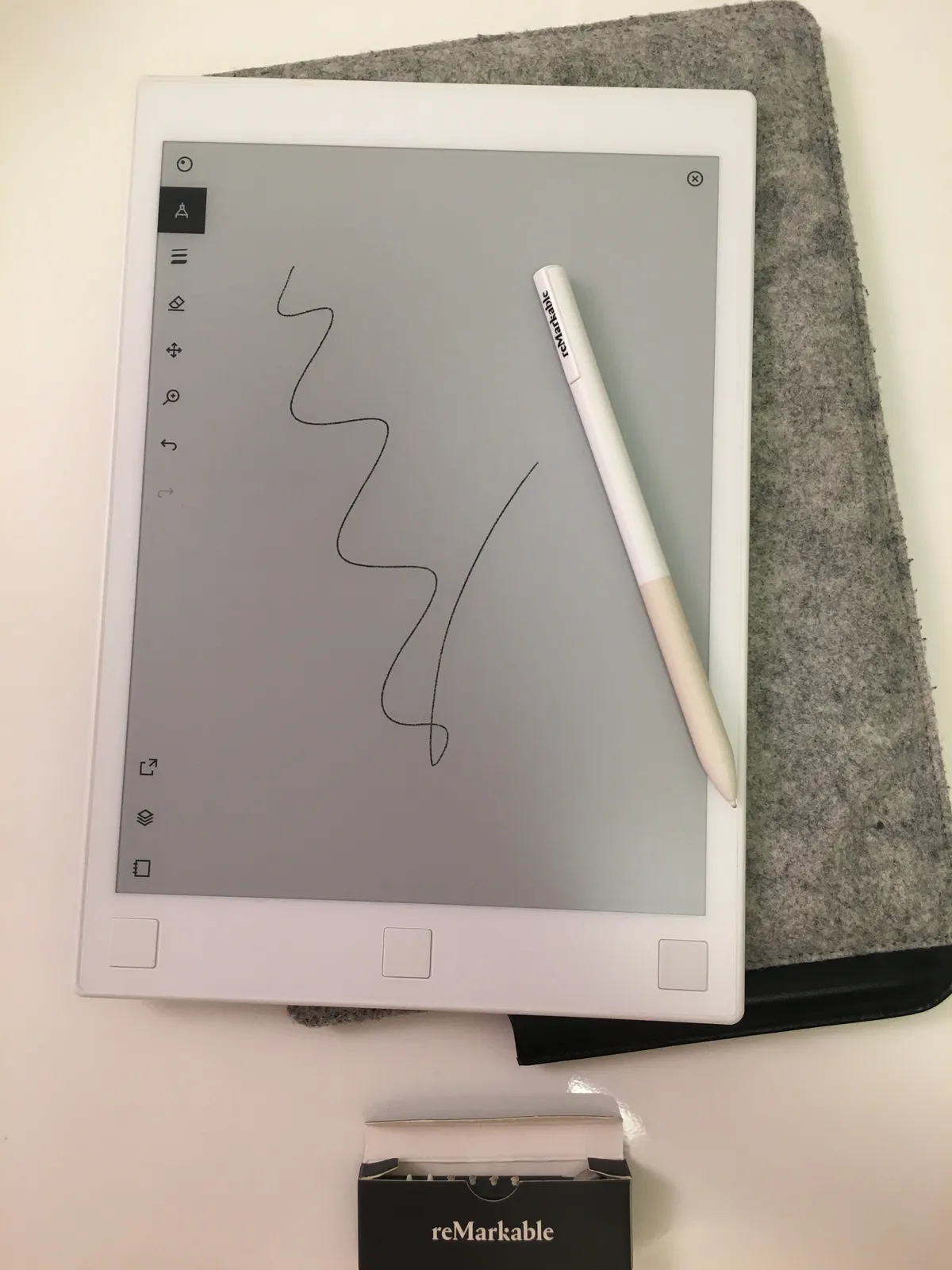
E-ink writing tablet context — Wikimedia Commons
reMarkable Paper Pro Review Snapshot (2026)
| Question | Short answer |
|---|---|
| What is it? | Large-format color paper tablet — 11.8-inch Canvas Color E Ink, front light, Marker included |
| Who makes it? | reMarkable AS (Oslo, Norway) — not Amazon, not Onyx, not a white-label clone |
| US price (verify live) | From $629 with Marker; Marker Plus bundle $679; Type Folio bundle $829 |
| Display | 2160 × 1620 (229 PPI), 20,000 color tones, textured glass, 0.92 mm pen-to-ink distance |
| Storage / battery | 64 GB (~810 notebooks); ~2 weeks (5,030 mAh) at ~2 hr/day writing, 5 days/week |
| Weight / size | 525 g (1.16 lb); 274.1 × 196.6 mm (10.8 × 7.8 in); 5.1 mm thick |
| Connect sub | ~$3.99/mo or ~$39.90/yr for handwriting search, unlimited sync, app editing, AI tools |
| Best for | Lawyers, academics, architects, meeting-heavy roles who live in ink and PDFs |
| Skip if | You need Slack, Zoom, and full desktop apps — buy a Galaxy Tab S9 instead |
| NexReview score | 8.6/10 — category-leading writing feel, painful total cost of ownership |
Editorial stance: The Paper Pro delivers on reMarkable’s core promise better than any prior generation. It is also the most expensive entry point in the lineup unless you truly need color at this size. Grayscale note-takers should cross-shop Paper Pure before defaulting to Pro.
What Is the reMarkable Paper Pro?
reMarkable launched the Paper Pro in 2024 as its first color paper tablet, replacing the grayscale-only story that defined reMarkable 1 and reMarkable 2 for a decade. Where the older 10.3-inch reMarkable 2 used Carta monochrome E Ink, Paper Pro moves to reMarkable’s Canvas Color technology — millions of physical color ink particles under a textured glass lens, not a Kaleido filter stack like Amazon’s Kindle Colorsoft.
That distinction matters for this remarkable paper pro review: Colorsoft tints a high-resolution grayscale panel through RGB subpixels. Canvas Color tries to behave like pigmented ink on paper — muted saturation, excellent daylight readability, and slower refresh than LCD but far less ghosting than early color e-paper experiments. TIME Magazine named Paper Pro among its Best Inventions of 2025, which tracks with how often consultants and design teams treat it as a digital Moleskine rather than a tablet.
The Paper Pro sits at the top of reMarkable’s 2026 lineup:
- reMarkable Paper Pro — 11.8-inch color, reading light, from $629
- reMarkable Paper Pure — mid-size grayscale successor to reMarkable 2, from $399
- reMarkable Paper Pro Move — compact 7.3-inch color with light, from $449
- reMarkable 2 (discontinued but still supported) — 10.3-inch grayscale legacy hardware
Paper Pro is the largest and fastest device reMarkable sells. It is not the cheapest way into the ecosystem, and it is not the most pocketable. reMarkable positions it for people who spread out A4 letter pages, architectural sketches, or dual-column PDFs and refuse to squint on a 7-inch screen.
In the box
US configure flows include your choice of Marker (standard) or Marker Plus (textured grip, built-in eraser). Every Paper Pro ships with:
- USB-C charging cable (1 m)
- Six replacement marker tips
- 50-day satisfaction guarantee window
Important compatibility note: Paper Pro Markers do not work on reMarkable 2, and RM2 pens do not work on Paper Pro. reMarkable tied nibs and pressure curves to the Canvas Color stack. Budget $89–$129 for spare Markers if you share devices across generations.
reMarkable Paper Pro Review: Display and Color
Canvas Color vs “color e-readers”
If your only color E Ink reference is the Kindle Colorsoft, reset expectations. Colorsoft optimizes reading: covers, comics, highlights in EPUBs. Paper Pro optimizes marking: yellow callouts on contracts, red circles on wireframes, color-coded mind maps in meetings.
Official specs from reMarkable’s compare page:
| Spec | Paper Pro |
|---|---|
| Panel | 11.8-inch Canvas Color |
| Resolution | 2160 × 1620 (229 PPI) |
| Color depth | Up to 20,000 colors |
| Front light | Adjustable reading light (reflected, not OLED blast) |
| Surface | Textured glass — “paper-like” friction |
| Pen-to-ink distance | 0.92 mm (marketing cites under 1 mm) |
| Sunlight | Usable outdoors — glare-free reflective display |
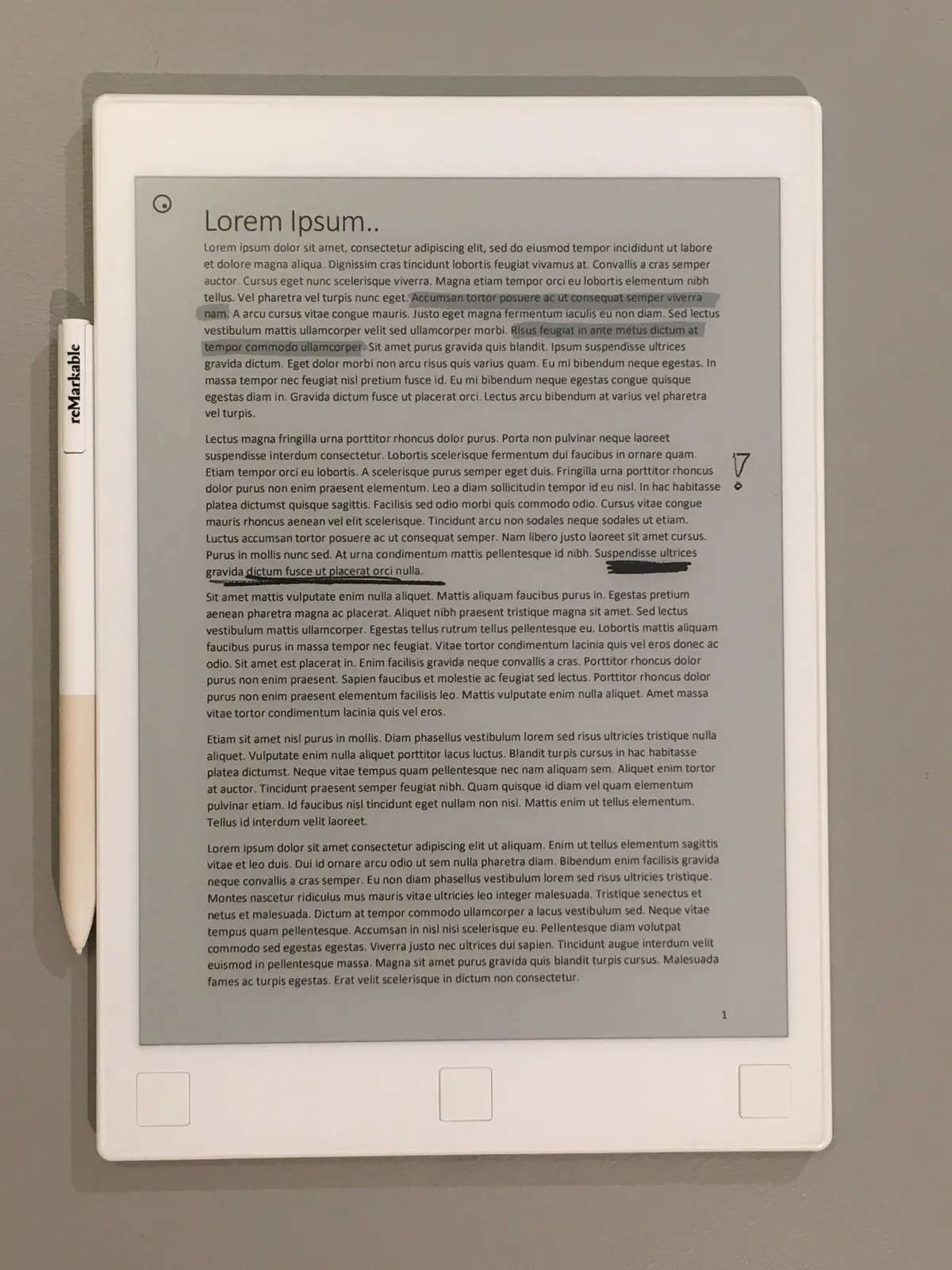
Color is matte and restrained. You will not edit photos or watch reels. You will layer four highlighter colors on a imported PowerPoint slide and still feel like you are annotating paper. Refresh latency when filling large color regions is visible — plan on brief flashes — but single-stroke writing feels immediate at 12 ms latency, a generational jump over reMarkable 2’s older controller.
Reading light and eye comfort
Paper Pro adds the first integrated reading light in a full-size reMarkable. Unlike phone screens that beam blue light into your retinas at 11 p.m., the light illuminates the reflective panel the way a clip-on lamp lights a book. Brightness lives in quick settings (swipe from upper-right or tap the battery icon). reMarkable warns max brightness cuts into the two-week battery estimate — reasonable, since the cell must feed both CPU and LEDs.
For bedtime journalers migrating from iPads, this is the feature that prevents “one more email” drift. Codex still has no Instagram. That is the point.
Digital notebook workspace — Wikimedia Commons
Writing Experience: Marker, Latency, and Feel
Every honest remarkable paper pro review eventually admits: reMarkable wins or loses on how writing feels, not spec-sheet trivia.
Marker and Marker Plus
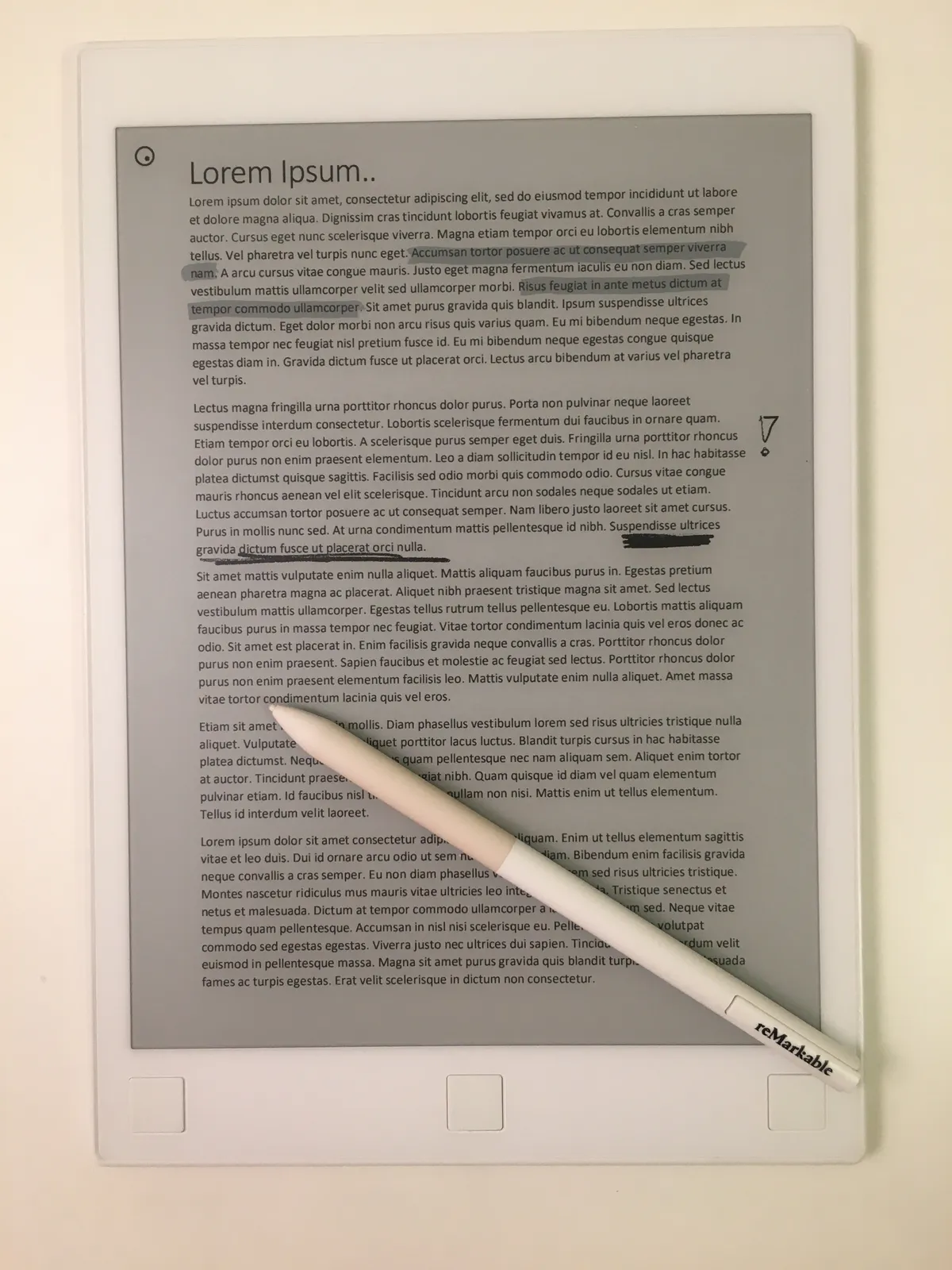
The Marker uses Wacom-style passive EMR — no pairing, no battery anxiety mid-lecture. It magnetically snaps to the tablet edge. Marker Plus adds eraser end-cap and a finer texture for long sessions. Both tips consume nibs faster on the textured glass than on smooth glass iPads; the included six tips are not decorative — order the $19 replacement packs before you run out during finals week.
Pressure curves support shading in sketching templates, but reMarkable still is not a pro art workstation. Illustrators who need Procreate layers should keep an iPad Pro M4. Paper Pro targets legible handwriting for humans who think with pens.
Latency, palm rejection, and left-handed mode
12 ms writing latency is fast enough that your brain stops compensating after an hour — the “digital lag” muscle memory from 2018 tablets fades. Palm rejection is solid in portrait and landscape; left-handed mode flips UI chrome during setup and can be toggled later. Type Folio users get a backlit keyboard folio for hybrid typed/handwritten pages, though reMarkable still recommends external laptops for long-form typing.
Templates and structure
Built-in templates cover meeting notes, planners, grids, and music staves. Connect subscribers unlock additional exclusive templates and AI-assisted summaries (see below). Non-subscribers still get core notebooks, folders, tags, and unlimited pages locally — cloud history is where the paywall bites.
Software, Connect, and the Subscription Reality
reMarkable runs Codex, a custom Linux OS without an app store. You get notebooks, PDFs, EPUBs, selective integrations, and sync — not Chrome, not Slack, not Zoom. That focus is either liberation or deal-breaker depending on your job.
Connect subscription (read before you buy)
Connect is reMarkable’s subscription layer. US pricing on reMarkable’s store typically lands around:
- ~$3.99/month (monthly plan)
- ~$39.90/year (annual plan — verify live checkout)
New device pairings include a 50-day Connect trial (same length as the hardware satisfaction guarantee). Connect unlocks:
- Handwriting search across notebooks
- Unlimited cloud storage and multi-device sync (up to five devices on one account)
- Note-taking in mobile/desktop apps — edit on phone or PC, not just view
- Integrations — Google Drive, Dropbox, OneDrive, Microsoft 365 hooks
- AI-powered conversion — handwriting to text, summaries, “next steps” from meeting notes
- Convert to Notebook — Word/Google Docs into annotated notebooks
- Meeting Notes Tool — calendar-aware meeting prep (where supported)
Without Connect, reMarkable still works — but cloud retention only covers files used in the last 50 days, mobile/desktop apps become view-only for note creation, and handwriting search disappears. For a $629 device, that feels like renting part of your own workflow. reMarkable is not alone (Adobe, Microsoft, even Kindle Unlimited patterns), but budget it: $629 + $40/yr over five years is $829 before folios, tips, or a $229 Type Folio.
We score Software & Sync at 7.8/10 largely because the offline core is excellent while the subscription framing annoys power users who remember RM2’s early “free sync” marketing battles.
Security and sustainability claims
Paper Pro ships with on-device encryption, MFA, and passcode login — reasonable for client-facing legal notes. reMarkable also markets repairability, recycled materials, and certified refurbished units at reduced prices. Enterprise buyers can source DDP shipping with US sales tax included on quoted web prices.
Performance, Battery, and Daily Workflow
Battery and charging
reMarkable rates Paper Pro at up to two weeks on a 5,030 mAh cell, modeled on two hours of writing per day, five days a week, with moderate front-light use. Heavy annotators running max brightness through red-eye flights should expect less — still measured in days, not the hours of a Galaxy Tab S9. USB-C charges 0–90% in ~90 minutes on the spec sheet.
Storage and file types
64 GB internal storage (~810 notebooks equivalent) is fixed — no microSD. PDF import over USB, Wi-Fi, or cloud integrations is the main pipeline. Large scanned discovery folders fill space faster than blank notebooks; archive old semesters to cloud and delete local copies if you subscribe to Connect.
Connectivity
Wi-Fi 2.4 / 5 GHz and USB 2.0 Type-C (data + charge). No cellular model — tether to your phone if you need mid-flight sync. Bluetooth is absent for audio; this is not your Audible player (Kindle still wins there — see Kindle Paperwhite if reading-only).
Typical day in the life
- Morning stand-up: open Meeting Notes template, color-code action items in blue, sync to desktop app for PM review.
- Midday client mark-up: import PDF brief, redline with Marker Plus eraser for quick corrections.
- Afternoon focus block: airplane mode on, no notification ghosts — just ink.
- Evening export: Connect converts handwriting to typed bullets, pushes summary to Google Doc.
That rhythm is why consultants keep Paper Pro in their bag next to a phone — not instead of a laptop.
Stylus and desk workflow — Wikimedia Commons
reMarkable Paper Pro vs Alternatives
vs reMarkable Paper Pure and Paper Pro Move
| Device | Display | Price (from) | Best for |
|---|---|---|---|
| Paper Pro | 11.8" color + light | $629 | Maximum canvas, PDF markup, color structure |
| Paper Pure | Mid gray | $399 | RM2 upgraders who never needed color |
| Paper Pro Move | 7.3" color + light | $449 | Travel, bedside, jacket-pocket notes |
If you only write monochrome meeting notes, Paper Pure at $399 saves $230 and drops weight. If you need color but not size, Paper Pro Move is the value play. Paper Pro earns its premium when you regularly run out of horizontal space on smaller panels.
vs reMarkable 2 (legacy)
RM2 owners notice Paper Pro’s speed, color, front light, and new Marker immediately. Migration is supported: pair at my.remarkable.com and transfer cloud notebooks. Markers and many folios do not transfer — plan accessory repurchase. RM2 remains viable in 2026 for grayscale purists, but reMarkable’s software roadmap clearly favors Canvas Color devices.
vs iPad Pro M4 and Galaxy Tab S9
iPad Pro and Galaxy Tab S9 are general computers with OLED/LCD panels, app ecosystems, and video chat. They beat Paper Pro on:
- Zoom, Slack, browser multitasking
- High-frame-rate scrolling and multimedia
- Third-party app choice (Notability, GoodNotes, Infinite Painter)
Paper Pro beats them on:
- Distraction resistance — no notification badges in the OS chrome
- Outdoor and battery endurance — reflective e-paper vs glowing glass
- Writing friction — textured surface + EMR Marker vs glass Apple Pencil slip (matte screen protectors help iPads, but do not match Canvas Color ink physics)
Many professionals carry both: tablet for calls, Paper Pro for thinking. If you must pick one device under $900, pick iPad for versatility; pick Paper Pro for ink-native work you will actually sustain.
vs Kindle Colorsoft
Kindle Colorsoft is a reading appliance inside Amazon’s store. Paper Pro is a writing appliance with optional EPUB reading. Colorsoft is lighter, cheaper ($249–$280), and unbeatable for novels and comics. Paper Pro wins on PDF annotation, freeform notebooks, and large color canvas. They complement more than compete — unless your budget allows only one device, in which case ask: “Do I consume books or produce notes?”
Pricing and Bundles (September 2026)
Verify live at remarkable.com — US MSRP snapshots:
| SKU / bundle | Price | Notes |
|---|---|---|
| Paper Pro + Marker | $629 | Base configure |
| Marker Plus bundle | $679 | Eraser-end stylus |
| Book Folio + Marker Plus | $799 | Was $858 — leather folio |
| Type Folio + Marker Plus | $829 | Was $908 — keyboard folio $229 alone |
| Marker tips (9 pack) | $19 | Consumable |
| Connect | ~$3.99/mo or ~$39.90/yr | Effectively required for serious sync |
Add sales tax where applicable (included in US DDP quotes on reMarkable’s site). Refurbished Paper Pro units appear periodically on the refurb store — worth watching if $629 stings.
Total cost example: Paper Pro Type Folio bundle ($829) + two years Connect (~$80) + extra Marker ($89) ≈ $998 before tax. That is iPad territory without iPad apps — go in eyes open.
Who Should Buy — and Who Should Skip
Buy Paper Pro if…
- You mark up letter-size PDFs weekly and smaller e-paper feels cramped.
- Color structure (highlighters, diagrams, client redlines) speeds your thinking.
- You want deep focus — meetings without Slack badges burning into your retina.
- You already trust reMarkable’s cloud and will pay Connect for handwriting search.
- You can exploit the 50-day trial to run a real project before committing.
Skip Paper Pro if…
- You only read novels — a Kindle Paperwhite or Colorsoft costs half as much.
- You need video calls, browsers, and app stores daily — buy a tablet.
- $629 + subscription makes you wince; Paper Pure or Paper Pro Move covers most note-taking.
- You own reMarkable 2 Markers and folios you hoped to reuse — compatibility breaks here.
- You draw production illustrations — invest in iPad + Pencil instead.
FAQ
Is the reMarkable Paper Pro the same as “Remarkable tablet” on Amazon?
No. reMarkable Paper Pro is sold by reMarkable AS at remarkable.com. Generic “remarkable” or “paper tablet” listings without the reMarkable logo and Codex OS are often unrelated Android devices. Always verify the manufacturer before clicking Buy.
How much does the reMarkable Paper Pro cost in 2026?
US pricing starts at $629 with a Marker included. Popular bundles: Marker Plus $679, Book Folio $799, Type Folio $829. Add Connect (~$3.99/month or ~$39.90/year) for full cloud, search, and app-based editing.
Do I need Connect for the Paper Pro to work?
The tablet functions offline without Connect — local notebooks, PDF markup, and USB transfer still work. Without Connect you lose unlimited cloud history (50-day rolling window), handwriting search, note creation in desktop/mobile apps, and several integrations. Most buyers treat Connect as effectively mandatory.
Can I use my reMarkable 2 Marker on Paper Pro?
No. reMarkable redesigned Markers for the Canvas Color display. RM2 pens and Paper Pro pens are not cross-compatible. Budget for new styluses and tip packs.
How does Paper Pro compare to Kindle Colorsoft for reading?
Colorsoft is a better pure reader — lighter, cheaper, tied to Kindle Store sync and Audible. Paper Pro is a better writer and PDF annotator with a larger canvas. Many users own a Kindle for books and a reMarkable for work; overlap exists but priorities differ.
Is 64 GB enough storage?
For most professionals, yes — reMarkable equates 64 GB to roughly 810 notebooks, and cloud offload via Connect reduces local pressure. Massive archived PDF libraries may require periodic cleanup or external archival on a PC.
How long does the battery last?
Up to two weeks per reMarkable’s model (about two hours of writing per weekday) with conservative front-light use. Max brightness and long daily sessions shorten that to several days — still far beyond LCD tablets.
Was the Paper Pro on TIME’s Best Inventions list?
Yes. reMarkable promotes TIME Magazine Best Inventions of 2025 recognition on the product page — consistent with mainstream attention to color e-paper beyond Kindle.
Paper Pro vs iPad Pro M4 — which for students?
Students who live in typed essays, Zoom, and browser research tabs should buy an iPad or laptop. Students who take handwritten seminar notes, annotate scanned papers, and want zero social-media drift benefit from Paper Pro — if the budget survives hardware + Connect.
Should reMarkable 2 owners upgrade?
Upgrade if you need color, front light, or speed and your RM2 feels sluggish on large PDFs. Stay on RM2 if grayscale suffices and RM2 Markers/folios are sunk costs you do not want to replace — or jump to Paper Pure for a cheaper grayscale refresh without color.
Verdict
The reMarkable Paper Pro is the device reMarkable has been building toward since 2017: a large color canvas that respects ink physics, respects your attention, and respects daylight. Canvas Color is not tablet-vivid — it is paper-vivid — and that is exactly why lawyers, architects, and product leads keep it in their bags next to phones that buzz.
The friction is money. $629 is only the door; Connect, Markers, and a Type Folio push real-world setups toward $900–$1,000. You are not buying hardware — you are buying a focus ritual with recurring rent for search and sync. If that trade sounds fair for hours reclaimed from notification hell, Paper Pro is the best large-format paper tablet you can buy in 2026. If you need one device to do everything, shop iPad Pro M4 and borrow focus through app blockers instead.
Score: 8.6/10 — Best Large-Format Paper Tablet — Premium Price, Real Focus