Pros
- Raycast's free tier includes clipboard history, snippets, and window management — Alfred charges Powerpack for those
- Alfred's £59 Mega Supporter license avoids recurring subscriptions entirely
- Both replace Spotlight with real speed; neither is a random App Store clone
- Clear split: Raycast wins integrations and AI; Alfred wins local scripting and one-time pricing
Cons
- Raycast Pro bundles AI you cannot remove from the paid tier — only disable in settings
- Alfred's free app is launch-and-search only; workflows need Powerpack
- Neither runs natively on Linux; Windows users get Raycast but not Alfred
- Switching cost is real — snippets, hotkeys, and muscle memory do not migrate cleanly
Raycast vs Alfred 2026 is the Mac launcher debate that splits keyboard-first users into two camps — and both camps have a point. Raycast (raycast.com, from the company of the same name) is the newer productivity layer: extensions store, built-in clipboard history, window tiling, and optional AI on a subscription. Alfred (alfredapp.com, from Running with Crayons Ltd.) is the veteran: a lean launcher with a one-time Powerpack unlock for workflows, snippets, and deep macOS automation — no account required for core use.
This NexReview guide compares Raycast vs Alfred in 2026 with verified pricing from each official shop page, real workflow tradeoffs, and honest calls on who should pay for what. We are not reviewing lookalike launchers — Raycast is the SwiftUI-era app with thousands of Store extensions; Alfred is the Alfred 5 product with its mature workflow gallery, not a generic "Alfred Pro Launcher" reskin from the App Store.
For adjacent productivity decisions, see Todoist vs TickTick 2026 for task capture, Obsidian vs Notion 2026 if your bottleneck is notes rather than launching, Notion review for team wikis, and MacBook Air M4 review if you are building a new Mac setup from scratch.
MacBook workspace — Wikimedia Commons
Raycast vs Alfred 2026 Snapshot
| Question | Raycast | Alfred |
|---|---|---|
| Maker | Raycast (Berlin-based; launcher + extensions platform) | Running with Crayons Ltd. (UK; Alfred trademark holder) |
| Core pitch | All-in-one command bar + extension marketplace | Fast launcher + scriptable workflows |
| Free tier | Launch, clipboard history, snippets, window management, 1,500+ Store extensions | App/file/web search, calculator, dictionary |
| Paid solo price (verify live) | Pro $10/mo or $96/yr; Pro+ $20/mo or $192/yr | Powerpack £34 (v5, 2 Macs) or £59 Mega (lifetime upgrades) |
| Account required | Yes — sign-in for sync, Store, AI | No — Powerpack activates locally |
| Built-in AI | Yes — Quick AI, Chat, Commands (paid tiers) | No — community workflows can call APIs |
| Window management | Built-in snap presets (free) | Not included — pair with Rectangle, etc. |
| Windows / iOS | Raycast for Windows and iOS ship; one subscription covers platforms | macOS only |
| NexReview pick | Default for most 2026 Mac users | Buy-once purists and workflow scripters |
Bottom line: If you want clipboard, snippets, and window control without paying on day one, start Raycast free. If you refuse subscriptions, want maximum local control, and enjoy composing workflows from shell scripts and AppleScript, Alfred Mega Supporter still earns its place.
What Each Launcher Actually Is
Raycast — productivity layer with a Store
Raycast launched as a Spotlight replacement and grew into a platform. Press a global hotkey (default ⌥ Space), type a command, hit Enter. That surface hides a lot:
- App and file search with fuzzy matching and ranking you can tune
- Clipboard History with search — free tier retains history; Pro removes limits
- Snippets with
{cursor}placeholders and dynamic{date}tokens - Quicklinks — templated URLs with
{query}slots - Window Management — halves, thirds, center, almost-replacement for standalone tiling tools
- Calculator, Emoji Picker, Calendar peek, Notes — small utilities that stay one keystroke away
- Extensions Store — GitHub, Jira, Linear, Notion, Obsidian, Spotify, 1Password, and hundreds more install without Xcode
Raycast extensions are typically TypeScript/React packages. Developers get a CLI, hot reload, and published Store listings. For non-coders, that means one-click installs that feel like native macOS features.
Raycast also expanded beyond macOS: Raycast for Windows and Raycast for iOS exist, and paid plans bill as one subscription across platforms per Raycast's billing manual. That cross-platform story matters if your workflow spans a MacBook and a Windows desktop — Alfred cannot follow you there.
Alfred — launcher first, automation engine second
Alfred predates Raycast by a decade and reflects a different philosophy: stay fast, stay local, charge once for power features. The free Alfred 5 app handles:
- Application and file search (with configurable search scopes)
- Web search and custom searches
- Calculator and dictionary/thesaurus hooks
- System commands (sleep, empty trash, eject — with sensible caution)
- Contact and music search when indexed
The Powerpack unlock is where Alfred becomes a power-user tool:
- Workflows — visual node graphs connecting triggers, scripts, filters, and outputs
- Clipboard History — searchable, snippet-aware, merge-paste capable
- Snippets — auto-expansion with optional sound cues
- File actions — right-click-on-result operations (move, copy path, upload)
- 1Password, Contacts, and deeper integrations via workflow objects
- Appearance themes and Alfred Remote (iOS companion for triggering workflows)
Alfred workflows can call bash, zsh, Python, AppleScript, JXA, PHP — whatever you already maintain. The community gallery at alfredforum.com is enormous; many developers publish the same glue scripts they would otherwise bury in dotfiles.
Alfred does not ship window snapping, a notes panel, or built-in AI. That minimalism is a feature if you already run Rectangle and do not want your launcher competing for RAM and menu-bar attention.
Raycast vs Alfred 2026 — Pricing and Free Tiers
Pricing is the sharpest fork in Raycast vs Alfred 2026, because the two products use opposite business models: Raycast subsidizes a rich free tier and monetizes AI plus cloud sync; Alfred keeps the base app free and sells a perpetual license for automation.
Raycast plans (September 2026)
Per raycast.com/pricing and Raycast's billing manual:
| Plan | Monthly | Yearly | What you gain over Free |
|---|---|---|---|
| Free | $0 | $0 | Clipboard History, Snippets, Quicklinks, Window Management, Calculator, Emoji Picker, Store extensions, limited Notes |
| Pro | $10 | $96 | AI (Quick AI, Chat, Commands), Cloud Sync, Dictation, Translator, unlimited Clipboard History & Notes, custom themes |
| Pro+ | $20 | $192 | Higher AI credit pool and top-tier models |
| Max | $50 | $480 | Largest AI credit allocation |
| Teams | $15/user/mo | $144/user/yr | Shared snippets, quicklinks, admin controls (free Team tier exists with caps) |
Important nuances:
- Core launcher features stay free — Raycast explicitly states Clipboard History, Calendar, and Window Management are not paywalled. Corporate use of the free tier is allowed.
- Pro always includes AI — you cannot buy Pro without AI; you can disable AI in Settings if policy requires it.
- New accounts may get a 7-day Pro trial; verify on signup.
- Students get 50% off Pro via Raycast's student form.
- AI usage is metered in credits; cheaper models consume fewer credits.
For many readers, Raycast Free is the entire product. Pro matters when you want settings synced across two Macs, unlimited clipboard depth, or AI inside the command bar — not when you simply need to launch apps faster than Spotlight.
Alfred Powerpack (September 2026)
Per alfredapp.com/shop:
| License | Price | Coverage |
|---|---|---|
| Single User | £34 | One user, two Macs, Alfred 5.x only — upgrades within v5, not future major versions |
| Mega Supporter | £59 | One user, your Macs, lifetime major-version upgrades |
Powerpack is personal-use licensing — corporate teams need Alfred's separate corporate licensing. No subscription, no account server for activation: you paste a license code into Alfred Preferences.
Cost-over-time math (rough):
- Alfred Mega at £59 ≈ $75 USD at typical 2026 exchange — one payment, then silence.
- Raycast Pro at $96/year crosses Alfred Mega in under one year if you pay annually — and keeps billing forever.
- Raycast Free vs Alfred Free: Raycast gives you more built-in utilities; Alfred gives you a faster bare launcher until you buy Powerpack.
If subscription fatigue is your primary emotion, Alfred Mega is the rational pick — provided you actually use workflows and snippets enough to justify £59.
Speed, Search, and Daily Feel
Both apps aim to beat Spotlight on latency and relevance. In practice:
Alfred feels instant on Apple Silicon Macs with warmed indexes. Power users tune Search Scopes so file search does not drowning in node_modules. Alfred's Learning preferences boost apps you launch often. The UI is compact — results list, action panel on the right — familiar since 2011.
Raycast matches or beats Alfred on raw launch speed in most 2026 benchmarks community members post, with a taller, more visual results pane and rich extension previews (GitHub PR cards, Jira ticket rows). First cold launch after reboot can feel slightly heavier than Alfred because Raycast loads extension runtimes — usually negligible after login.
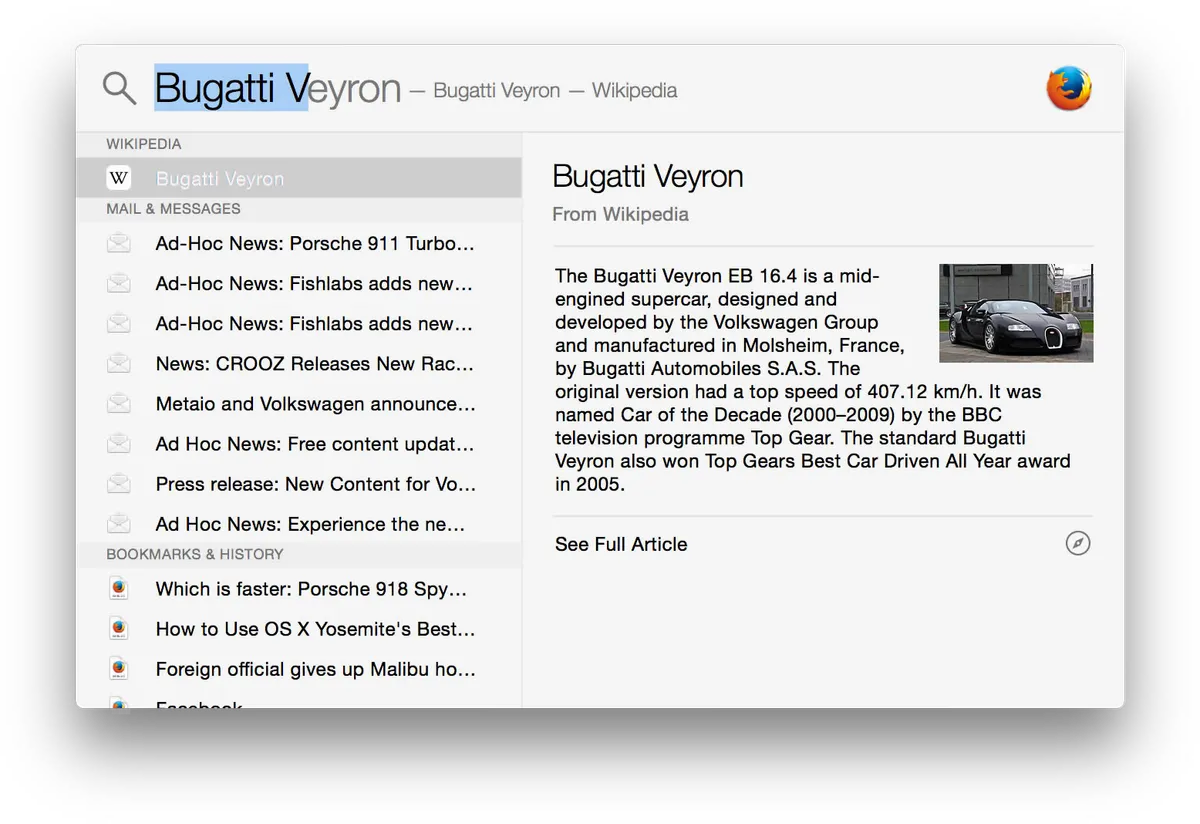
Spotlight in recent macOS releases improved clipboard history and richer results, which raises the bar for both launchers. Casual users who only open apps and run calculator math may not need either tool. Raycast vs Alfred 2026 matters when you paste thirty times a day, juggle four displays, or live in GitHub issues.

Keyboard shortcuts and productivity — Wikimedia Commons
Workflows, Extensions, and Automation
This section separates the camps more than pricing does.
Raycast extensions — installable product features
Raycast's Store treats each extension as a mini-app: commands, list views, form views, OAuth to SaaS APIs. Installing Linear, GitHub, or Obsidian extensions takes seconds — no script maintenance on your side.
Strengths:
- Consistent UI patterns across extensions
- Official Raycast-maintained extensions for major dev tools
- Script Commands folder for quick shell hooks without full extension projects
- Quicklinks and Snippets cover 80% of personal automation without code
Weaknesses:
- Deeply custom internal tooling may hit Store gaps — you still write TypeScript or fall back to Script Commands
- Extension quality varies; abandoned Store listings happen
- Corporate environments may need to audit third-party extension network calls
Alfred workflows — compose-your-own automation
Alfred's workflow canvas connects hotkeys, keywords, file filters, web hooks, and script filters. The alfredforum.com ecosystem ships thousands of prebuilt workflows — YouTube downloader, ChatGPT front-ends, home automation, VPN toggles.
Strengths:
- Total local control — your scripts, your API keys, your data paths
- Script filter JSON pattern is well-documented; reuse existing Python/Go binaries trivially
- Universal Actions and Workflow Remote Triggers enable complex multi-step macros
- Workflows survive offline — no extension store server needed
Weaknesses:
- Steeper learning curve than clicking "Install" in Raycast Store
- Polished UI for SaaS objects (PR lists, ticket tables) requires serious workflow investment
- Window management and notes still live outside Alfred unless you bolt on more apps
Verdict on automation: Choose Raycast if you want curated integrations maintained by vendors. Choose Alfred if you already have a ~/bin full of scripts and treat the launcher as orchestration glue.
Clipboard History, Snippets, and Text Expansion
Both tools solve "I copied something twenty minutes ago" and "make ;sig expand to my email signature."
| Feature | Raycast (Free) | Alfred (Powerpack) |
|---|---|---|
| Clipboard search | Yes | Yes |
| Snippet placeholders | {cursor}, dates, clipboard | {cursor}, dynamic text |
| Merge paste | Via clipboard list actions | Native merge hotkey |
| Sync across Macs | Pro Cloud Sync | Third-party sync workflows or iCloud hacks |
| Snippet triggers | Keyword in any app | Keyword or auto-expansion suffix |
Raycast giving clipboard and snippets away free is the single biggest reason new users pick it over Alfred in 2026. Alfred loyalists rightly note Powerpack paid for those features years before Raycast existed — but newcomers compare what they get today without opening a wallet.
If snippet sync across MacBook and Mac mini is non-negotiable, Raycast Pro is the path of least resistance. If snippets stay local and you hate accounts, Alfred Powerpack remains excellent.
AI, Privacy, and Corporate Policy
Raycast ships AI into Pro: Quick AI from the root search, dedicated Chat, AI Commands that transform selected text, optional screen context and Memory features on higher tiers. Models span multiple providers; credits cap monthly usage. You can turn AI off in Settings — useful when legal wants the launcher but not LLM calls — but you still pay for a plan that includes AI.
Alfred has no built-in AI. You can install community workflows that call OpenAI, Anthropic, or local Ollama endpoints — meaning you control keys, logging, and whether anything leaves the machine. For regulated environments that already block generative AI desktop clients, Alfred plus audited workflows often passes review more easily than Raycast with AI disabled-but-present.
Accounts and telemetry:
- Raycast requires sign-in for Store, sync, and Pro — account data flows through Raycast's cloud for sync features.
- Alfred Powerpack activates offline; no Alfred account is mandatory for daily use.
Neither product is open source. Read each privacy policy if your employer cares about subprocessors and data residency.
Window Management and Display Workflows
Raycast includes Window Management commands: left half, right half, quarters, center, next display — competitive with free tools like Rectangle for many users. On a single 27-inch monitor, that removes one more menu-bar app.
Alfred does not manage windows. Most Alfred users pair Rectangle, Magnet, or BetterTouchTool. That is one extra install and one extra preferences pane — fine if you already run BTT for trackpad gestures, redundant if you wanted one command bar to rule everything.
For ultrawide or three-display setups, Raycast's per-display snapping saves measurable time. Alfred users should budget a dedicated window tool in their stack.
Who Should Pick Which?
Choose Raycast if you…
- Want clipboard, snippets, and window tiling free on a fresh Mac install
- Prefer Store extensions over maintaining workflow JSON
- Use GitHub, Linear, Jira, Notion, or Obsidian daily and want first-party-feeling commands
- Need Windows or iOS parity from the same vendor
- Are willing to pay ~$96/year only if Cloud Sync or AI genuinely saves you time — many users never upgrade
Choose Alfred if you…
- Refuse recurring launcher subscriptions and prefer £59 once
- Already depend on shell scripts, Python, or AppleScript and want a canvas, not a Store
- Need zero account activation for Powerpack features
- Trust alfredforum.com workflows more than third-party extension authors
- Run a minimal menu bar and already own a window manager you love
Skip both if you…
- Only launch apps from the Dock and Spotlight covers search — macOS Tahoe's built-in tools improved enough for casual use
- Live entirely on Linux or iPad — neither launcher applies (Raycast Windows exists; Alfred does not)
- Want full IDE-style automation — consider Keyboard Maestro for macro depth beyond either launcher
- Need team-wide shared command libraries with SSO — evaluate Raycast Teams or IT-approved tooling instead of solo Powerpack licenses
Migration and Switching Costs
Switching launchers is painful because muscle memory is the product.
From Alfred to Raycast:
- Export snippets manually — no universal import format; budget an afternoon for large snippet libraries
- Rebuild hotkeys — Raycast uses its own preference namespace
- Find Store equivalents for critical workflows; script filters become Script Commands or custom extensions
- Window management may let you uninstall Rectangle — a rare win
From Raycast to Alfred:
- Snippets and quicklinks copy over with manual recreation
- Lose built-in window management unless you add Rectangle
- Replace Store extensions with forum workflows or scripts
- Cancel Raycast Pro before renewal — Alfred has nothing to cancel
Run both for two weeks with different hotkeys if you are unsure. Disable Spotlight shortcut conflicts in System Settings → Keyboard → Keyboard Shortcuts → Spotlight.
Raycast vs Alfred 2026 — Side-by-Side Scores
We score the comparison framework, not either app in isolation.
| Criterion | Raycast | Alfred |
|---|---|---|
| Free tier generosity | 9.5 | 6.5 |
| Workflow / extension depth | 8.8 | 9.2 |
| UI polish & onboarding | 9.0 | 8.0 |
| Privacy / local-first | 7.0 | 9.5 |
| 5-year total cost (solo) | 7.5 | 9.5 |
| Cross-platform | 8.5 | 3.0 |
NexReview editorial score for this guide: 8.7/10 — clear decision paths, with pricing verified against official pages as of September 2026.

Mac desk workspace — Wikimedia Commons
FAQ
Is Raycast or Alfred better in 2026?
Raycast is the better default for most Mac users because the free tier includes clipboard history, snippets, and window management — features Alfred locks behind Powerpack. Alfred wins if you want a one-time purchase, no account, and deep scriptable workflows you compose yourself. Neither replaces the other for every user.
Does Alfred still require Powerpack for clipboard history?
Yes. Alfred's free app searches apps and files; Clipboard History, Snippets, and Workflows require Powerpack (£34 Single User or £59 Mega Supporter as of September 2026). Raycast includes clipboard and snippets in its free plan.
How much does Raycast Pro cost in 2026?
Raycast Pro is $10/month or $96/year per Raycast's pricing page. Pro+ is $20/month or $192/year. Pro adds AI, Cloud Sync, unlimited clipboard history, dictation, translator, and custom themes. Core launcher features remain free without Pro.
Can I use Raycast without an account?
You need a Raycast account to sign in, browse the Store, and sync settings. Alfred Powerpack activates with a license code locally — no Alfred account required for daily launching and workflows.
Does Raycast work on Windows?
Yes. Raycast ships clients for macOS, Windows, and iOS, with one subscription covering all platforms on paid tiers. Alfred is macOS only — no Windows or Linux build exists from Running with Crayons.
Which is more private — Raycast or Alfred?
Alfred is more local-first: Powerpack features run without a mandatory cloud account. Raycast requires sign-in and uses cloud sync on paid plans; AI features send prompts to model providers unless disabled. For strict offline or regulated environments, Alfred plus self-hosted scripts is usually easier to approve.
Can Alfred do AI like Raycast?
Not natively. Alfred has no built-in AI in 2026. Community workflows can call ChatGPT, Claude, or local models via API keys you supply — you control cost and logging. Raycast bundles AI into Pro with monthly credits.
Should developers pick Raycast or Alfred?
Developers who live in GitHub, terminal, and SaaS issue trackers tend to prefer Raycast Store extensions and Script Commands. Developers with heavy custom scripts, internal CLI tools, and AppleScript often prefer Alfred workflows. Many senior Mac users ran Alfred for years and switched to Raycast free tier for clipboard and window management — then stayed for Store extensions.
Is Alfred Mega Supporter worth £59?
If you know you will stay on Mac for years and use workflows, snippets, and clipboard history daily, Mega Supporter is among the best value purchases in Mac software — lifetime major-version upgrades included. If you only launch apps occasionally, the free Alfred app without Powerpack may suffice, or Raycast Free may cover more without payment.
Can I replace Spotlight completely with Raycast or Alfred?
Yes. Both apps recommend disabling the default Spotlight keyboard shortcut and assigning ⌥ Space or similar. Keep Spotlight indexing enabled in System Settings so file search remains fast — both launchers rely on macOS metadata indexes for file results.
Final Verdict
Raycast vs Alfred 2026 comes down to subscription vs ownership and batteries-included vs compose-your-own.
Raycast is our default recommendation for new Mac setups in 2026: install free, get clipboard and window management immediately, add Store extensions as needed, and only upgrade to Pro if Cloud Sync or AI earns its $96/year. The product matured past "Spotlight with extensions" into a genuine productivity shell — especially for developers and SaaS-heavy workflows.
Alfred remains the principled buy-once choice. Mega Supporter at £59 still undercuts a decade of Raycast Pro subscriptions while delivering workflow depth no Store can fully replicate for bespoke automation. If accounts, AI bundling, or recurring bills are dealbreakers, Alfred is not legacy — it is aligned with how many power users actually want to own their tools.
Try Raycast Free first unless you already know you hate accounts. If something feels missing after two weeks — usually workflow granularity — download Alfred 5, trial the free search layer, and buy Powerpack only when snippets or workflows become daily necessities. Either path beats fighting stock Spotlight once you have paid the one-time learning cost of a real launcher.