Pros
- Excellent long-document analysis and summarization
- Natural writing tone for articles and reports
- Artifacts UI great for drafts and code previews
- Strong coding assistance in Claude Pro
Cons
- No native image generation like ChatGPT
- Usage caps on Pro frustrate power users
- Fewer third-party integrations than OpenAI ecosystem
Claude by Anthropic became the go-to AI for writers, analysts, and developers who want nuanced prose and large context windows. This Claude AI review covers Claude Pro in July 2026 — strengths, limits, and comparison to ChatGPT Plus and Cursor IDE.
What Is Claude AI?
Claude is a conversational AI assistant available on web, mobile, and API. Claude Pro (~$20/month) unlocks priority access, higher usage limits, and latest models (Opus/Sonnet class depending on rotation). Artifacts panel renders code, documents, and diagrams alongside chat.
Product interface — Anthropic (Wikimedia Commons)
Anthropic emphasizes safety and steerability — fewer edgy outputs than some rivals, sometimes at cost of creative risk-taking.
Features and Workflow
Power users:
- Upload PDFs or paste long reports for structured summaries
- Draft articles with tone control — Claude excels at clean prose for NexReview-style editorial
- Generate code snippets and iterate in Artifacts
- Export to Notion or Google Docs for team review
- Pair API access with internal tools for support bots
Long context shines analyzing contracts, research papers, and multi-file codebases in single threads.
Coding and Integrations
Claude Pro competes with GitHub Copilot for explanation and refactoring — many developers use Copilot in IDE plus Claude for architecture thinking. Cursor optionally routes to Claude models for repo-aware edits.
No built-in DALL·E equivalent — pair with Canva or Figma for visuals.
Pros and Cons
| Pros | Cons |
|---|---|
| Best writing quality | Usage limits |
| Huge context | No image gen |
| Artifacts UX | Smaller plugin ecosystem |
| Careful tone | Can be overly cautious |

Workflow example — Anthropic (Wikimedia Commons)
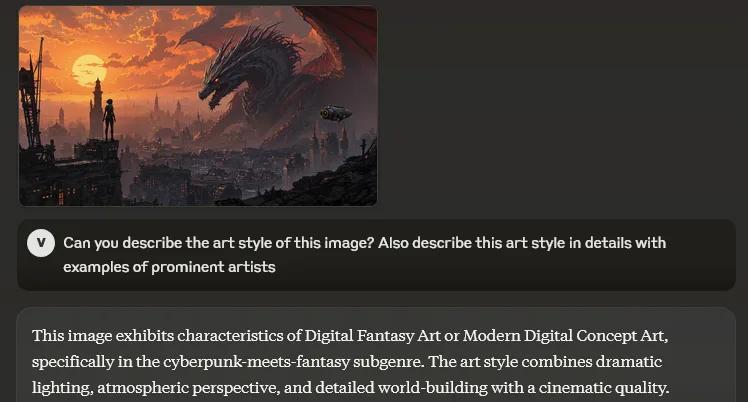
App in use — Anthropic (Wikimedia Commons)
Comparison Table
| Tool | Best for |
|---|---|
| Claude Pro | Long docs, writing, analysis |
| ChatGPT Plus | Multimodal, voice, plugins |
| Perplexity | Cited web research |
| Cursor | Repo-native coding |
FAQ
Claude vs ChatGPT?
Claude for writing/analysis; ChatGPT for multimodal generalist.
For coding only?
Cursor or Copilot primary; Claude secondary architect.
Enterprise?
Claude Team/Enterprise with admin controls — evaluate DPA.
Verdict
Claude AI is the best assistant for writing and document-heavy work in 2026 — essential Pro subscription for journalists, researchers, and senior devs. Keep ChatGPT or Perplexity as complements, not replacements.
Score: 9.1/10 — Best for Writing & Analysis