
Pros
- Cursor Composer and codebase indexing lead on agent-heavy refactors
- Copilot costs roughly half at entry tier with unlimited completions on paid plans
- Both support frontier models, MCP, and cloud agents in 2026
- Clear split: Cursor wins editor depth; Copilot wins ecosystem reach
Cons
- Both now meter agent/chat usage — budget surprises if you skip analytics
- Cursor requires switching editors; Copilot agent depth still trails Composer
- Enterprise compliance needs legal review on either stack
- Neither replaces code review, testing discipline, or security scanning
Cursor vs GitHub Copilot 2026 is the decision most professional developers face after AI coding assistants stopped being a novelty and became a line item on every engineering budget. Cursor is an AI-native code editor from Anysphere — a VS Code fork built around agents, deep repository indexing, and multi-file Composer workflows. GitHub Copilot is Microsoft's AI pair programmer — an extension (and platform feature) that plugs into VS Code, JetBrains, Neovim, Xcode, GitHub.com, and the CLI your team already uses.
This NexReview guide compares Cursor vs GitHub Copilot in 2026 with verified pricing from cursor.com and GitHub's official plans, real workflow differences after both vendors moved toward usage-based agent billing, and honest guidance on when switching editors is worth it versus staying on Copilot inside your current stack. For single-product deep dives, read our standalone Cursor IDE review and GitHub Copilot review.
Product check: We mean Cursor the Anysphere AI code editor — not unrelated "Cursor" brands in hardware or design. We mean GitHub Copilot from GitHub (Microsoft) — not generic "copilot" assistants from other vendors.
Developer laptop and IDE workflow — Wikimedia Commons
Cursor vs GitHub Copilot 2026 Snapshot
| Question | Cursor | GitHub Copilot |
|---|---|---|
| What it is | Standalone AI-native IDE (VS Code fork) | AI assistant across many editors + GitHub.com |
| Who makes it | Anysphere | GitHub / Microsoft |
| Best for | Agent-heavy refactors, AI-first daily driver | GitHub-native teams, minimal workflow change |
| Entry paid price | Pro — $20/month | Pro — $10/month |
| Power-user tier | Pro+ $60/mo; Ultra $200/mo | Pro+ $39/mo; Max $100/mo |
| Team seat | Teams — $40/user/month | Business — $19/user/month |
| Completions on paid plans | Included with usage pools | Unlimited; do not consume AI Credits |
| Agent/chat billing | Usage pools + on-demand overage | GitHub AI Credits (pooled on Business+) |
| Multi-file agent depth | Composer, Background Agents, Bugbot | Agent mode, Copilot coding agent (Actions VM) |
| IDE lock-in | Yes — Cursor is the editor | No — extension on your existing IDE |
| NexReview pick | Agent-first solo devs & refactor-heavy teams | Price-sensitive teams already on GitHub |
Bottom line: If autocomplete plus occasional chat covers 80% of your AI usage, Copilot Pro at half the price is the rational default. If you live inside multi-file agents and want the tightest edit-review loop, Cursor's dedicated surface wins — budget for Pro+ if agents run daily.
What Each Tool Actually Is
Cursor — AI-native editor from Anysphere
Cursor is not a plugin you bolt onto VS Code — it is the editor. Anysphere forked VS Code's open-source core, preserved most extension compatibility, and rebuilt the product around AI surfaces: Tab completion that predicts multi-line edits, Cmd+K inline transforms, Chat with @file and @codebase context, and Composer for planning and applying changes across many files at once.
Cursor indexes your repository semantically (respecting .cursorignore) so prompts understand imports, folder conventions, and patterns you already use — a meaningful edge over generic chat when you are mid-refactor in a large monorepo. In 2026, paid tiers add cloud agents, MCP (Model Context Protocol) integrations, shared team rules, Bugbot code review, and admin analytics on the Teams plan.
The tradeoff is commitment: you adopt Cursor as your daily driver. Teams standardized on JetBrains for a decade, or Visual Studio for .NET, must weigh migration cost against agent productivity gains.
GitHub Copilot — AI layer on the stack you already run
GitHub Copilot predates the agent wave and remains the distribution champion. It started as inline completion; in 2026 it spans:
- Inline completion and next-edit suggestions in VS Code, Visual Studio, JetBrains, Neovim, Eclipse, Xcode, Zed, and more
- Copilot Chat and agent mode in supported IDEs
- Copilot coding agent — spins up a GitHub Actions environment, clones your repo, and opens pull requests from issues (with model choice among Copilot, Claude, or Codex on supported plans)
- Copilot on GitHub.com and GitHub Mobile for Enterprise customers
- Copilot CLI for terminal workflows
Copilot's strategic advantage is gravity: if your org already pays for GitHub Enterprise, SSO, audit policies, and PR workflows live in one place, Copilot Business or Enterprise slots in without asking developers to switch editors. That is why Microsoft can undercut Cursor on seat price while still shipping competitive agent features.

Dark-theme development environment — Wikimedia Commons
Cursor vs GitHub Copilot 2026 — Core Workflow Comparison
Understanding where each tool spends your attention clarifies the purchase decision more than feature checklists alone.
Inline completion and "Tab" flow
Both products excel at turning comments and partial functions into working code. On paid plans, GitHub Copilot explicitly keeps code completions and next-edit suggestions unlimited without consuming GitHub AI Credits — a major 2026 billing detail for teams whose developers accept suggestions hundreds of times per day.
Cursor's Tab model is tuned for project-aware multi-line jumps — it can suggest edits that span adjacent lines or files when indexing confidence is high. Power users often describe Cursor Tab as "sticky" to local patterns after a repo has been indexed for a few hours.
Winner for pure autocomplete value: Copilot, because $10/month buys unlimited completions with no credit anxiety.
Chat, explanation, and debugging
Both tools answer "why is this test failing?" and "refactor this function to async/await" inside the editor. Cursor's @codebase references and automatic indexing reduce manual context pasting. Copilot Chat in VS Code improved steadily through 2025–2026 and benefits from GitHub's model routing, but it still feels like a panel inside an editor rather than the editor's reason for existing.
For explain-this-code and write-a-unit-test prompts on a single file, the gap is narrow. For "find every callsite and migrate the API", Cursor's Composer remains ahead in practice.
Multi-file agents and autonomous edits
This is the 2026 battleground.
Cursor Composer plans multi-step edits, shows diffs, and applies changes across files with a review gate developers learn to treat like a junior engineer's PR — useful, never trusted blindly. Background Agents extend work beyond the active session. Bugbot adds agentic review on Teams plans.
GitHub Copilot agent mode reached GA in VS Code and rolled out across JetBrains — it handles multi-step tasks with self-healing when runtime errors surface. The Copilot coding agent goes further for GitHub-centric teams: assign an issue, let Actions spin up a VM, and receive a PR. That closes the loop from ticket to merge request without leaving GitHub — something Cursor cannot replicate natively.
Winner for in-editor agent depth: Cursor. Winner for issue-to-PR automation on GitHub: Copilot.
Models and MCP
Both ecosystems embraced frontier model choice in 2026. Cursor Pro+ and Ultra target daily agent users who burn through Opus-class models. Copilot Pro+ and Max expose premium models (including Claude Opus on Pro+) with larger credit pools.
MCP — wiring external tools, docs, and APIs into agent context — is marketed heavily on Cursor paid plans. Copilot supports MCP in supported workflows but Cursor's developer audience treats MCP as a first-class daily feature (database schemas, internal wikis, ticketing systems).
If your workflow depends on MCP-heavy custom tooling, lean Cursor. If model choice inside GitHub's governance envelope matters more, Copilot Enterprise is the enterprise-safe path.
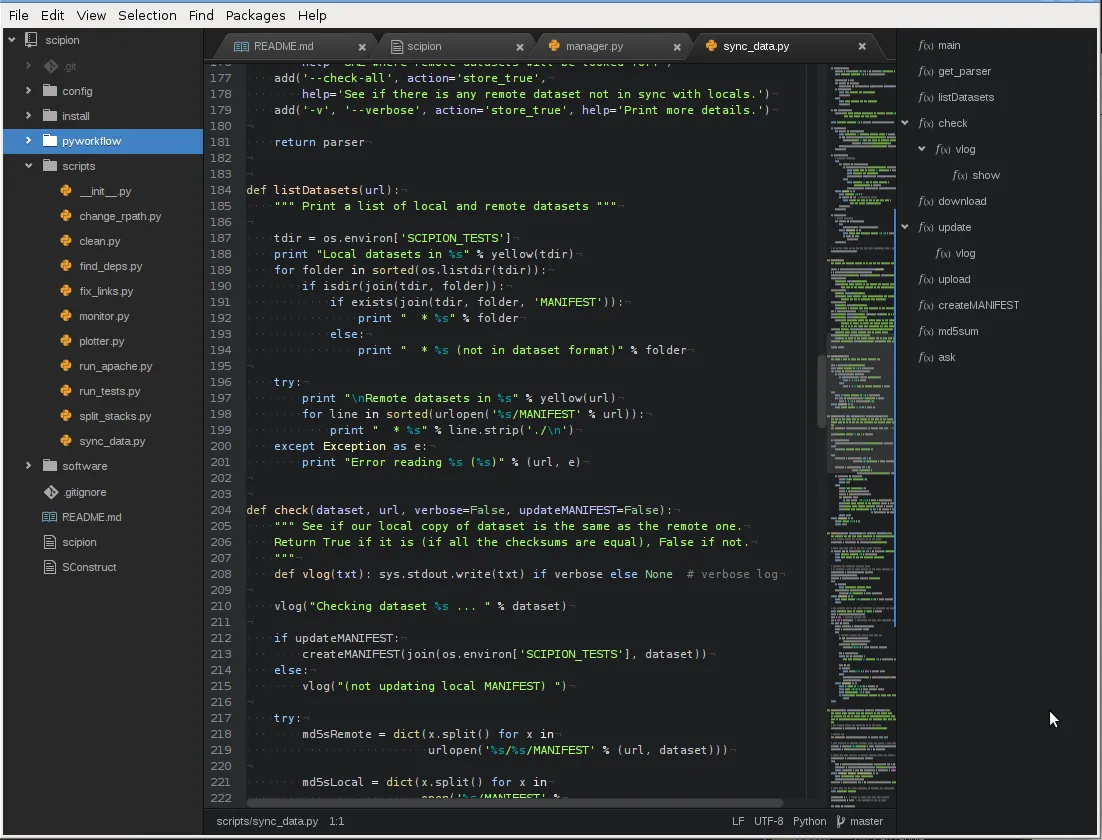
Code on screen — Wikimedia Commons
Pricing — Cursor vs GitHub Copilot 2026 (Verified September 2026)
Prices change; always confirm on official pages before procurement. The table below reflects cursor.com/pricing and GitHub Copilot plans documentation as of September 2026.
Individual plans
| Tier | Cursor | GitHub Copilot |
|---|---|---|
| Free | Hobby — limited Agent, Composer access | Free — 2,000 completions/month, limited chat/agent |
| Entry paid | Pro — $20/mo | Pro — $10/mo + $15/mo AI Credits allowance |
| Mid paid | Pro+ — $60/mo (~3× Pro usage) | Pro+ — $39/mo + $70/mo AI Credits |
| Power user | Ultra — $200/mo (~20× Pro usage) | Max — $100/mo + $200/mo AI Credits |
Realistic solo cost: A developer who mostly accepts Tab/completions and chats occasionally fits Copilot Pro at $120/year comfortably. A developer running Composer or agent mode daily should budget Cursor Pro+ ($60/mo) or accept on-demand overage on Pro — Cursor's own usage patterns suggest heavy agent users often land at $60–100/month total, not $20.
Annual billing discounts apply on both sides; Cursor Teams drops from $40 to $32/seat/month on annual contracts per 2026 Teams pricing updates.
Team and enterprise plans
| Tier | Cursor | GitHub Copilot |
|---|---|---|
| Standard team | Teams — $40/user/mo (SSO, analytics, privacy mode) | Business — $19/granted seat/mo |
| Premium team | Premium seat ~$120/user/mo (5× Standard usage pools) | Enterprise — $39/granted seat/mo |
| Credits model | Dual pools per seat (Composer/Auto + third-party API) | 1,900 credits/user/mo (Business); 3,900 (Enterprise), pooled org-wide |
| Completions | Included in plan mechanics | Unlimited on all paid plans — no credit burn |
Ten-seat annual math (list price, before tax):
- Copilot Business: ~$2,280/year ($19 × 10 × 12)
- Cursor Teams Standard: ~$4,800/year ($40 × 10 × 12)
That $2,520/year gap buys a lot of CI minutes, observability, or a second tool — which is why finance teams push Copilot unless engineering leads prove Cursor agents save more than the delta.
Usage-based billing — the 2026 plot twist
Both vendors now treat agents, premium chat, and code review as metered workloads:
- Copilot: Chat, agent mode, cloud agent, CLI agent sessions, and Copilot code review consume GitHub AI Credits. Overages bill at roughly $0.04 per premium request on individual plans or $0.01 per credit on org plans unless admins cap spending. Existing Business/Enterprise customers received promotional higher credit pools through September 2026 during the transition.
- Cursor: Each plan includes model usage; exceeding it triggers on-demand billing in arrears. Heavy third-party model use on Teams carries a $0.25 per million token surcharge on some API-routed models.
Practical takeaway: Light agent teams save money on Copilot. Two engineers running frontier agents all day can make Copilot overages unpredictable — Cursor Premium seats or Copilot Max may be cheaper than uncontrolled metered spend.
Security, Privacy, and Compliance
Neither tool eliminates your obligation to review AI-generated code for vulnerabilities, license contamination, or secrets leakage.
Cursor offers Privacy Mode (user or admin enforced) with a stated guarantee that code is not used for training by Cursor or model providers when enabled. Teams plans add SSO (SAML/OIDC), usage analytics, and team-wide privacy controls. Enterprise adds pooled usage, SCIM, audit logs, repository/MCP access controls, and invoice billing.
GitHub Copilot Business and Enterprise do not use customer code to train GitHub's models. Enterprise adds IP indemnity, policy management, org-wide codebase indexing controls, and deeper GitHub.com integration. Admins can block models, set spending caps, and route usage through existing GitHub governance — a selling point for regulated industries already on GitHub Enterprise Cloud.
Run either tool alongside SAST, secret scanning, and human code review. Use .cursorignore and Copilot exclusion patterns mirroring .gitignore. Never paste production credentials into prompts.
Who Should Choose Cursor
Pick Cursor if you:
- Spend most of your day in multi-file refactors, migrations, or greenfield scaffolding where Composer saves hours
- Want codebase indexing as a default, not a manual
@reporitual - Prefer an AI-first editor UX where chat, agents, and diffs share one surface
- Already live in VS Code and can switch forks with minimal extension friction
- Plan to wire MCP tools (internal docs, databases, ticketing) into daily agent loops
- Accept $20–60+/month solo or $40+/seat for teams as a productivity line item
Senior engineers and indie hackers who treat AI as a pair programmer rather than autocomplete often report the highest ROI here — see our Cursor IDE review for feature-level scoring.
Who Should Choose GitHub Copilot
Pick GitHub Copilot if you:
- Need the lowest-friction rollout across mixed IDEs (VS Code + JetBrains + Neovim)
- Already standardize on GitHub Enterprise for SSO, audit, and PR workflows
- Want unlimited paid completions without credit math
- Run issue-to-PR coding agents inside GitHub Actions
- Have a price-sensitive team where $19/seat beats $40/seat at comparable headcount
- Prefer keeping your current editor and adding AI as a layer
Copilot is the default for orgs that cannot mandate a single IDE. Students and OSS maintainers may qualify for discounted or free access — verify on GitHub's student and open-source programs.
Who Should Skip Both (For Now)
Skip forcing a team-wide purchase if:
- Developers write safety-critical code without a formal AI usage policy — fix policy first
- Your stack is mostly low-code, BI, or IT ops with minimal IDE time — ROI will not materialize
- You need air-gapped environments without vendor approval — neither replaces an internal compliance review
- The comparison you wanted was ChatGPT vs Copilot for non-coding tasks — see our ChatGPT Plus review instead
- You are searching for "Cursor" mouse or tablet hardware — wrong product category entirely
Some teams standardize on Claude Code, Windsurf, or JetBrains AI instead; this article compares the two names in the keyword cursor vs github copilot 2026, not every AI coding entrant.
Hybrid Stacks That Work in 2026
Picking one winner for 200 engineers is harder than picking one for yourself. Common patterns:
- Copilot everywhere, Cursor for platform team — Copilot Business for breadth; three senior engineers on Cursor for large refactors and tooling.
- Copilot Pro for juniors, Cursor Pro+ for staff — budget-weighted by expected agent hours.
- Copilot for GitHub Actions agents, Cursor for local feature work — issue-to-PR on Copilot; same-day iteration in Cursor.
- Copilot + ChatGPT/Claude for design docs — IDE assistant for code; Claude or ChatGPT for architecture whiteboards.
The mistake is paying for two full team seats per developer without measuring overlap. Track accepted suggestion rate, agent minutes, and PR revert rate for 30 days before renewing annual contracts.
Migration and Lock-In Realities
Moving to Cursor: Export VS Code settings and extensions; open your repo; wait for indexing; configure .cursorignore; run a pilot on one service before mandating team-wide. JetBrains-only shops face real switching cost — do not underestimate muscle memory.
Staying on Copilot: Enable agent mode in VS Code; train developers on credit-aware usage; set org spending caps before June-style billing surprises; use Copilot coding agent on well-scoped issues with test requirements in the prompt.
Leaving either: No vault lock-in — your code stays in Git. What you lose is prompt history, team rules, and indexed context that took weeks to tune.
FAQ — Cursor vs GitHub Copilot 2026
Is Cursor or GitHub Copilot better in 2026?
Neither wins every team. Cursor is better for agent-heavy, multi-file work inside a dedicated AI editor. Copilot is better for value, IDE flexibility, and GitHub-native workflows. Match the tool to measured usage, not hype.
How much does Cursor vs GitHub Copilot cost for one developer?
Copilot Pro is $10/month with unlimited completions on paid plans. Cursor Pro is $20/month with included usage that may not cover daily agent work — budget $60/month (Pro+) if agents run every day.
Does GitHub Copilot work in JetBrains and VS Code?
Yes. Copilot supports VS Code, JetBrains IDEs, Visual Studio, Neovim, Xcode, Eclipse, and more. Cursor is its own VS Code-based editor only.
Which has better multi-file refactoring — Cursor or Copilot?
Cursor Composer and codebase indexing still lead for hands-on, complex refactors in 2026. Copilot agent mode closed much of the gap for single-repo tasks; Copilot coding agent wins for autonomous issue-to-PR flows on GitHub.
Do completions use AI Credits on Copilot paid plans?
No. GitHub documents that code completions and next-edit suggestions do not consume GitHub AI Credits on paid plans. Chat, agent mode, code review, and cloud agents do.
Can I use Cursor and GitHub Copilot together?
Technically yes for individuals experimenting, but paying full price for both rarely makes sense. Many orgs run Copilot org-wide and grant Cursor seats to a subset — measure before doubling team licenses.
Which is better for enterprise security?
Both offer enterprise controls (SSO, audit, privacy/training opt-outs). Copilot Enterprise integrates with GitHub Enterprise Cloud governance and IP indemnity. Cursor Enterprise adds MCP/repo controls and pooled usage. Legal review beats blog comparisons for regulated industries.
Cursor vs GitHub Copilot 2026 — what changed recently?
Both shifted toward usage-based agent billing in 2026. Copilot introduced pooled GitHub AI Credits on Business/Enterprise with promotional allowances during rollout. Cursor refined Teams pricing with Standard and Premium seat tiers and dual usage pools. Agent features and MCP support converged; price and editor lock-in diverged.
Are there free tiers for Cursor vs GitHub Copilot?
Yes. Cursor Hobby offers limited Agent and Composer access without a card. Copilot Free includes 2,000 completions per month and limited chat/agent — enough to evaluate, not enough for full-time professional use.
Which should students or OSS maintainers pick?
GitHub's student and open-source programs often include Copilot Pro at no cost — start there. Cursor Hobby works for experimentation; upgrade when agent limits block real projects.
Verdict — Cursor vs GitHub Copilot 2026
Cursor vs GitHub Copilot 2026 is not a purity test about which AI is "smarter." It is an operations decision about editor commitment, agent intensity, and per-seat economics.
GitHub Copilot remains the best default for most developers and organizations: half the entry price, unlimited completions on paid tiers, the broadest IDE coverage, and the tightest integration with GitHub Issues, Actions, and Enterprise policy. If your team already lives in GitHub and agent usage is moderate, Copilot Business at $19/seat is difficult to argue against on spreadsheet grounds alone.
Cursor remains the best choice when the editing experience itself is the product — when Composer, deep indexing, MCP hooks, and Background Agents are load-bearing for how you ship software, not occasional party tricks. Solo power users and refactor-heavy teams consistently extract more value here, provided they budget Pro+ or team Premium when agents run daily.
Choose Copilot when friction and cost dominate. Choose Cursor when agent depth dominates. Choose both only with seat-level telemetry proving the overlap is worth it.
For full product scoring and feature tours, read our Cursor IDE review and GitHub Copilot review.
Comparison score: 8.8/10 — Copilot for Value, Cursor for Agent-First Coding