Pros
- Sculpted shape reduces wrist strain for right-hand users
- MagSpeed electromagnetic scroll wheel unmatched
- Easy Switch between three devices
- Quiet Clicks for open offices
Cons
- Right-hand only ergonomics
- Premium price for a mouse
- Logi Options+ software occasionally buggy
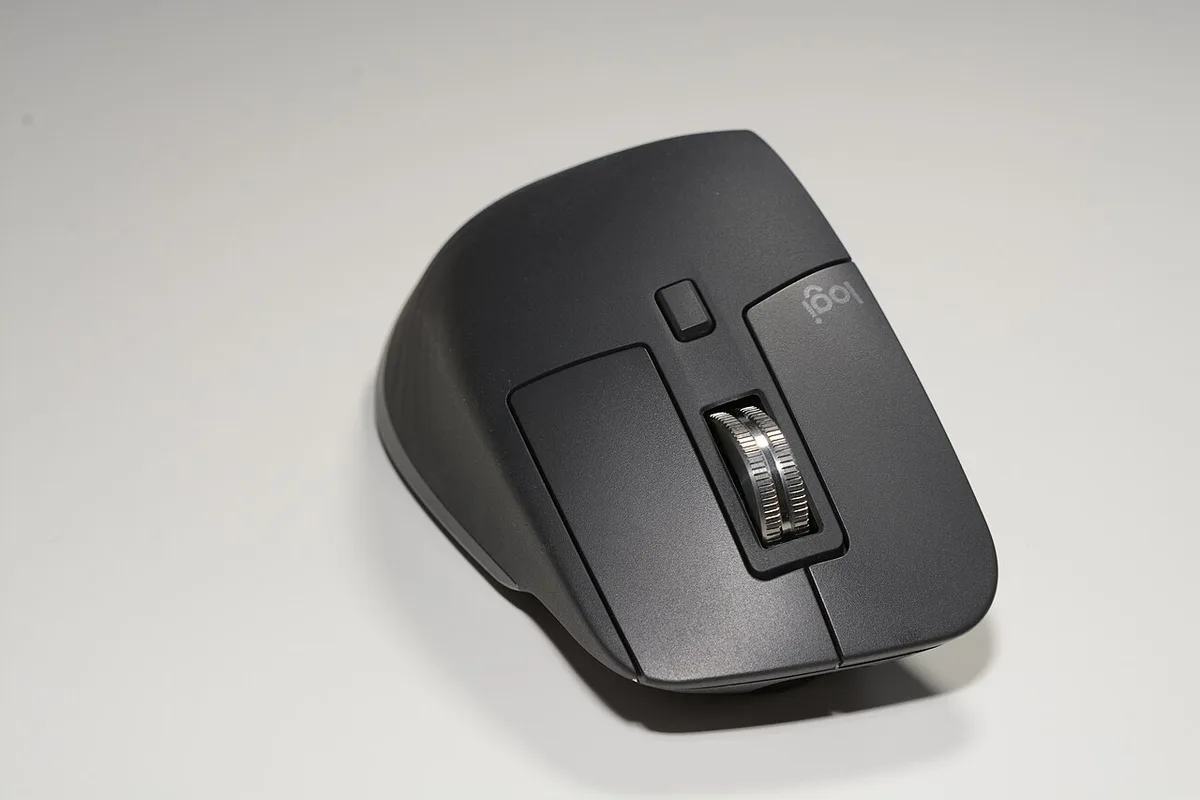
The Logitech MX Master 3S is the default recommendation for knowledge workers — a productivity mouse blending ergonomic sculpt, MagSpeed scrolling, and multi-device workflows. This MX Master 3S review updates July 2026 for desk ergonomics, software features, and pairing with MacBook Air M4 setups.
What Is the MX Master 3S?
Logitech's flagship wireless mouse targets creators and office power users. Quiet Clicks reduce office noise; 8000 DPI sensor handles multi-monitor setups; Easy Switch toggles between three paired devices (e.g., desktop, laptop, tablet). USB-C charging and optional Logi Bolt receiver included.
Official screenshot — Logitech (Wikimedia Commons)
Not for FPS gaming — palm grip productivity focus with thumb rest and horizontal scroll wheel for timelines and spreadsheets.
Design and Build Quality
Sculpted right-hand shell supports palm grip over long sessions — reduces ulnar deviation versus flat mice. Materials feel premium; rubberized side grips wear over years but remain functional.

World and exploration — Logitech (Wikimedia Commons)
Weight balanced for control, not flick shots. Horizontal wheel above thumb rests for Excel, Premiere, and Figma canvas navigation.
Performance and Features
MagSpeed scroll switches modes from line-by-line to freespin via intelligent wheel — spreadsheet scrolling becomes effortless. Gesture button (configurable) maps to mission control or custom macros via Logi Options+.

Systems and performance — Logitech (Wikimedia Commons)
Flow software copies/pastes between Mac and Windows machines on same network — underrated for multi-OS desks.
Software and Customization
Logi Options+ assigns per-app profiles — Photoshop vs browser vs IDE bindings. Cloud backup syncs profiles across machines with Logi account.
Software occasionally needs reinstall after OS updates — minor annoyance at this price tier.
Pros and Cons
| Pros | Cons |
|---|---|
| Best scroll wheel | Right-hand only |
| Multi-device | Not gaming-focused |
| Quiet clicks | Options+ bugs |
| Solid battery | Pricey vs basic mice |
FAQ
3S vs 3?
3S adds quiet clicks and higher DPI — worth incremental upgrade.
Left-hand version?
Logitech MX Vertical alternative — different shape.
With Cursor IDE?
Excellent for coding + browser dual setup via Easy Switch.
Verdict
MX Master 3S remains the best productivity mouse in 2026 — buy if you live in spreadsheets, timelines, or multi-monitor workflows. Skip if gaming performance or ambidextrous design matters more.
Score: 9.0/10 — Best Productivity Mouse