Pros
- Separates Legion Go S SteamOS from Windows SKUs and the detachable Legion Go
- Calls out real-world battery gaps despite larger Legion Go S cell
- Maps Z2 Go vs Z1 Extreme tiers to Steam Deck OLED configs
- Links into NexReview’s broader Steam Deck and Ally comparison cluster
Cons
- Lenovo and Valve street prices move with sales — confirm before checkout
- Some games still behave differently on Z1 Extreme vs Deck APU
- Does not replace our single-device deep dives on either handheld
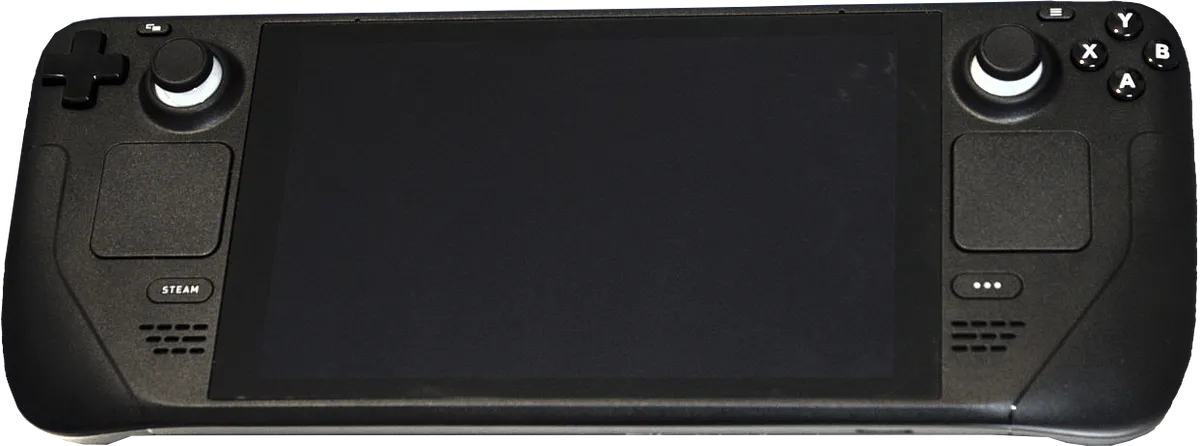
Steam Deck OLED vs Legion Go S is the comparison PC gamers finally get on equal software footing: both can ship with SteamOS, the same fullscreen Steam experience Valve tuned for handheld sleep, suspend, and per-game performance caps. The fight is no longer “Linux vs Windows drivers.” It is OLED contrast vs an 8-inch 120Hz panel, Zen 2 efficiency vs Ryzen Z2 Go / Z1 Extreme muscle, and Valve’s second-gen ergonomics vs Lenovo’s thinner Legion shell. This 2026 guide explains which SKU wins for couch indies, docked AAA, Game Pass browser workarounds, and travelers who care about grams and watt-hours — without confusing the Legion Go S with ASUS Ally boxes or the original detachable Legion Go.
If you already read our Steam Deck OLED review or the broader Steam Deck vs ROG Ally (2026) piece, treat this page as the SteamOS-only tie-breaker when Lenovo’s price drops make the Go S tempting beside a post–May 2026 Deck sticker price.
Handheld PC gaming — Wikimedia Commons
Steam Deck OLED vs Legion Go S Quick Picks (2026)
| If you prioritize… | Buy | Why |
|---|---|---|
| Best display for RPGs, horror, and filmic AAA | Steam Deck OLED | True OLED blacks, HDR peak brightness, fast pixel response |
| Bigger, sharper panel for UI text and strategy games | Legion Go S (either chip) | 8-inch 1920×1200 IPS at up to 120Hz |
| Best SteamOS controls out of the box | Steam Deck OLED | Twin trackpads, four rear buttons, mature community profiles |
| More frames in bleeding-edge ports at high TDP | Legion Go S (Z1 Extreme) | Zen 4 + higher power budget; 32GB RAM on top configs |
| Efficiency and battery on lighter titles | Steam Deck OLED | Tuned APU + OLED power savings often beat a larger Legion cell |
| Two USB-C ports without a dock | Legion Go S | Dual USB4 Type-C vs Deck’s single port |
| Lowest SteamOS handheld entry (sales permitting) | Legion Go S (Z2 Go) | MSRP undercuts base Deck OLED when Lenovo runs promos |
| Simplest “buy once, regret never” Steam library device | Steam Deck OLED (1TB) | OLED + proven ergonomics; fewer config forks |
| Skip both if… | You need native Windows anti-cheat day one | Consider ROG Ally X or wait for verified Proton status |
NexReview editorial score for this comparison: 9.0/10 as a decision framework — not a single-device score.
Do Not Buy the Wrong Lenovo (Go vs Go S vs Windows)
Search traffic for steam deck oled vs legion go s collapses when shoppers grab the wrong box. Lenovo’s lineup is crowded:
| Product | What it is | Why it is not this article |
|---|---|---|
| Legion Go (2023) | 8.8-inch detachable controllers, Windows-first | Heavier, different ergonomics, not the “S” |
| Legion Go S (SteamOS) | Fixed controllers, SteamOS preinstall option | This comparison — Deck’s direct SteamOS rival |
| Legion Go S (Windows 11) | Same shell, Microsoft OS | Different software story; more driver tinkering |
| ROG Ally / Xbox Ally | ASUS handhelds | See Steam Deck vs ROG Ally |
| Steam Deck LCD | Discontinued 2025 | Retail dead stock only — compare OLED |
The Legion Go S is Lenovo’s slimmer follow-up: roughly 730 g, about 22.6 mm thick, with Hall-effect sticks and two-stage triggers on SteamOS models. Valve’s Steam Deck OLED is slightly lighter (~640 g) but thicker in the hand, with the iconic dual trackpads and gyro every Steam Controller veteran recognizes.
Both companies sell 512GB and 1TB NVMe tiers and a microSD slot; neither is a cloud-streaming-only toy. Confirm the OS badge on the carton — “Powered by SteamOS” on Lenovo’s Steam SKU versus Windows 11 Home on the parallel listing.
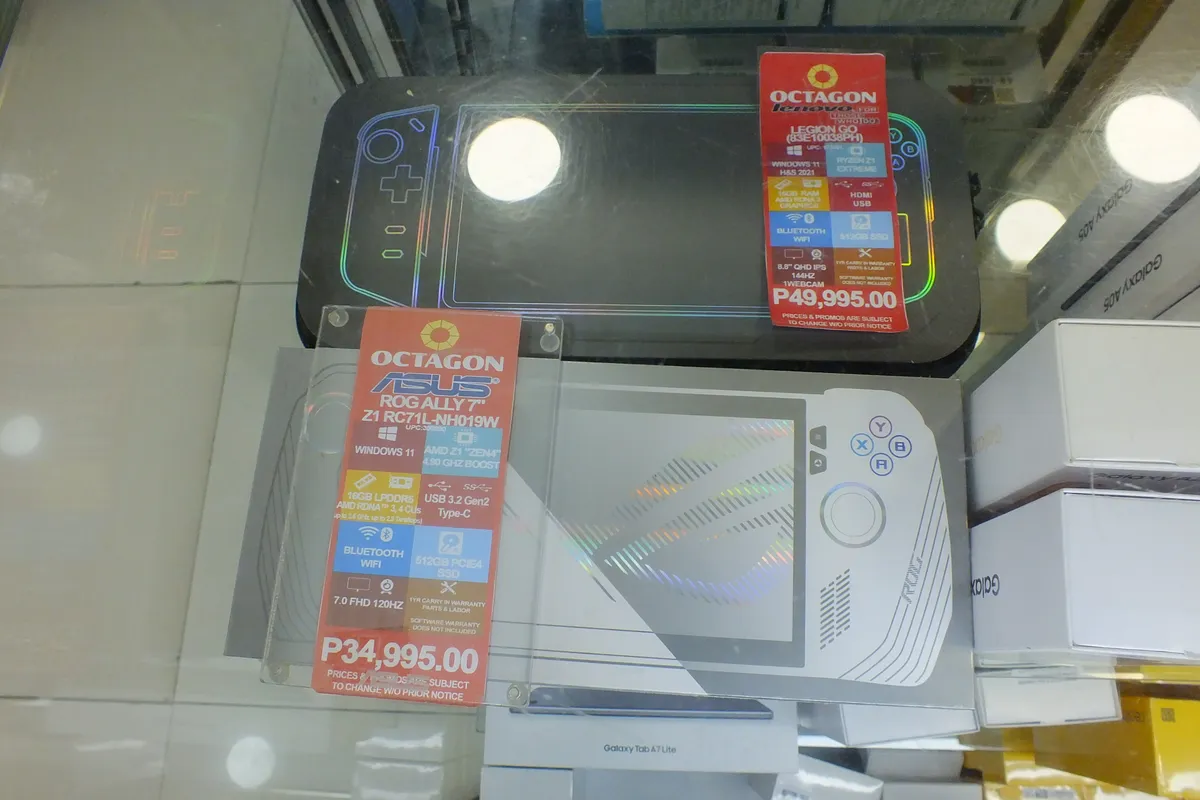
Lenovo Legion handheld family — Wikimedia Commons
2026 Pricing — Valve’s May Hike vs Lenovo Sales
For most of 2024–2025, the Deck’s pitch was simple: $549 bought an OLED 512GB flagship while Windows handhelds cost hundreds more. Valve’s May 27, 2026 price increase — blamed on memory and SSD costs — pushed Steam Deck OLED MSRP toward $789 (512GB) and $849 (1TB) on Steam, erasing the automatic win on sticker price. Refurbished OLED units sometimes dip to $629 / $759 when Valve restocks them.
Lenovo’s Legion Go S launched in 2025 with aggressive entry positioning:
| Legion Go S tier | Typical MSRP (2026) | Chip | RAM / storage (common SKUs) |
|---|---|---|---|
| Z2 Go + SteamOS | $499.99 | 4C/8T Zen 3, RDNA 3 iGPU | 16GB / 512GB |
| Z1 Extreme + SteamOS | $829–$999 (retailer-dependent) | 8C/16T Zen 4, RDNA 3 iGPU | 32GB / 1TB common |
| Z1 Extreme + Windows | Similar to SteamOS twin | Same silicon | Same — different OS license story |
Street reality in late 2026: Best Buy and Lenovo often discount the Z1 Extreme SteamOS bundle toward $999 → $750–850 during holiday events, while the Deck rarely dips below Valve’s new MSRP except refurb waves. The Z2 Go at $500 is the value wildcard: it undercuts Deck OLED on paper, but you trade screen technology and Valve’s mature controls for a bigger LCD and more modern iGPU architecture.
Bottom line on price vs performance: At equal sale prices near $800, the decision is features, not specs alone. At $500 vs $789, the Legion Go S Z2 Go demands you honestly answer whether OLED and trackpads are worth ~$250+.
Spec Sheet — Steam Deck OLED vs Legion Go S
| Steam Deck OLED | Legion Go S (SteamOS) | |
|---|---|---|
| APU | Custom AMD Zen 2 (4C/8T) + RDNA 2 | Z2 Go: Zen 3 4C/8T + RDNA 3 12 CU or Z1 Extreme: Zen 4 8C/16T + RDNA 3 12 CU |
| RAM | 16GB LPDDR5 | 16GB (Z2 Go) or 32GB LPDDR5X (Z1 Extreme) |
| Storage | 512GB / 1TB NVMe + microSD | 512GB / 1TB NVMe + microSD |
| Display | 7.4" 1280×800 HDR OLED, 90Hz, 1M+:1 contrast | 8" 1920×1200 IPS, 44–120Hz VRR, ~500 nits |
| Battery | 49–50 Wh | 55.5 Wh |
| Ports | 1× USB-C 3.2, microSD, 3.5mm | 2× USB4 Type-C, microSD, 3.5mm |
| Wireless | Wi-Fi 6E, Bluetooth 5.3 | Wi-Fi 6E (Mediatek MT7922 class), BT 5.3 |
| Weight | ~1.40 lb (640 g) | ~1.61 lb (730 g) |
| Charger | 45W USB-C PD | 65W adapter bundled on many SKUs |
The Legion Go S wins pixel count and refresh headroom; the Deck wins per-pixel quality and HDR storytelling. On paper the Legion battery is larger, but Wh rating ≠ runtime when the Lenovo panel and chip draw more watts at default TDP.
Display — OLED Magic vs 120Hz Clarity
The Steam Deck OLED panel is still the handheld reference for contrast and HDR metadata in portable form. Blacks stay black in Hollow Knight, Cyberpunk 2077’s night scenes, and cinematic visual novels; text on translucent UI layers pops against true dark backgrounds. Peak brightness spikes north of 800–1000 nits in HDR highlights — meaningful on a couch near a window.
The Legion Go S counters with 1920×1200 on an 8-inch canvas. Strategy games, RPG inventories, and modded Skyrim UI benefit from the extra lines of resolution. 120Hz VRR smooths Rocket League and high-frame indie fighters in ways the Deck’s 90Hz ceiling does not. The trade is IPS glow and grey blacks in a dark room — fine for bright apartments, less magical for horror.
Who should care:
- Pick Deck OLED if you chase atmosphere, HDR, and night-time play.
- Pick Legion Go S if you read lots of in-game text, play competitive 2D fighters, or sit where ambient light washes out OLED.
Neither replaces a desktop monitor for spreadsheet work; both are game-first aspect ratios (16:10 on Legion, 16:10 effective on Deck’s 1280×800).
Performance — Z2 Go Efficiency vs Z1 Extreme Muscle
Valve’s custom APU is old silicon done well: modest clocks, excellent SteamOS power sliders, and a Proton stack optimized years for this exact GPU generation. At 15–20W, the Deck holds 60 fps in a huge slice of Steam’s catalog.
Legion Go S (Z2 Go) brings RDNA 3 graphics with a four-core Zen 3 CPU. In outlet testing (Digital Trends, Tom’s Hardware, The Verge), the Z2 Go trades blows with the Deck: sometimes +5 fps in one title, sometimes −5 in another, highly dependent on Proton vs native, TDP cap, and resolution (native 1200p vs Deck’s 800p render targets). It is not a slam-dunk upgrade for $500 — it is a sidegrade with a bigger screen.
Legion Go S (Z1 Extreme) is the turbo button configuration. Eight Zen 4 threads feed CPU-heavy open-world scenes; 32GB RAM helps when you refuse to close Chrome in Desktop Mode or run shader-compiling sims. Dial 28–30W (where thermals and fan pitch allow) and recent ports can hold higher internal resolutions than the Deck at equal fps. The cost is fan noise, heat on thumbs, and battery cliffs — this SKU shines docked or near an outlet, not on a transcontinental flight.
Practical framing:
| Scenario | Likely winner |
|---|---|
| Balatro, Slay the Spire, 2D indies at 8–12W | Steam Deck OLED (runtime + OLED) |
| Elden Ring / open-world at balanced 15W | Tie — tune per game |
| Cyberpunk / Starfield at aggressive settings | Legion Go S Z1 Extreme |
| Emulation up to PS3 / Switch-class (legal backups only) | Deck for community guides; Z1 Extreme for brute Hz |
Always verify Steam Deck Verified and ProtonDB grades before assuming parity — Lenovo’s SteamOS image is official, but community presets skew Valve hardware.
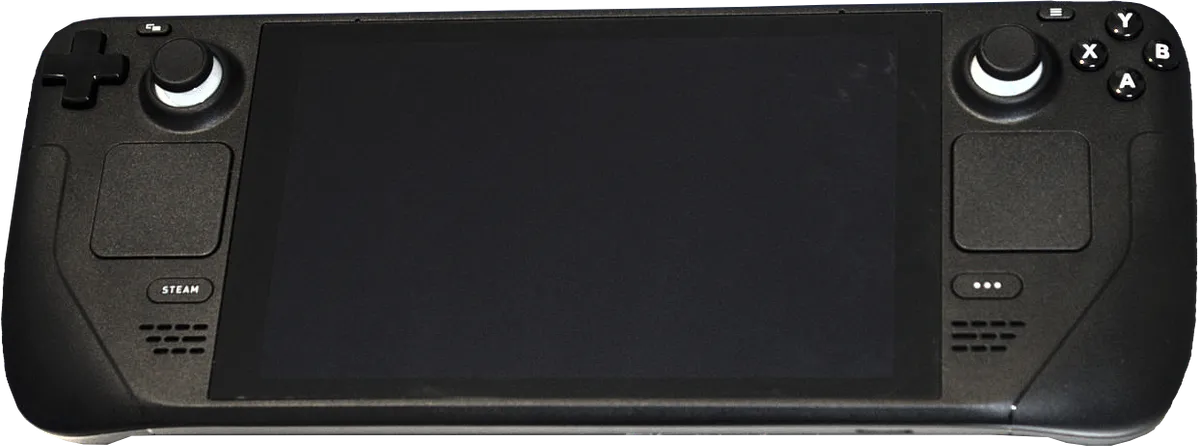
Portable play — Wikimedia Commons
Controls, Ergonomics, and Daily UX
Hardware feel often breaks ties before benchmarks do.
Steam Deck OLED strengths:
- Dual trackpads for RTS, FPS without gyro, and mouse-heavy indies
- Four rear grip buttons — map face buttons for claw-friendly MMO rotations
- Years of community controller profiles per game on Steam
- Mature haptics and gyro integration in Steam Input
Legion Go S strengths:
- Hall-effect sticks resist drift longer than stock potentiometers
- Two-stage triggers for racing and shooter aim-down-sights tricks
- Larger face buttons spaced for adult hands on the wider chassis
- Second USB-C for charging while wired audio / capture dongles attach
Legion Go S weaknesses called out in early reviews: a small single touchpad that fights precision desktop cursor work, only two rear buttons vs four on Deck, and gyro that exists but lacks the same community recipe depth. If you live in Desktop Mode for browsers or launchers, Valve’s trackpads remain the productivity edge.
Weight distribution differs: the Deck feels dense and grip-centric; the Go S feels wide and thin, better on a table, slightly top-heavy for one-handed scrolling.
Software — Two SteamOS Handsets, One Store
Both devices log into the same Steam account and see the same library. Proton Experimental updates land for everyone; suspend, per-game FPS caps, and TDP sliders behave similarly because Lenovo ships a Valve-partnered SteamOS build, not a random Linux fork.
Differences appear at the margins:
- Valve ships firmware and BIOS updates tied to Deck hardware — fastest fixes for sleep bugs.
- Lenovo must merge Legion-specific drivers (Wi-Fi module, fan curves, LED accents) on its cadence.
- Non-Steam games via Proton still work, but Epic / GOG launchers in Desktop Mode want the same patience on both.
Windows angle: Lenovo sells a Windows 11 Legion Go S with identical silicon. That SKU belongs in a Deck vs Windows handheld article, not a pure SteamOS duel. If you need Game Pass native, Xbox app, or kernel-level anti-cheat, Windows on Legion or an Ally-class device is the honest path — then read our Ally comparisons rather than forcing SteamOS.
Battery Life — Why a Bigger Cell Does Not Always Win
On paper: 55.5 Wh (Legion) beats ~50 Wh (Deck). In calibrated drain tests (The Verge, 2025–2026), the Steam Deck OLED still outlasted Legion Go S units in titles like Dirt Rally and Balatro when brightness was matched — sometimes by 50+ minutes in rally, and ~2 hours in low-power card games.
Why?
- OLED can dim individual pixels; IPS backlight stays on for dark scenes.
- Z1 Extreme configs pull higher default TDP.
- 1200p rendering costs more than 800p internal targets.
- SteamOS on Deck has years of power-state polish.
Travel guidance:
- Cross-country with one charger: Deck OLED on indie / Verified titles.
- Hotel room only with 65W brick: Either works; Legion Z1 Extreme for faster downloads + higher settings.
- Pass-through power on couch: Dual USB-C on Legion simplifies charge + headset.
Bring a 20,000 mAh USB-C PD pack regardless — neither is a phone-class endurance device in AAA.
Docking, Storage, and Repair
Both support USB-C docks for HDMI, Ethernet, and peripherals. The Legion’s 65W adapter charges faster when you are flipping between portable and desk.
Storage upgrades: Deck uses 2230 M.2 SSDs — a mature aftermarket. Legion Go S uses 2242 drives per Lenovo spec sheets; verify module length before buying 1TB+ upgrades.
Repairability: iFixit and community guides favor Valve’s spare parts program. Lenovo is improving but still laptop-vendor in parts availability. If you plan five-year ownership, Deck’s ecosystem is safer.
Who Should Buy Which?
Buy Steam Deck OLED if you…
- Want the best portable display for story-driven games
- Rely on trackpads, gyro, or rear buttons in your muscle memory
- Value battery efficiency on flights and commutes
- Prefer one manufacturer that owns SteamOS end to end
- Already invested in Deck docks, cases, and skins
Buy Legion Go S (Z2 Go) if you…
- Catch a $499–550 sale and accept LCD for bigger text
- Mostly play Verified titles that do not need max TDP
- Want two USB-C ports without a hub
- Are new to handheld PCs and might return the unit if PC gaming does not stick
Buy Legion Go S (Z1 Extreme) if you…
- Chase higher settings in 2024–2026 AAA ports
- Need 32GB RAM for heavy Desktop Mode multitasking
- Play primarily docked or within arm’s reach of a charger
- Find a steep discount that undercuts 1TB Deck OLED
Skip both if you…
- Need Nintendo exclusives — see Switch 2 vs Steam Deck
- Want maximum Windows compatibility day zero — ROG Ally X
- Hate fan noise and 500+ gram devices — a phone + controller may suffice
FAQ — Steam Deck OLED vs Legion Go S
Is the Legion Go S the same as the Legion Go?
No. The original Legion Go has detachable controllers and launched as a Windows-first 8.8-inch device. The Legion Go S is a fixed-controller, thinner design with optional SteamOS — the SKU that belongs in a steam deck oled vs legion go s shopping list.
Which has the better screen?
Steam Deck OLED wins contrast, HDR, and black levels. Legion Go S wins resolution, size, and 120Hz motion. Neither is wrong — they optimize for different rooms and genres.
Can both play my entire Steam library?
Anything Steam Deck Verified or Proton Green likely runs on both. Anti-cheat and kernel-level DRM remain OS-level blockers — check ProtonDB before buying either handheld for one stubborn title.
Does Legion Go S battery beat the Deck?
Capacity is higher on Legion, but measured runtime often favors Deck OLED in light and medium loads because of OLED efficiency and lower default power. AAA at high TDP drains both quickly.
Which is better value after Valve’s May 2026 price increase?
At full MSRP, Legion Go S Z2 Go undercuts Deck OLED more clearly than before Valve’s hike. At discounted Z1 Extreme prices near Deck 1TB, the value call is feature-based, not automatic savings.
Should I get Windows Legion Go S instead of SteamOS?
Choose Windows if you need native PC platforms beyond what Proton covers. Choose SteamOS if you want console-like sleep, fewer driver surprises, and the same UX this article compares to Steam Deck OLED.
Are Hall-effect sticks a reason to switch to Lenovo?
For long-term drift anxiety, yes — Legion Go S sticks are a meaningful perk. Valve’s sticks are serviceable but not HE; many Deck owners never notice drift in the first 2–3 years.
Will Steam Deck OLED get a successor soon?
Valve has not shipped a Deck 2 as of November 2026. Rumors circulate, but buy for today’s library, not leak cycles.
Can I use Xbox Game Pass on either?
Via cloud streaming or Desktop Mode tricks, sometimes — but native Game Pass app comfort still leans Windows handhelds. For pure Game Pass local play, compare Ally options in our ROG cluster.
Verdict — Steam Deck OLED vs Legion Go S in November 2026
Steam Deck OLED remains the default recommendation for most Steam-first buyers: the display, controls, battery discipline, and accessory ecosystem still outweigh raw spec bumps — especially at today’s post-hike MSRP, where you should only pay full price if OLED and trackpads matter to you every week.
Legion Go S earns its place as the credible SteamOS alternative: not a knockoff brand, not a Windows-only experiment, but a first-party-partnered handheld with real 120Hz headroom and a meaningful Z1 Extreme ceiling for owners who accept fan noise and charger hunting.
Our split call:
| Profile | Winner |
|---|---|
| One handheld for 5 years, mixed genres | Steam Deck OLED |
| Sale-priced Z2 Go + big-screen indies | Legion Go S (Z2 Go) |
| Docked AAA enthusiast with 65W nearby | Legion Go S (Z1 Extreme) |
| Travel battery on Verified titles | Steam Deck OLED |
Confirm live prices on Steam and Lenovo before checkout — both move with sales. When you are ready for the Windows side of the same silicon, pivot to Steam Deck vs ROG Ally (2026) and keep this steam deck oled vs legion go s page bookmarked for SteamOS-only rematches.