Pros
- Expansion Cards let you choose and swap ports without dongles
- Mainboard, RAM, SSD, battery, display, and keyboard are user-replaceable
- Laptop 13 Pro finally fixes battery life and trackpad feel
- Intel Panther Lake configs hit 16–18+ hours in real office tests
- Strong Linux support with Ubuntu certification on pre-builts
Cons
- LPCAMM2 memory pricing makes high-RAM Intel builds absurdly expensive
- Premium 13 Pro configs can exceed $3,000 before accessories
- AMD configs use more power when USB-A cards sit in rear slots
- Display is bright IPS, not OLED — ghosting under fast motion
- DIY assembly still intimidates buyers who want zero screwdriver time
Framework Laptop 13 is Framework Computer’s flagship repairable ultrabook — a 13.5-inch notebook where ports, memory, storage, mainboard, battery, display, and keyboard are designed to be swapped by the owner, not glued shut by a factory. This Framework Laptop 13 review (September 2026) covers the full line: the seven-generation Laptop 13 platform, the new Laptop 13 Pro refresh, Intel Core Ultra Series 3 versus AMD Ryzen AI 300, the LPCAMM2 memory mess, and whether modularity still beats a sealed MacBook Air or Dell XPS when you add everything at checkout.
If you searched framework laptop 13 review 2026 because you want a laptop you can fix in five years — not a lookalike “modular” rebadge from an unknown brand — you are in the right place. Framework Computer Inc. is the real company behind frame.work; this is not Framework IT services, not random Amazon “framework” listings, and not a generic thin-and-light with one removable SSD.
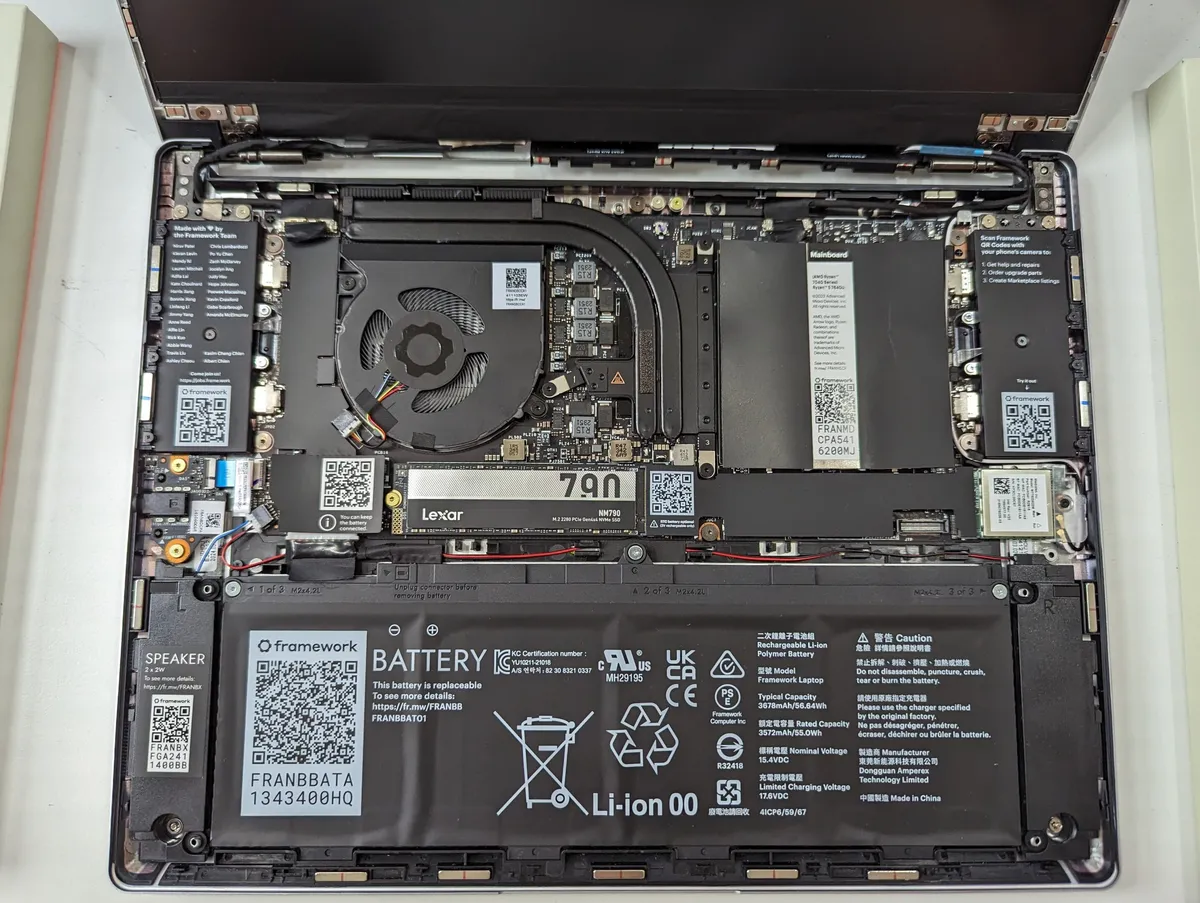
Framework Laptop 13 internal layout — Wikimedia Commons (CC)
Framework Laptop 13 Review: Quick Verdict (For Skimmers)
| Field | Detail |
|---|---|
| Manufacturer | Framework Computer Inc. (frame.work) |
| Form factor | 13.5-inch repairable ultrabook |
| Current flagship | Framework Laptop 13 Pro (2026) |
| Also sold | Framework Laptop 13 (DIY + pre-built, Intel/AMD mainboards) |
| Signature feature | Four hot-swappable Expansion Card port bays |
| DIY starting price | $1,199 (chassis/mainboard only — add RAM, SSD, OS, cards) |
| Pre-built starting price | ~$1,599 (16GB/512GB Intel config, pricing shifts) |
| NexReview score | 8.4/10 |
Buy it if you value repairability, want to upgrade CPU generations without landfill guilt, and can configure around the current LPCAMM2 pricing trap (stick to 16GB Intel or choose AMD DDR5 if you need more RAM cheaply). Skip it if you want the lowest upfront price, zero assembly friction, or OLED eye candy — a MacBook Air M4 or Dell XPS will feel simpler at the register.
What Is the Framework Laptop 13?
Framework launched the Laptop 13 in 2021 as a thin-and-light that rejected the industry default of soldered RAM, glued batteries, and proprietary port layouts. The chassis splits with a few screws. Inside you find a replaceable mainboard, M.2 2280 storage, user-accessible battery packs (55Wh, 61Wh, or 74Wh on Pro), a modular keyboard/input cover, and a display assembly you can lift out when cracked.
Seven hardware generations later, Framework still sells the classic Laptop 13 with multiple Intel and AMD mainboard options while pushing the Laptop 13 Pro (2026) as the polished pinnacle: CNC aluminum bottom cover, haptic glass trackpad, 2,880 × 1,920 120Hz touchscreen, larger 74Wh battery, and Intel Core Ultra Series 3 (“Panther Lake”) processors with LPCAMM2 modular LPDDR5X memory.
That split matters for shoppers. “Framework Laptop 13” is both the platform (everything that shares Expansion Cards and upgrade paths) and the SKU you can still buy with older or AMD boards. The Pro is not a different company or a rebadge — it is the same ecosystem with premium shell parts and newer silicon.
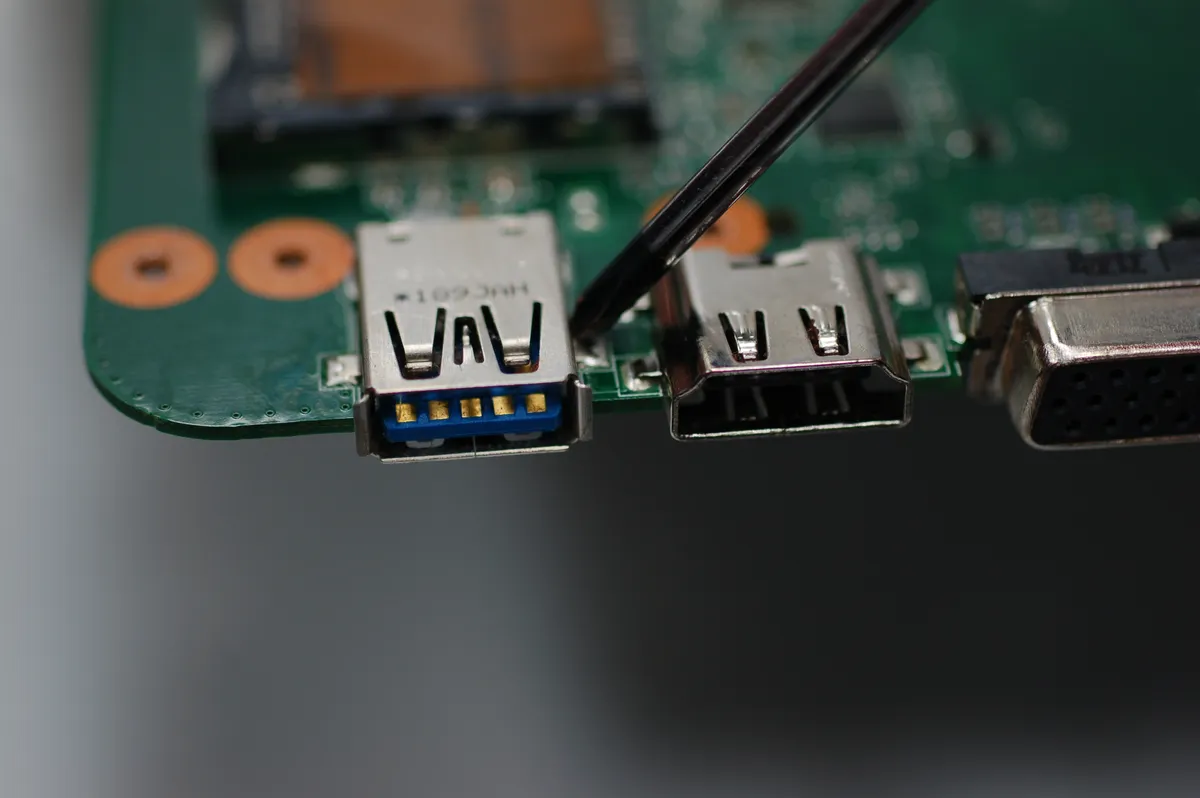
Laptop motherboard repair context — Wikimedia Commons (CC)
Expansion Cards: The Port System That Actually Works
Most ultrabooks give you two USB-C ports and a prayer. Framework gives you four user-selectable bays — two per side — filled with Expansion Cards that click in magnetically and are hot-swappable.
Available cards include USB-C, USB-A (2nd Gen with improved idle power), HDMI (3rd Gen), DisplayPort (2nd Gen), 3.5mm audio, microSD, full-size SD, and even storage expansion cards (250GB–1TB). You pick ports at purchase and rearrange them when your desk setup changes. Travel week? Swap a USB-A for HDMI. Home office? Run DisplayPort plus Ethernet via USB-C hub on one side.
Intel vs AMD Card Behavior
On Intel Core Ultra Series 3 mainboards, all four bays expose Thunderbolt 4 / USB4 bandwidth — placement is mostly ergonomics. On AMD Ryzen AI 300 boards, rear USB-A cards can draw more idle power than front-mounted ones; Framework’s own guidance warns against putting USB-A in the rear slots if battery life is your priority. That is a small detail competitors never document because their ports are fixed.
Expansion Cards remain cross-compatible across Laptop 13 generations and the 13 Pro. If you upgrade mainboards in 2028, your card investment travels with you — a genuine total-cost-of-ownership win rare in consumer laptops.
Framework Laptop 13 Pro (2026): What Changed
The Laptop 13 Pro is Framework’s answer to critics who loved the mission but wanted MacBook-tier fit and finish. Key upgrades:
| Component | Laptop 13 (classic) | Laptop 13 Pro |
|---|---|---|
| Bottom cover | Polycarbonate options | CNC aluminum (Silver/Graphite) |
| Trackpad | Traditional clickpad | Haptic glass trackpad |
| Display | 2256×1504 or optional upgrades | 2880×1920 120Hz touchscreen (up to ~700 nits) |
| Battery | 55Wh / 61Wh | 74Wh (requires Pro bottom + input cover for retrofits) |
| Intel memory | DDR5 SO-DIMM or prior LPDDR gens | LPCAMM2 LPDDR5X on Core Ultra Series 3 |
| Weight | ~1.2–1.3 kg class | ~1.41 kg (no cards) to ~1.44 kg (four cards) |
Existing Laptop 13 owners can retrofit many Pro parts: the touchscreen display kit drops into earlier 13-inch models (Chromebook excepted), Panther Lake mainboards fit all prior Laptop 13 generations, and the 74Wh battery plus Pro keyboard/bottom cover bundle transforms an older unit — at a parts cost that can exceed buying fresh if you are not careful.
Framework’s internal testing claims up to ~20 hours of Netflix streaming at 250 nits with a Core Ultra X7 358H config. Independent reviewers using PCMark 10 Modern Office at 200 nits report roughly 16–18 hours on the full Pro package — a massive jump from early Laptop 13 units that struggled to hit a workday. Ars Technica’s upgrade experiment is instructive: swapping only the Panther Lake board and LPCAMM2 into a 61Wh classic chassis still delivered ~15 hours 45 minutes — meaning mainboard upgrades alone buy most of the battery win.
Performance: Intel Panther Lake vs AMD Ryzen AI 300
Framework sells both ecosystems on Laptop 13 and 13 Pro. Your choice affects memory type, graphics, and long-term upgrade math.
Intel Core Ultra Series 3 (2026 headline)
| CPU tier | Cores (P+E+LPE) | Integrated GPU | NPU | Notes |
|---|---|---|---|---|
| Core Ultra 5 325 | 4+4+8 (16 threads) | Intel Graphics (4 Xe) | ~47 TOPS | Entry Pro config; 6800 MT/s LPCAMM2 |
| Core Ultra X7 358H | 4+8+4 (16 threads) | Intel Arc B390 (12 Xe) | ~50 TOPS | Sweet spot for balanced GPU + efficiency |
| Core Ultra X9 388H | 4+8+4 (16 threads) | Intel Arc B390 (12 Xe) | ~50 TOPS | Highest clocks; 7467 MT/s LPCAMM2 |
Panther Lake brings PCIe Gen 5 storage (Framework quotes drives over 14 GB/s in marketing — real-world depends on module), Wi-Fi 7 via Intel BE211, and four Thunderbolt 4 interfaces through Expansion Cards. Power modes scale from ~15W sustained efficiency to ~30W performance sustained with higher boost headroom — useful when compiling code or editing photos, though the single fan can mean warm palms under sustained loads.
For everyday development, browser-heavy research, and 4K streaming, the Ultra 5 is sufficient. The Ultra X7/X9 tiers matter if you want Arc-class graphics for light gaming or GPU-accelerated creative tools without carrying a ROG Ally X everywhere.
AMD Ryzen AI 300 Series
AMD configs use standard DDR5 SO-DIMMs — critical in 2026 because LPCAMM2 pricing went vertical. Ryzen AI 5 340, AI 7 350, and AI 9 HX 370 options trade Thunderbolt uniformity for strong multi-core throughput and Radeon integrated graphics. Framework uses the same mainboards introduced on Laptop 13 in 2025; they are proven, Linux-friendly, and easier to RAM-up on a budget.
Trade-offs: USB4 instead of full Thunderbolt 4 on all bays, the USB-A placement power quirk noted above, and GPU performance that wins some benchmarks but lacks Intel’s latest media encode polish. For Linux-first developers who want 32GB RAM without selling a kidney, AMD remains the sane Framework configuration in late 2026.

Ultrabook workspace — Wikimedia Commons (CC)
LPCAMM2 and the 2026 Memory Pricing Crisis
Intel’s Core Ultra Series 3 demands fast LPDDR5X bandwidth. Framework refused to solder RAM — on-brand — and adopted LPCAMM2, a removable CAMM-style module standard. Upgradeability preserved. Wallet assaulted.
As of September 2026, Framework’s own store pricing for LPCAMM2 modules (volatile week to week) looks like:
| Module | Approx. price | Reality check |
|---|---|---|
| 16GB LPCAMM2 | ~$239 | Acceptable if you truly need 16GB only |
| 32GB LPCAMM2 | ~$800 | Often more than some entire laptops |
| 64GB LPCAMM2 | ~$1,600 | Workshop/server territory on a 13-inch ultrabook |
Review units configured with 32GB that cost ~$3,100–$3,300 at launch have spiked toward $4,000+ when memory doubled mid-review cycle — Tom’s Hardware, Engadget, and PC Gamer all documented the whiplash. Framework publicly blamed supplier cost increases (“more than double”) on constrained Micron modules.
What this means for buyers:
- Intel 16GB configs remain the rational entry point unless you bill clients for RAM-heavy VMs daily.
- AMD DDR5 is the workaround for 32GB/64GB on a budget — accept the platform trade-offs.
- DIY patience: third-party LPCAMM2 may arrive; Framework documents compatibility requirements if you bring your own.
- Do not assume launch pricing holds. Check the configurator the day you buy.
This single issue caps Framework’s “value” score despite excellent hardware. A repairable laptop you cannot afford to RAM-up defeats part of the philosophy.
DIY Edition vs Pre-Built: Which Path?
DIY Edition
Starting around $1,199, DIY ships the base chassis and mainboard; you install RAM, SSD, Wi-Fi module (if not integrated on your board choice), and OS. Framework includes a Torx T5 screwdriver; assembly takes 10–20 minutes for experienced builders, longer for first-timers watching the guides.
DIY wins when you already own Windows/Linux licenses, have spare NVMe drives, or want minimum markup on components. It loses when LPCAMM2 pricing makes “bring your own RAM” impossible — Intel Pro DIY without RAM modules is a non-starter until you buy modules anyway.
Pre-Built
Pre-builts bundle RAM, storage, OS (Windows 11 or Ubuntu — Framework’s first Ubuntu Certified laptop), and basic Expansion Cards. The cheapest Intel pre-built (Core Ultra 5 325, 16GB, 512GB) has hovered around $1,599–$1,800 depending on Windows licensing and promotions — far less sticker shock than 32GB LPCAMM2 monsters.
Pre-built is the right default for corporate deployments, students who need working laptops on day one, and anyone who views a screwdriver as a failure mode.
Repair, Upgrades, and Long-Term Ownership
Framework’s Marketplace sells spare parts with published compatibility matrices — a transparency level Dell and Apple do not match.
Common upgrade parts (approximate MSRP, verify live):
| Part | Cost | Notes |
|---|---|---|
| Panther Lake mainboard (Ultra 5 / Ultra X7) | ~$449 / ~$899 | Fits all Laptop 13 gens |
| 74Wh Pro battery | ~$89 | Needs Pro bottom + keyboard for older chassis |
| Pro touchscreen display kit | ~$299 | Drops into prior 13" models |
| Pro input cover (haptic keyboard) | ~$179 | Pairs with 74Wh retrofit |
| Pro bottom cover | ~$169 | Aluminum shell upgrade |
Framework publishes repair guides and sells individual hinges, speakers, fans, and port bezels. The 3-year warranty option (U.S.) signals confidence for business buyers.
Contrast with sealed ultrabooks: a dead keyboard on many competitors means motherboard replacement or shop labor billed by the hour. On Framework, you order a input cover kit and swap it on a Sunday afternoon.
Display, Audio, and Everyday Ergonomics
The Pro’s 2880×1920 120Hz panel is sharp for text and UI scaling at 125–150%. Brightness hits roughly 700 nits peak — usable near windows, unlike many matte 400-nit panels. It is not OLED: blacks are good for IPS, not infinite; fast scrolling in browsers shows ghosting Framework’s CEO acknowledges on record. Gamers and video editors who care about pixel response should plan an external monitor or buy a different class of machine.
The haptic trackpad finally closes the gap with Apple and Lenovo flagships — precise, quiet, no mushy bottoming click. Keyboard feel remains divisive: low-travel but consistent, fine for writers who do not demand mechanical depth. Speakers are adequate for calls, not Sony WH-1000XM5 replacement — plan headphones for music.
Webcam is a 1080p module you can replace independently — another small repair win when competitors glue cameras into lid assemblies.
Battery Life and Portability
Real-world endurance on Laptop 13 Pro (Intel, 74Wh) lands in two workdays of light office use or one very long travel day with conservative brightness. Heavy compilation, video calls with camera on, and 120Hz at max brightness pull that down to a still-respectable single workday.
Weight around 1.41–1.44 kg with cards slots Framework between MacBook Air and heavier Windows flagships. Expansion Cards add grams but remove dongle bulk from your bag — net neutral for many travelers.
Charging via USB-C Power Delivery works with standard 60W+ adapters; include at least one USB-C Expansion Card for the charger port you prefer (left vs right cable routing matters on airline tray tables).
Who Should Buy — and Who Should Skip
Buy Framework Laptop 13 if…
- You keep laptops 5+ years and want CPU generation jumps without new chassis purchases.
- Right-to-repair and e-waste reduction are purchase criteria, not buzzwords.
- You need Linux with vendor-backed firmware updates (LVFS) and Ubuntu pre-load options.
- Port layouts change monthly between desk, couch, and conference rooms — Expansion Cards solve that cleanly.
- You are upgrading from an existing Framework 13 and can spread Pro parts over time.
Skip Framework Laptop 13 if…
- Lowest total price wins — MacBook Air M4 bundles efficiency and resale without module math.
- You need 32GB+ RAM on Intel today but refuse LPCAMM2 pricing — buy AMD Framework or a conventional DDR5 laptop.
- OLED, gaming refresh rates, or HDR video are daily requirements.
- You will never open the bottom panel — you are paying for repairability you will not use.
- You want retail try-before-buy — Framework is primarily direct-to-consumer.
Comparison Snapshot (September 2026)
| Laptop | Repairability | Starting price | RAM upgrade path | Battery (real office) | Best for |
|---|---|---|---|---|---|
| Framework Laptop 13 Pro | Industry-leading | ~$1,599 pre-built | LPCAMM2 (Intel) / SO-DIMM (AMD) | 16–18 hrs (Intel Pro) | Tinkerers, long ownership |
| MacBook Air M4 | Poor | ~$999 (sales vary) | Soldered at purchase | 12–15 hrs | Apple ecosystem, simplicity |
| Dell XPS 13 | Poor | ~$1,199+ | Often soldered LPDDR | 10–14 hrs | OLED option, corporate support |
| ThinkPad X1 Carbon | Moderate | ~$1,499+ | Soldered on many SKUs | 12–16 hrs | Enterprise fleet, keyboard purists |
Framework wins modularity and transparency. Apple wins efficiency per dollar at 16GB. Dell wins display sizzle. None wins everything — know your priority order before configuring.
For portable gaming or emulation when travel ends, our Steam Deck OLED review covers a complementary device class Framework does not attempt.
Pros and Cons
| Pros | Cons |
|---|---|
| Unmatched user-replaceable mainboard, RAM, battery, display | LPCAMM2 pricing destroys Intel high-RAM value |
| Expansion Cards eliminate dongle life | Pro configs easily exceed $3,000 |
| Laptop 13 Pro fixes battery and trackpad weaknesses | IPS display, not OLED; some ghosting |
| Retrofit path for existing owners | AMD USB-A placement power quirks |
| Ubuntu Certified + strong Linux firmware story | DIY still scares non-technical buyers |
| PCIe Gen 5 + Wi-Fi 7 on latest Intel boards | Runs warm under sustained 30W loads |
FAQ — Framework Laptop 13 Review
Is Framework Laptop 13 the same as Framework Laptop 13 Pro?
No. Laptop 13 Pro is the 2026 premium variant with aluminum bottom cover, haptic trackpad, 2.8K 120Hz touchscreen, 74Wh battery, and Intel Core Ultra Series 3 with LPCAMM2. The classic Laptop 13 remains on sale with multiple Intel/AMD mainboards and older chassis options. They share Expansion Cards and many upgrade parts.
Who makes the Framework Laptop 13?
Framework Computer Inc., sold at frame.work. Do not confuse it with unrelated “Framework” software brands or generic modular laptop listings on marketplaces.
How much does the Framework Laptop 13 cost in 2026?
DIY Edition starts at ~$1,199 before RAM, SSD, OS, and Expansion Cards. Pre-built Intel configs start around ~$1,599 with 16GB/512GB. High-RAM Intel builds with LPCAMM2 modules can exceed $3,000–$4,000 depending on memory pricing the week you order. Always re-check the live configurator.
What are Expansion Cards?
Hot-swappable modules that fill the laptop’s four port bays — USB-C, USB-A, HDMI, DisplayPort, audio, storage, and more. You choose ports at purchase and swap them later without opening the chassis.
Can I upgrade my old Framework Laptop 13 to Pro specs?
Yes, partially. The Panther Lake mainboard, touchscreen display kit, 74Wh battery, Pro keyboard/input cover, and Pro bottom cover retrofit earlier Laptop 13 units (display except Chromebook). Some upgrades require bundled parts — budget $500–$900+ in parts before counting RAM.
Intel or AMD for Framework Laptop 13 in 2026?
Intel Core Ultra Series 3 if you want the best battery life, Thunderbolt 4 on all bays, PCIe Gen 5, and you can live with 16GB LPCAMM2 or pay premium for 32GB+. AMD Ryzen AI 300 if you need affordable 32GB/64GB DDR5, strong multi-core CPU, and accept USB4/power-placement quirks.
Why is LPCAMM2 memory so expensive?
LPCAMM2 is a new modular LPDDR5X standard with few suppliers. Framework reported supplier price increases of more than double during 2026’s memory crunch. High bandwidth for Panther Lake without soldering RAM was the design goal — the market has not made that cheap yet.
Is Framework Laptop 13 good for Linux?
Yes — among the best first-class Linux laptops in 2026. Firmware updates via LVFS, upstream driver work, distro partner seeding, and Ubuntu Certified pre-builts make it a developer favorite. Windows 11 pre-builts remain available if you must.
How does battery life compare to MacBook Air M4?
Laptop 13 Pro (Intel, 74Wh) now matches or beats Air M4 in several office tests (16–18 hours at ~200 nits). Classic 61Wh units with Panther Lake upgrades land around 15+ hours — still competitive. Either beats most x86 sealed ultrabooks from 2023–2024.
Should I buy DIY or pre-built?
Pre-built if you want zero assembly and bundled OS licensing. DIY if you supply your own SSD/OS, enjoy building, or already own compatible parts — but verify LPCAMM2 availability before assuming DIY saves money on Intel configs.
Verdict
The Framework Laptop 13 line earns its cult following for reasons sealed laptops cannot copy: honest parts pricing, cross-generation mainboards, and Expansion Cards that respect how people actually plug things in. The 2026 Laptop 13 Pro is the first version that no longer apologizes for battery life or trackpad quality — it finally feels as premium as Framework always claimed the mission deserved.
The asterisk is brutal. LPCAMM2 pricing turns rational 32GB Intel builds into luxury objects, and fully loaded review configs brushing $4,000 are indefensible for most students and staff engineers. Framework is not scamming you — the memory market is on fire — but you must configure defensively: 16GB Intel, AMD DDR5, or a staged upgrade plan using Marketplace mainboards later.
If you treat laptops like appliances you replace every three years, buy a MacBook Air M4 and move on. If you treat them like toolboxes you evolve across silicon generations — swapping boards when Panther Lake’s successor arrives, replacing batteries when chemistry fades, changing ports when your desk changes — Framework Laptop 13 remains the benchmark nobody else has matched.
Score: 8.4/10 — Best Repairable Ultrabook — If You Can Stomach RAM Pricing
Related on NexReview
Compare everyday portability in our MacBook Air M4 review, distraction-free note-taking in the reMarkable Paper Pro review, and handheld PC gaming in the Steam Deck OLED review. For Windows gaming handhelds that complement a Framework primary machine, see ROG Ally X review.